
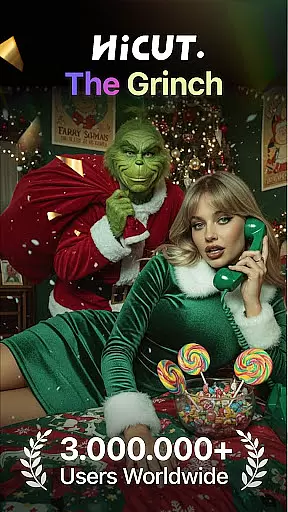
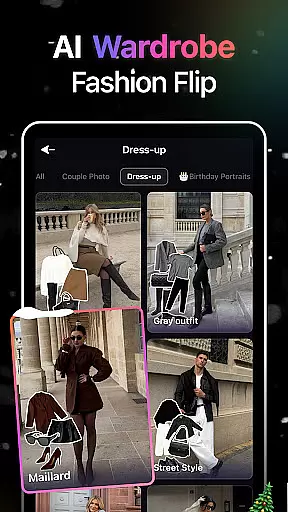
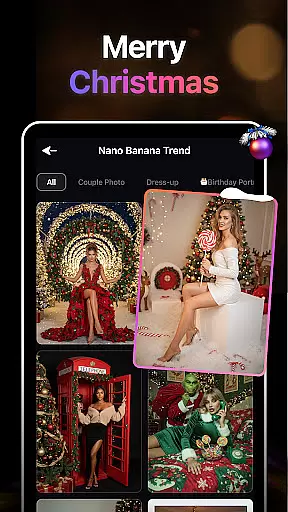
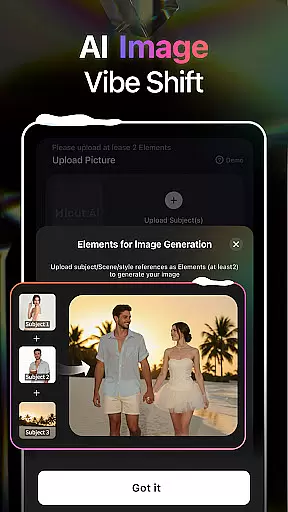
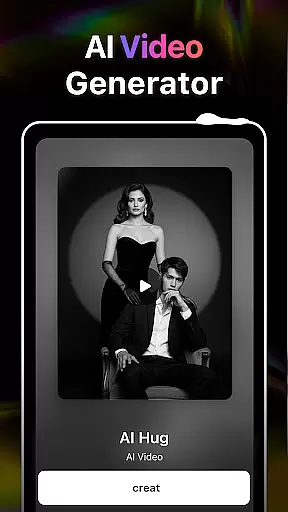
HiCut is an innovative AI-powered application designed for photo editing and video creation, catering to users in the Art & Design category. The app's core functionality lies in its ability to transform ordinary photos into stunning anime, comic, or game character visuals using advanced AI filters. With features like AI Hugging Video technology, it allows users to create realistic virtual hugs by uploading two single-person photos, transcending time and space limitations. Whether you're looking to design personalized avatars, craft unique gaming characters, or produce creative content with anime-style visuals, HiCut offers a comprehensive suite of tools driven by cutting-edge AI technology.
The app also supports various artistic styles, including cartoon filters, sketch effects, and retro designs, making it suitable for designers, content creators, and casual users alike. Its versatility enables users to explore endless possibilities in digital art creation while ensuring high-quality outputs tailored to individual preferences. By leveraging HiCut's robust features, users can bring their creative visions to life and share them across platforms seamlessly.
HiCut stands out with its diverse range of AI-driven features that cater to both professional designers and hobbyists. One of its standout capabilities is the Anime Photo Editor, which uses sophisticated AI algorithms to convert regular photos into visually striking anime-style images. Users can choose from hundreds of customizable styles, allowing them to achieve the desired aesthetic effortlessly. Additionally, the app includes Cartoon Filters and Cartoon Avatars, enabling users to create playful, comic-inspired visuals that mimic iconic superhero characters.
Another highlight is the Game Character Maker, which lets users generate unique game characters in various artistic styles such as cyberpunk, pixel art, and simulation formats. This feature empowers gamers and developers to design NPCs or avatars with ease. Furthermore, the AI Hugging Video function adds an emotional touch by creating lifelike virtual hugs, offering a novel way to connect with loved ones. These features collectively enhance user engagement and provide unparalleled creative freedom within the realm of digital art and design.
In the realm of digital creativity, having a comprehensive suite of tools is paramount. AI Video Generator-HiCut rises to this occasion by offering an extensive array of features that cater to photo editing and video creation aficionados. The application boasts AI filters, video style conversion, and the pioneering AI hugging video technology, all designed to transform ordinary photos into captivating anime, comic, or game characters, alongside realistic sketches.
Users can delve into an impressive selection of hundreds of styles, ranging from anime aesthetics to lifelike visual effects. This versatility ensures that whether you're looking to craft innovative content, design personalized avatars, or immortalize cherished moments with loved ones, HiCut's cutting-edge AI technology has got you covered. The app empowers users to push the boundaries of their creative expression without limits.
The true value of HiCut lies in its ability to make sophisticated art forms accessible to everyone. With intuitive tools at your disposal, even those new to digital artistry can effortlessly navigate through complex transformations. From creating virtual hugs that transcend time and space to generating unique game characters in various artistic styles, the app democratizes the creative process, making it an indispensable asset for anyone passionate about art and design.
Flexibility in canvas and format options is crucial for unleashing full creative potential, and AI Video Generator-HiCut excels in providing this adaptability. The app supports a wide range of photo and video formats, ensuring compatibility with diverse user needs and preferences. Whether you're working on detailed anime artwork or dynamic game character designs, HiCut offers the necessary flexibility to accommodate your vision.
Moreover, HiCut doesn't just stop at static images; it ventures into the territory of motion with its exclusive AI hugging video technology. By simply uploading two single-person photos, users can create a realistic virtual hug, transcending the barriers of time and space. This feature exemplifies the app's commitment to not only supporting varied formats but also enhancing emotional connectivity through digital media.
HiCut stands out by enabling creators to experiment with different artistic expressions without being constrained by format limitations. Its robust support for multiple stylesu2014from cartoon avatars to retro game charactersu2014ensures that every project can be realized with precision and flair. This level of canvas and format flexibility makes AI Video Generator-HiCut an essential tool for artists and designers seeking to explore new horizons in their work.
User-friendly interface
Advanced AI technology
Versatile style options
Unique hugging video
High-quality outputs
Limited free features
Subscription costs
Occasional bugs
Steep learning curve
Heavy file sizes

Apply cartoon, caricature, and portrait effects to make your photos stand out!
 3.60
3.60
Unleash your drawing and painting potential
4.50
Convert image to JPG PNG HEIC PDF, support almost all kinds of image formats
4.70
Design unique, funny and adorable cat stickers that reflect your own style!
3.80
Draw Trace image sketch by, AR art projector app, Easy to trace any image.
4.50
Novices can also easily complete diamond painting masters
4.70
Android 14 style widgets and wallpapers app.
4.0
Draw, fidget, and spin glow art! Relax and express your creativity with a finger
4.60
Multiplayer Drawing game, Coloring, Painting・Sketch, Handwriting・Paint, draw
4.30
Turn your drawings into flipbook-style animations with simple creative tools
4.60
The perfect place to start sketching! Use Sketchbook to draw and paint sketches.
4.50
Everything you need to create hand drawn animation, anywhere you go!
4.40
AI generated images & photos, turn your words into drawing, painting & pictures.
4.30
AI Art Generator transforms your words into AI generated art & paintings.
3.70
Experience next-gen icons with a modern liquid glass look.
3.60
Meet the magic aı 3d photo generator and smart AI video generator app.
3.20
Create stunning video, photo & magic from text with FlixAI GPT video generator.
3.10
Pose and morph realistic male and female models! 3D poser app
3.00
A luxurious gold watch face for an elegant and refined look.
4.3


User Reviews