
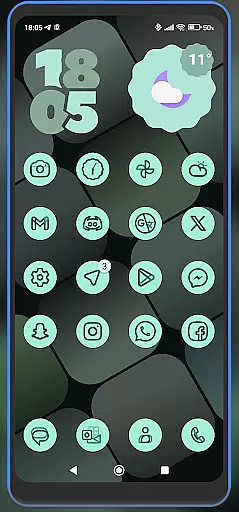
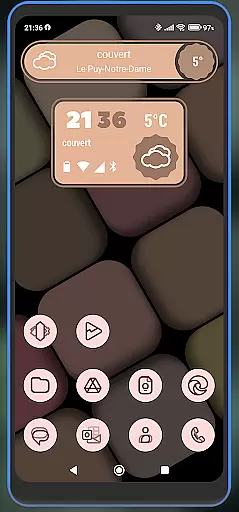
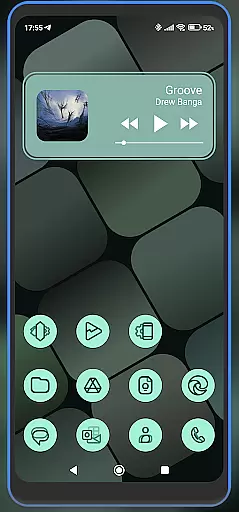
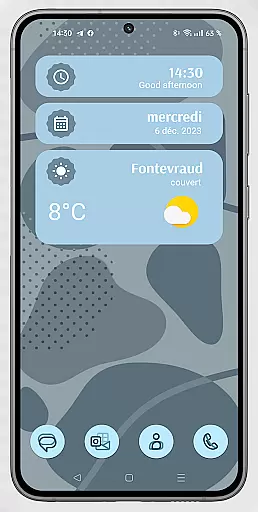
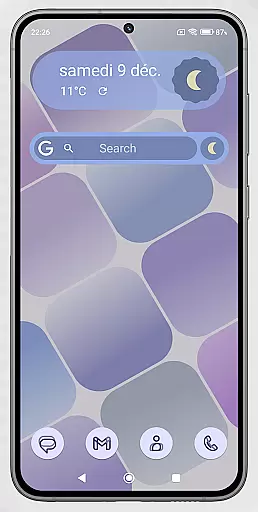
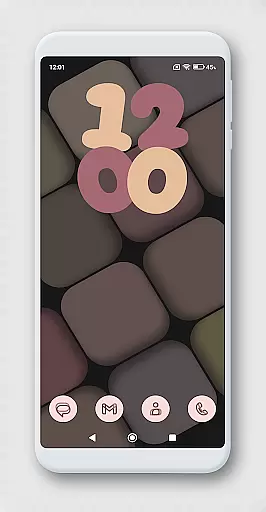
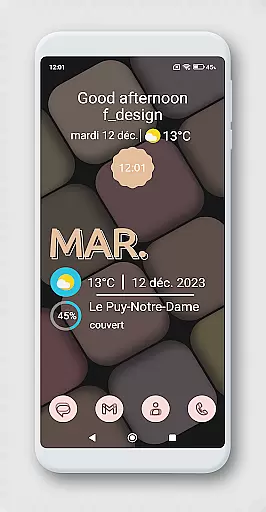
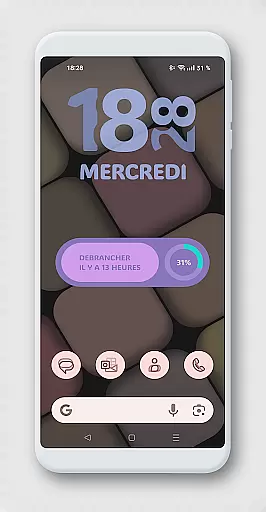
WidgetWall KWGT is a specialized design tool for creating visually appealing home screen widgets on Android devices. This application requires both KWGT and KWGT Pro, which are separate paid apps, to function effectively. It offers users the ability to customize their device's home screen with unique widgets that can be scaled and adjusted according to personal preferences.
The app supports popular launchers such as Nova, Lawnchair, and Smart Launcher 5, making it versatile for various user setups. WidgetWall KWGT provides an intuitive process for configuring widgets, allowing users to express creativity through personalized designs. Its integration with the Kuper Dashboard further enhances widget creation capabilities.
With WidgetWall KWGT, users can elevate their smartphone experience by designing custom widgets that reflect their style and improve accessibility to frequently used features. Whether you're looking to enhance aesthetics or functionality, this app delivers a powerful solution for home screen customization.
WidgetWall KWGT stands out with its comprehensive widget customization features tailored for Android users. The app allows detailed adjustments through the 'SCALE' option in the main KWGT editor, ensuring precise sizing for each widget. This feature is particularly useful when dealing with different screen sizes and resolutions.
One of the key highlights is its compatibility with multiple launchers including Nova, Lawnchair, and Smart Launcher 5. This versatility ensures that users can implement their designs across various launcher environments without compatibility issues. Additionally, the integration with Kuper Dashboard streamlines the widget creation process, offering a more efficient workflow.
Users benefit from a straightforward setup process: after installing KWGT and KWGT Pro, they can easily add widgets to their home screen and select from installed designs. The ability to adjust scaling directly within the app guarantees optimal display settings. These features collectively empower users to create distinctive home screen layouts that enhance both visual appeal and practical usability.
In the realm of Art & Design, WidgetWall KWGT stands out by offering a comprehensive suite of creative tools that cater to both novice and experienced designers.
This application is not just about widgets; it's a canvas where users can express their creativity through various design elements. By integrating with KWGT and KWGT Pro, WidgetWall provides an extensive array of customization options for widgets, allowing users to modify every aspect from colors to functionality.
Users benefit from the ability to create unique home screen designs that reflect their personal style or mood. The availability of popular launchers like Nova and Lawnchair ensures compatibility across different devices, enhancing user experience.
The true value lies in its adaptability and ease of use, empowering users to craft visually appealing interfaces without needing advanced technical skills. With clear instructions on widget configuration and scaling adjustments, WidgetWall KWGT makes sophisticated design accessible to everyone.
WidgetWall KWGT excels in providing unparalleled canvas and format flexibility, essential for unleashing creativity in Art & Design projects.
By leveraging the capabilities of KWGT and KWGT Pro, this app allows users to manipulate widget sizes and formats effortlessly. Whether adjusting the scale of a particular widget or customizing its appearance, users have complete control over their design environment.
This flexibility ensures that each widget fits perfectly into the user's desired layout, regardless of screen size or resolution. The 'SCALE' feature under the layer option in the main KWGT editor further enhances precision, enabling meticulous adjustments.
Ultimately, WidgetWall KWGT empowers users to transcend traditional design limitations, fostering innovation and personal expression. This adaptability not only meets but exceeds the expectations of modern digital artists and designers seeking versatile tools for their creative endeavors.
User-friendly interface
Highly customizable widgets
Compatible with multiple launchers
Intuitive scaling options
Enhances home screen aesthetics
Requires additional paid apps
Complex for beginners
Limited standalone functionality
Dependent on third-party tools
Potential compatibility issues

Transform photos into amazing monochrome dither art with professional algorithms
 4.4
4.4
Apply cartoon, caricature, and portrait effects to make your photos stand out!
3.60
Digital, Abstract, Classic - all types of color wheels in one app!
4.60
Unleash Your Creativity with Draw Cartoon - AR Drawing App
4.10
The perfect place to start sketching! Use Sketchbook to draw and paint sketches.
4.50
Retouch photos. Create or edit images. Endless capabilities.
2.70
Create cute cat emojis & PFPs! Fun, custom avatars for cat lovers.
3.70
Sketch and paint on your device with the feel and freedom of drawing on paper
4.00
Create amazing pictures and unleash your creative genius with AR Drawing Sketch
4.40
Make your phone cooler and have a fantastic experience
4.80
Learn how to draw with step-by-step tutorials, fun lessons & multiplayer drawing
4.70
Draw glowing spinners, relax, and spin your creative art
4.60
Unleash your drawing and painting potential
4.50
Painting, drawing, & sketching
4.50
Art of Combination Wear OS Watch faces (for Wear OS 5+ devices)
3.90
Powerful home decoration & house design that allows you to design dream home.
3.80
Resize photos and print photos in exact size with our powerful photo printer!
3.80
Art of Combination Wear OS Watch Faces
3.30
Art of Combination Wear OS Watch faces (for Wear OS 5+ devices)
3.00


User Reviews