
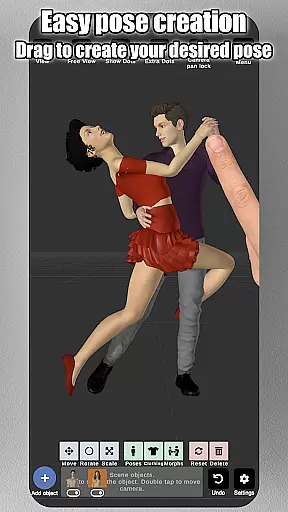
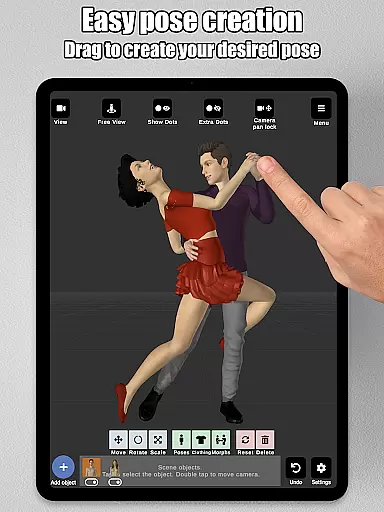
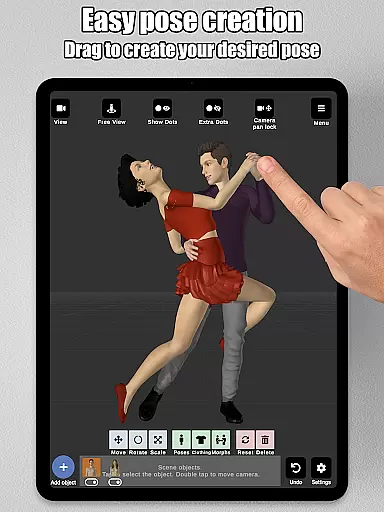
Art Model is a feature-rich 3D posing app designed for artists and designers. The core functionality allows users to pose and morph an unlimited number of human models simultaneously within a scene. With intuitive controls, users can simply tap and drag limbs into desired positions, eliminating the need for complex joint rotations. This makes creating poses fast and easy.
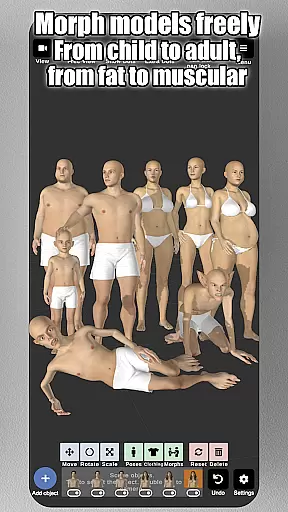
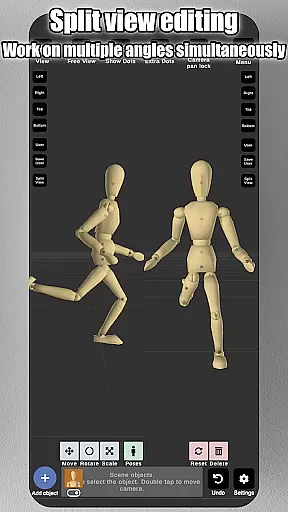
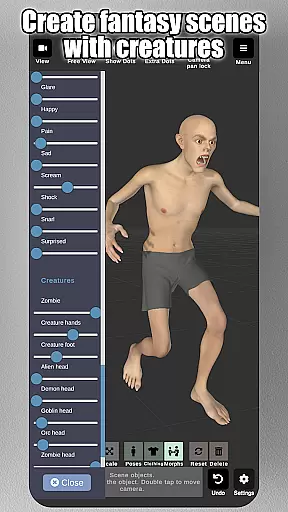
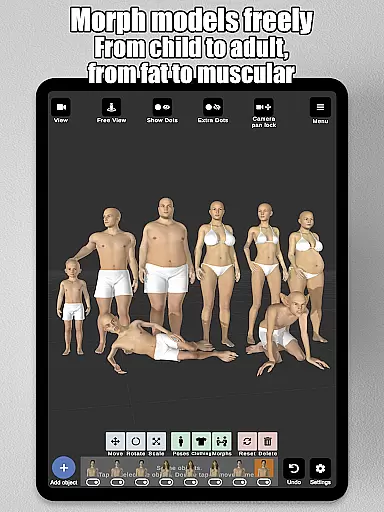
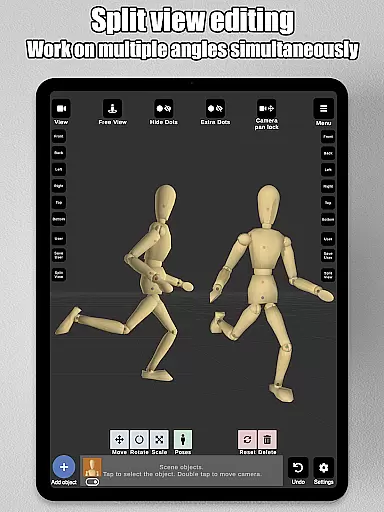
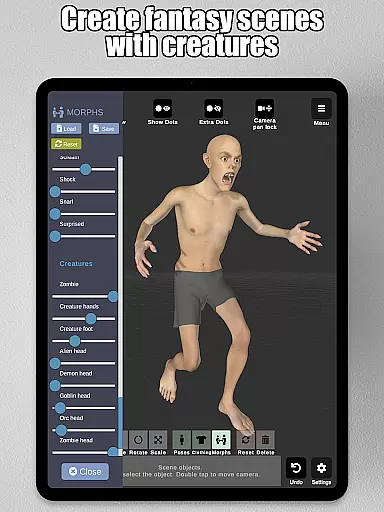
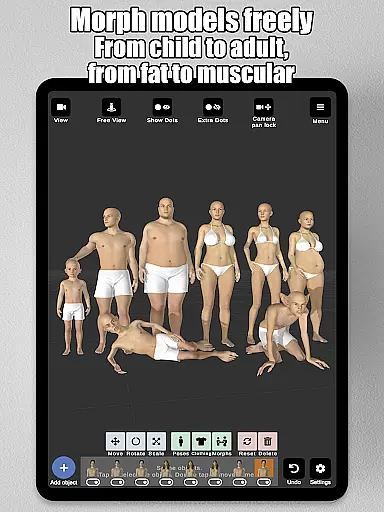
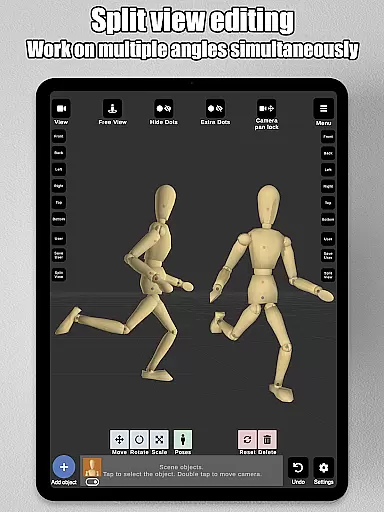
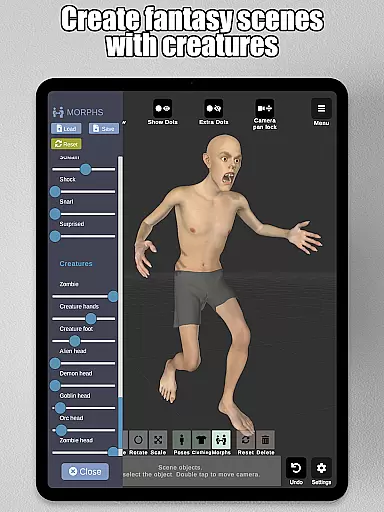
The app includes realistic male and female 3D models, as well as a wooden mannequin option for traditional drawing references. Additionally, it offers advanced morphing capabilities, enabling users to customize models from children to adults, skinny to muscular, or even fantastical creatures. Props such as chairs, weapons, and geometric shapes can be added to enrich scenes, while split-view editing allows simultaneous viewing from two camera angles.
Art Model is ideal for character design, storyboarding, and improving drawing skills. Its powerful tools provide artists with everything needed to visualize characters in real-world settings, making it an essential tool for illustrators and designers alike.
Art Model stands out with its comprehensive set of features tailored for artists. One of the key highlights is the ability to pose realistic male and female models effortlessly. By simply dragging limbs to desired positions, users can create natural poses quickly, which significantly enhances workflow efficiency.
The morphing system is another standout feature, allowing users to create unique models ranging from children to adults, and from skinny to muscular forms. Individual body parts like arms, legs, and chest can also be morphed separately. This flexibility ensures that artists can create exactly the model they envision. Additionally, the app provides a wooden mannequin model, catering to those who prefer traditional drawing references.
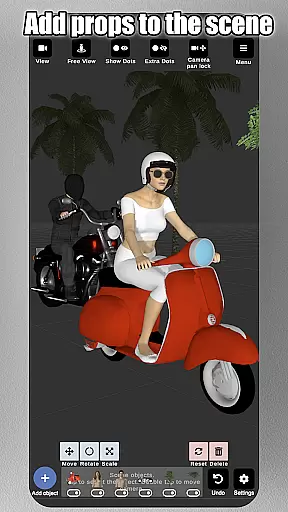
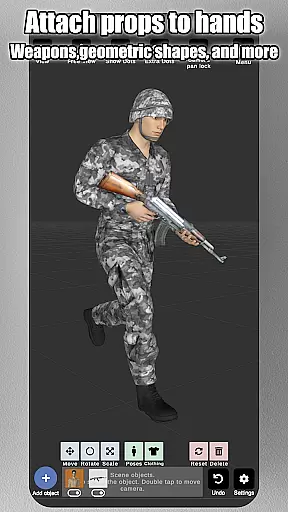
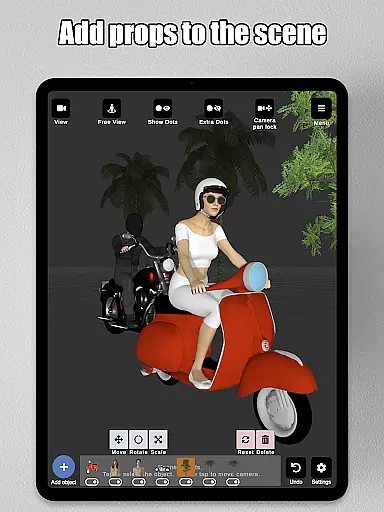
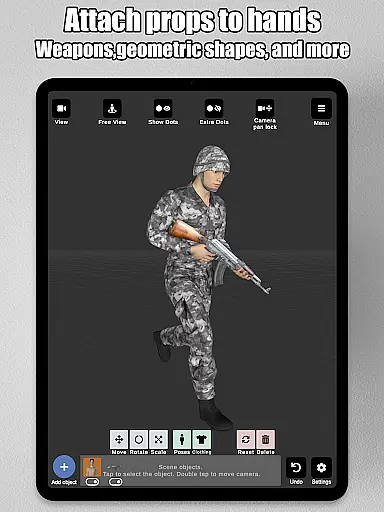
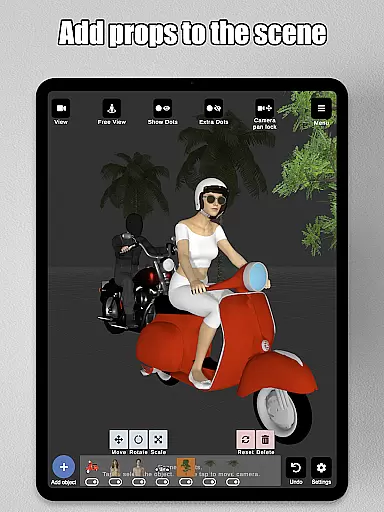
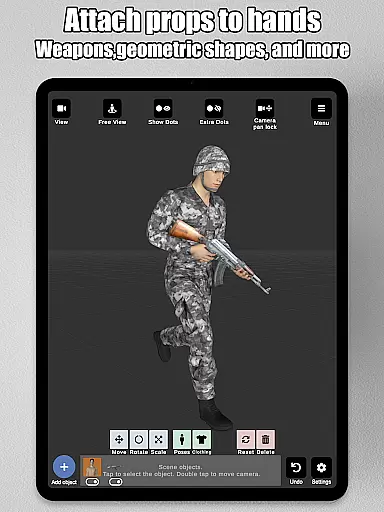
Art Model further enriches scenes with props such as furniture, weapons, and vehicles, which can be attached directly to the model's hands, moving naturally with them. Advanced lighting options, preset poses, and the ability to import background images add layers of realism and creativity. Split-view editing allows precise adjustments by showing two angles at once, ensuring every detail is perfected.
Art Model - 3D Art pose tool offers an extensive suite of creative tools that cater to both traditional and digital artists. The app includes realistic 3D male and female models, as well as a wooden mannequin option for those who prefer classic drawing references. With the ability to morph models from children to adults, skinny to muscular, or even alter specific body parts like arms and legs, the creative possibilities are virtually limitless.
In addition to its robust morphing system, the app provides users with props such as chairs, tables, weapons, vehicles, trees, and geometric shapes, which can be attached directly to the model's hands, moving naturally with them. This feature enriches scenes and adds depth to character design. Artists seeking precision will appreciate the split view editing, allowing simultaneous viewing from two different camera angles, making detailed adjustments more manageable than ever.
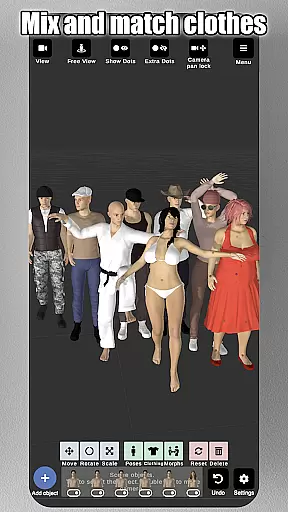
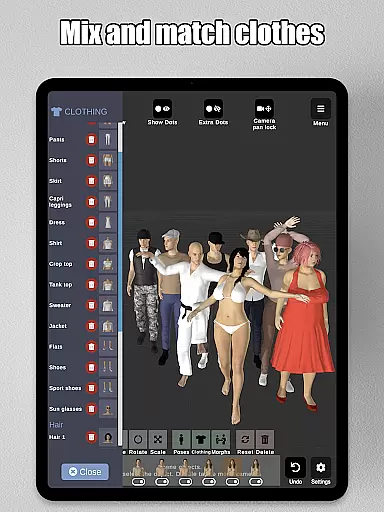
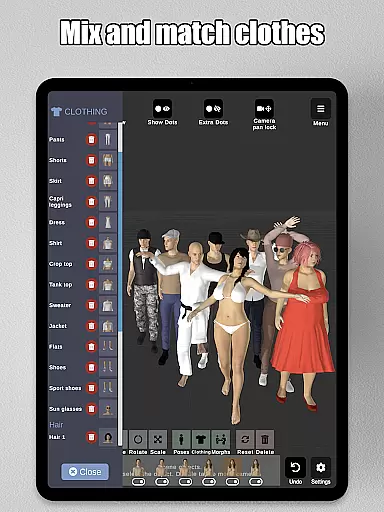
The inclusion of advanced lighting options, various headgear choices, basic hair features, and clothing for models ensures that every artistic vision can be fully realized within the app. These comprehensive tools empower users not only to create poses but also to construct entire environments around their characters, enhancing illustrations or storyboards significantly.
Flexibility in canvas and format is crucial for artists, and Art Model - 3D Art pose tool excels in this area by providing a dynamic workspace. Users can zoom in and out with a simple two-finger pinch, rotate the camera using a two-finger drag, and pan across the scene effortlessly with a one-finger drag. This intuitive control scheme allows creators to focus on their work without being hindered by cumbersome navigation mechanics.
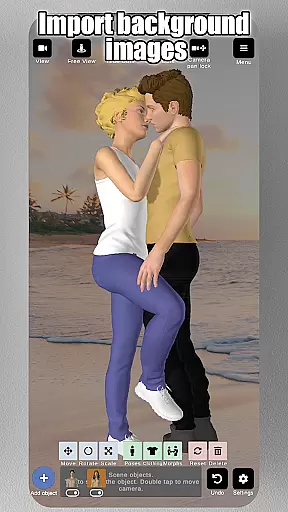
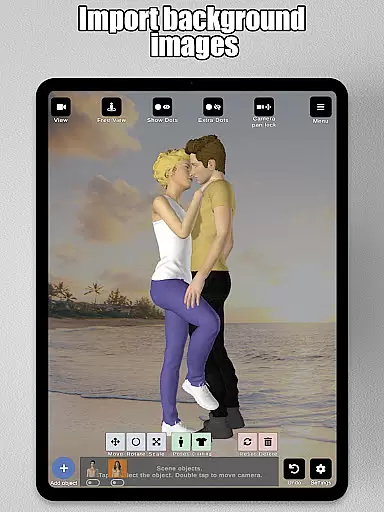
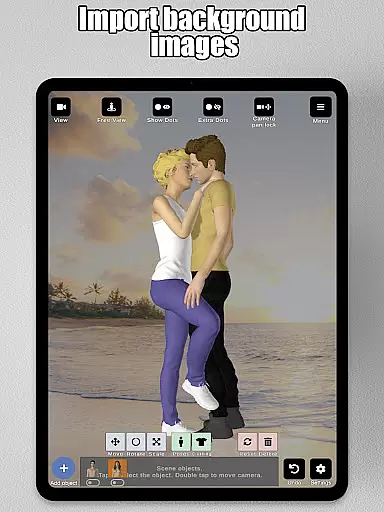
The application supports importing background images, enabling artists to integrate real-world settings into their scenes seamlessly. Whether it's for reference or part of the environment itself, these backgrounds help visualize characters in context, bridging the gap between imagination and reality. Furthermore, preset poses offer quick starting points, while saving and loading capabilities ensure that projects can be revisited and refined over time.
Artists looking to improve their drawing skills will find the appu2019s adaptability particularly beneficial. Its compatibility with various artistic needsu2014from character design to human drawing guidesu2014makes it an indispensable tool for illustrators at any level. By offering unparalleled flexibility in how art is created and viewed, Art Model stands out as an ideal choice for anyone involved in visual storytelling.
User-friendly interface
Advanced morphing tools
Variety of model types
Extensive prop library
Split-view editing feature
Steep learning curve
Occasional bugs
Limited free content
High system requirements
No collaborative features

AI generated images & photos, turn your words into drawing, painting & pictures.
 4.30
4.30
Design your dream room with AI. Get decor ideas & plan home interiors
3.90
Sketch, plan, take notes and illustrate on an infinite canvas.
4.20
Draw anime & manga drawing, art with templates to create stunning picture!
4.50
Make your phone cooler and have a fantastic experience
4.80
Create stunning video, photo & magic from text with FlixAI GPT video generator.
3.10
Resize photos and print photos in exact size with our powerful photo printer!
3.80
Kling AI is an image and video generation and editing studio powered by AI.
4.50
AI Tattoo Generator: Create Tattoo Designs & Get Ideas! Ink & Stencil Maker
4.50
See Color, Paint Color
4.90
Draw Trace image sketch by, AR art projector app, Easy to trace any image.
4.50
Create and Design Custom Logos in Seconds with AI-Powered Tools!
4.40
Just trace a projected picture on paper and color! Draw & Paint with AR drawing
4.40
Draw, make movies & animate cartoons easily with our 2D animation maker app
4.40
Customizable Outlined Fonts. Watch Face Format. Battery friendly Digital Clock.
4.20
AR Anime Drawing: How to draw anime with AR drawing & sketching apps!
4.00
Sketch and paint on your device with the feel and freedom of drawing on paper
4.00
Create cute cat emojis & PFPs! Fun, custom avatars for cat lovers.
3.70
Art of Combination Wear OS Watch faces
4.3


User Reviews