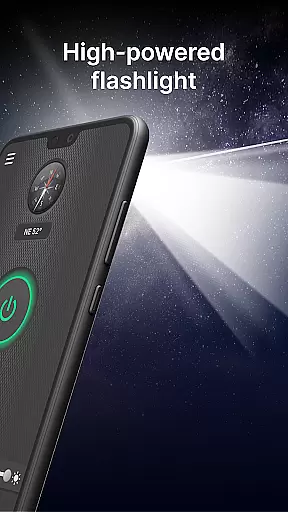
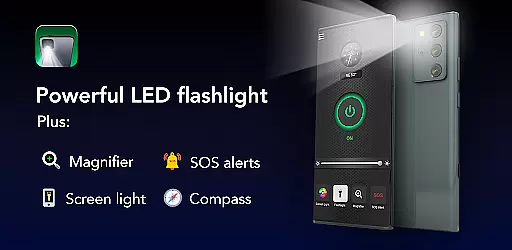
Brightest Flashlight Launcher is a versatile utility app that transforms your smartphone into an essential everyday tool. The app's core functionality revolves around providing users with instant access to a powerful flashlight, magnifying glass, and various safety features. With its launcher capabilities, it reorganizes your home screen to ensure one-swipe access to critical functions like SOS alerts, compass, and screen light.
What sets this app apart is its comprehensive approach to user convenience. In addition to the primary flashlight feature, it offers practical tools such as a magnifier for reading fine print, a built-in compass for navigation, and emergency SOS signaling. These features make it especially useful in situations like power outages, outdoor adventures, or emergencies where quick access to light and navigation tools can be crucial.
The app also enhances the overall smartphone experience by offering customizable widgets, beautiful wallpapers, and multi-touchpoint search functionalities. Whether you're trying to illuminate a dark path, magnify small text, or personalize your phone's appearance, Brightest Flashlight Launcher provides both utility and customization options that add significant value to your device.
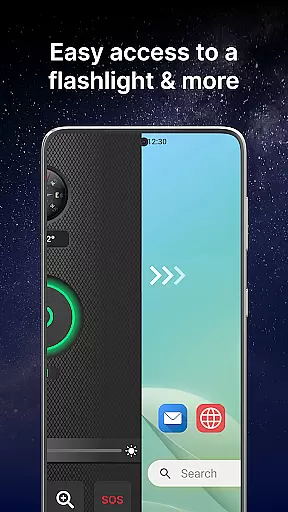
Brightest Flashlight Launcher stands out with its diverse range of features designed to maximize utility and accessibility. One of its most notable aspects is the instant access it provides to essential tools through its unique launcher interface. By simply swiping right from the home screen, users can activate the brightest flashlight available, use the magnifier function, or even send out an SOS alert in case of emergencies.
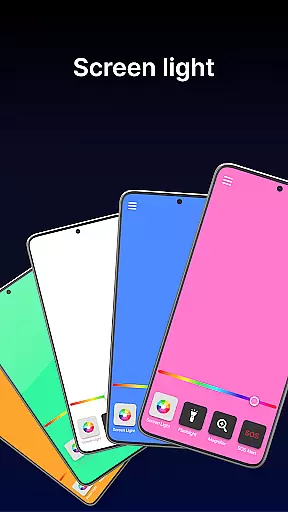
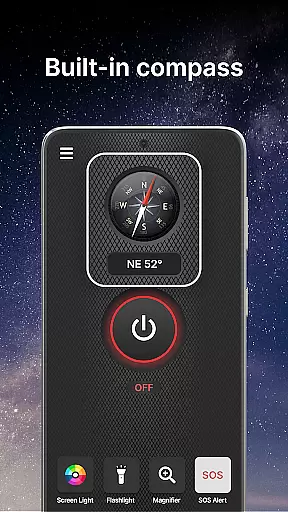
In addition to these primary features, the app includes several secondary utilities that enhance user experience. For instance, the built-in compass ensures you'll never lose direction during outdoor activities, while the screen light function turns your entire display into a source of illumination. The app also offers customizable widgets that display time, weather, and other important information directly on the home screen, making daily tasks more convenient.
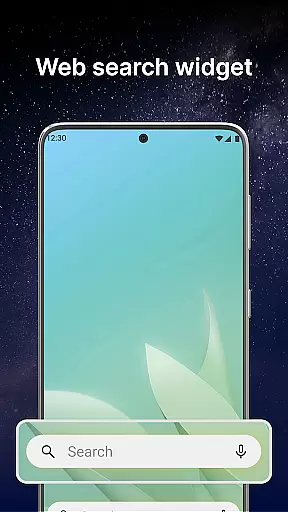
Another key advantage is the personalization options available, including a wide selection of themed wallpapers and home screen shortcuts for quick access to frequently used functions. Furthermore, the multi-touchpoint search feature allows users to easily find installed apps or perform web searches powered by Yahoo. Each of these features is thoughtfully designed to provide both practicality and ease of use, ensuring that users have all the tools they need at their fingertips.
Flashlight Launcher excels in delivering core functionalities with precision and reliability. The app transforms your smartphone into a versatile tool, offering a super bright flashlight, magnifier, compass, SOS alerts, and screen light. Each feature is designed to provide maximum utility in various scenarios.
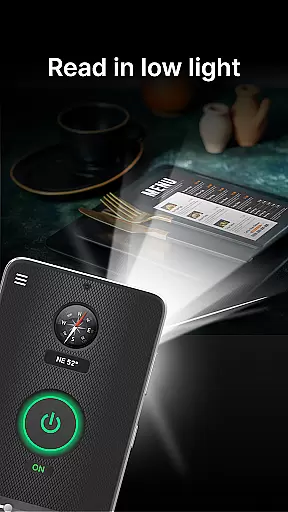
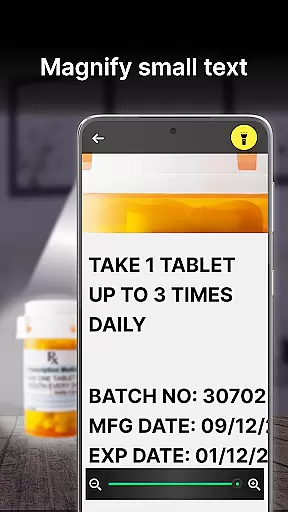
The flashlight function activates instantly with one tap, providing immediate illumination for navigation or search purposes. The magnifier feature combines with the flashlight to offer clear viewing even in dim conditions, making it ideal for reading fine print or examining objects closely. These tools demonstrate the app's commitment to functional accuracy.
Users benefit from the built-in compass for outdoor adventures and the SOS alert system for emergencies. The screen light feature turns the entire display into a luminous source, perfect for low-light environments. This comprehensive functionality ensures users have access to essential tools whenever needed.
The effectiveness of these features lies in their seamless integration and ease of access. By swiping right from the home screen, users can instantly reach these safety essentials. This intuitive design enhances the overall user experience while maintaining operational efficiency across all core functions.
Flashlight Launcher prioritizes user-friendly interface design, ensuring effortless navigation and operation. Upon installation, users will notice a revamped home screen layout that places essential tools within easy reach. This deliberate design choice emphasizes accessibility without compromising functionality.
The app features multiple access points for its core functions. A single swipe from the home screen reveals the flashlight, magnifier, and other safety tools. Additionally, a customizable widget displays time, weather, and quick access icons, streamlining daily interactions with the device.
Personalization options include a wide selection of themed wallpapers and home screen shortcuts. These elements allow users to maintain their preferred aesthetic while benefiting from enhanced functionality. The straightforward layout ensures that all apps remain accessible, just possibly rearranged for optimal efficiency.
This intuitive approach extends to the app's learning curve, which is minimal due to logical placement of features. Users can quickly adapt to the new interface while enjoying improved access to frequently used tools. The combination of simplicity and powerful functionality makes Flashlight Launcher an excellent choice for those seeking practical solutions in a user-friendly package.
User-friendly interface
Comprehensive safety tools
Instant access to features
Customizable home screen
Versatile magnifier function
Home screen layout changes
Requires storage space
Limited design flexibility
Potential battery drain
Some features may feel redundant

 4.50
4.50
pdf merge, word to pdf, jpg to pdf, edit pdf, convert to pdf and much more!
4.20
Head tracking for PC sim games such as MSFS 2024 or Elite:Dangerous. No headset!
4.50
Canon PRINT is a companion app for your Canon printer.
4.60
Create your own live wallpaper or check out thousands already made presets
3.90
Signal Strength, Mobile, Wifi, Speed Test, Bad Signals, Cellular, 5G, LTE, 4G
4.20
The one-and-only remote control for PC, Mac, and Linux
4.70
Quickly check the frequency of the Earth
4.30
Button mapper, mouse toggle, sleep timer and a lot of another features
4.50
The ultimate tool for network analysis, wifi scanning and problem detection.
4.90
Extremely fast, secure, and protects your privacy
4.80
ADB support Android 4.X-Android 13(Support wireless pair mode).No root required!
4.70
Keep track of your Palia friendships, tasks, and inventory with Palia Notebook
4.60 4.50
4.50
Just swipe the edge to do something!
4.40
PC precision for mobile gaming: dominate with keyboard and mouse!
4.30
A simple app to back up and restore SMS & MMS messages and call logs.
4.10
Fun lie-detection pranks for friends and parties.
3.80
Safely recover deleted photos, videos, and files with a single easy tap.
3.70


User Reviews