
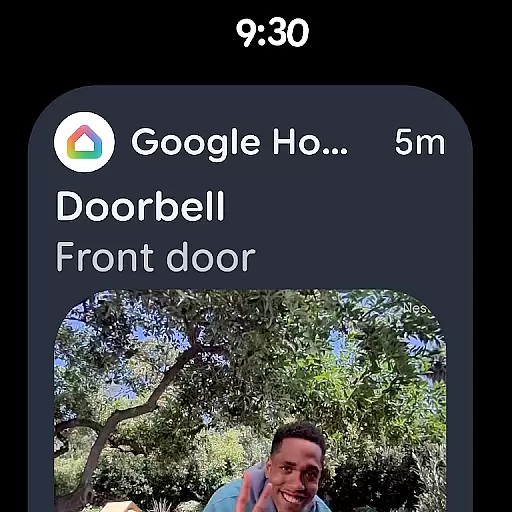
Google Home is a comprehensive smart home management application designed specifically for Android Wear devices. This app allows users to seamlessly control and monitor their connected home devices directly from their smartwatch. With an intuitive interface, users can view real-time updates of their home status, ensuring they stay informed even when on the go.
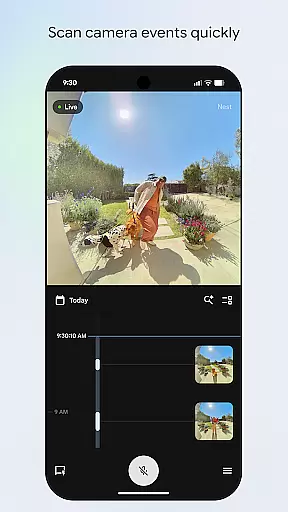
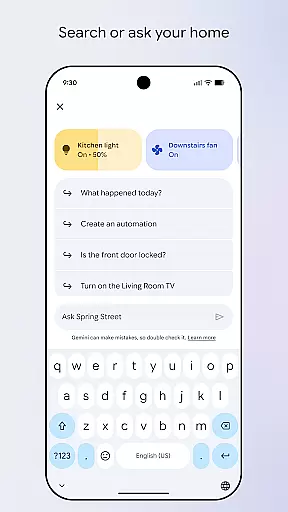
The app's redesigned layout offers efficient navigation through various device settings and provides quick access to essential features. Users can easily scan through camera feeds and receive instant notifications about important events at home. Additionally, Google Home supports voice commands via Gemini for Home, enabling hands-free control over compatible smart devices.
Whether you're managing security cameras, thermostats, or lighting systems, Google Home ensures that your smart home remains accessible anytime, anywhere. Its ability to integrate multiple functions into a single wearable platform makes it an invaluable tool for modern homeowners seeking convenience and peace of mind.
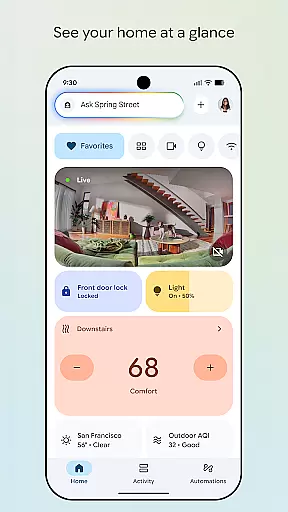
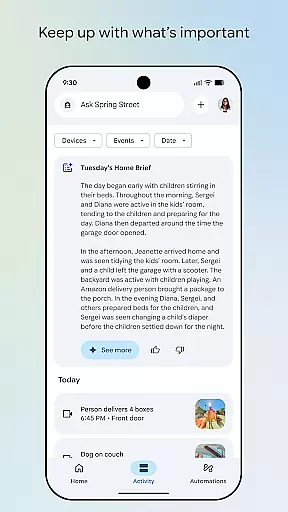
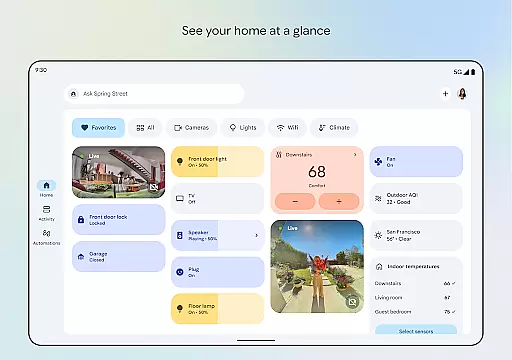
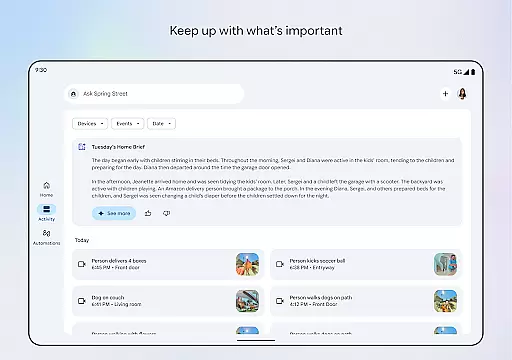
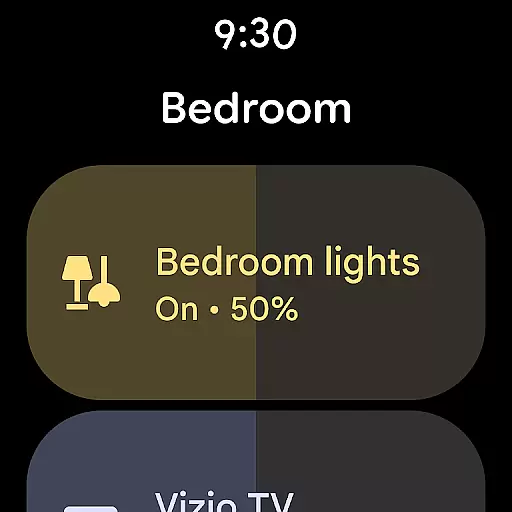
One of the standout features of Google Home is its ability to provide a consolidated view of your smart home ecosystem right on your wrist. The app displays critical information such as device statuses, recent activities, and environmental conditions in a clear, easy-to-read format. This functionality is particularly useful for users who need quick updates without having to pull out their phone.
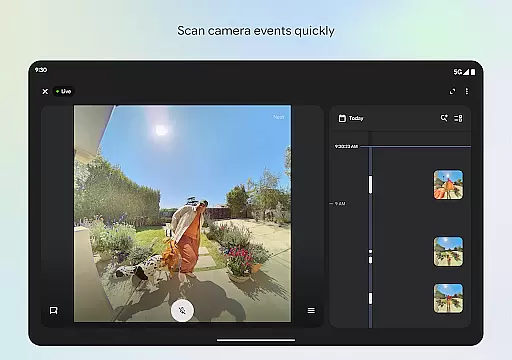
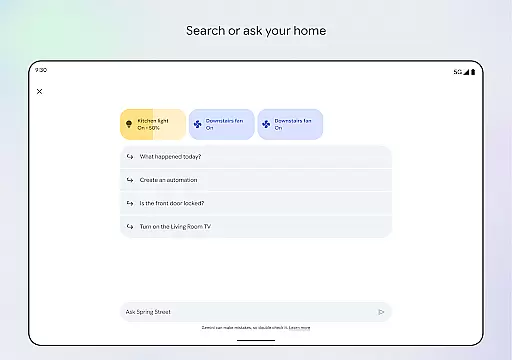
Another key feature is the enhanced camera interface, which allows users to swiftly browse through recorded events and live streams from their security cameras. The updated design prioritizes usability, making it simple to switch between different views and manage multiple camera feeds efficiently. Furthermore, the integration with Gemini for Home enables natural language processing capabilities, letting users execute commands by speaking naturally to their watch.
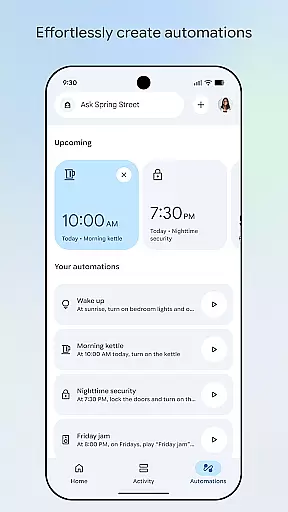
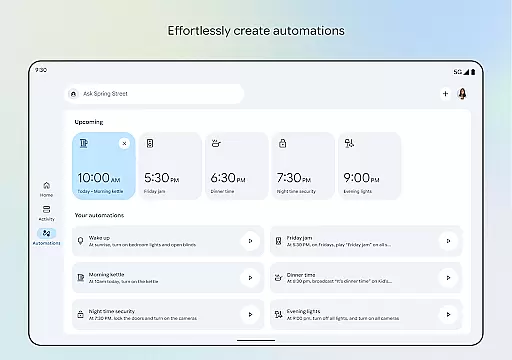
Google Home also excels in personalization options, allowing users to customize dashboards according to their preferences. You can group devices based on rooms or functions, set up automated routines, and adjust notification settings to suit your lifestyle. These features collectively enhance user experience by providing both flexibility and control over smart home operations.
Companion app integration is essential for seamless control and management of wearable devices. Google Home ensures that your Android Wear device works in harmony with other smart devices in your home ecosystem.
The app provides centralized control, allowing users to manage notifications, customize settings, and synchronize data across multiple devices effortlessly. This level of integration means you can start a task on your wearable and finish it on your phone or tablet without missing a beat.
With real-time updates and synchronization, users are always up-to-date with their home's status. Whether it's adjusting the thermostat or checking security cameras, the Google Home app makes sure your Android Wear device is an integral part of your smart home experience.
Ensuring compatibility with Wear OS and various devices is crucial for a versatile smart home application. Google Home excels in providing broad support for different devices, making it adaptable to various smart home ecosystems.
This compatibility allows for smooth interactions between the user's wearables and other smart devices at home. Users can expect consistent performance whether they're controlling lights, setting alarms, or managing appliances from their Wear OS devices.
Google Home's commitment to compatibility means regular updates and improvements, ensuring that users have access to the latest features and security enhancements. This dedication makes it a reliable choice for integrating Android Wear products into a cohesive smart home network.
User-friendly interface
Voice command support
Real-time updates
Customizable dashboards
Seamless device integration
Limited regional availability
Requires compatible devices
Premium feature costs
Occasional connectivity issues
Steep learning curve

Walking app for weight loss: walk & step tracker, pedometer, indoor treadmill
 4.60
4.60
Wear Os Watch Face - Animated Snow Effect & Christmas Lights
4.0
Embrace the holiday spirit with this magical animated watch face!
4.40
Stunning modern digital watch face with 7 complications and strong contrast
4.1
Watch face designed for Thanksgiving Day. 7 Background Styles included.
3.20
Be an elegant and classy secret agent, with this carefully detailed watch face
4.70
Watch face for Wear OS.
4.20
Your second brain for organizing your life: to-do, calendar, reminder.
4.70
The ultimate destination for kids ages 3-8 to explore the Marvel Universe!
4.30
Christmas - Festive - Christmas Village - Winter - Christmas lights
5.00
Hyperlocal rain alerts by MyRadar using patent-pending technology, radar & more
4.80
The Chevron App allows you to pay for fuel from the comfort of your car!
4.80
To-Do List: daily schedule planner, task organizer, to do reminder app, calendar
4.60
Beautiful artistic animated digital watch face, with a customizable layout!
4.40
Digital watch face. For Wear OS devices.
4.40
"PER27 Galaxy Digital" is a digital Wear OS watch face designed by PERSONA
4.10
Analog watch face with 8 complications and expedition styling
4.2
Simple Analog-Digital Watchface For Wear OS 3.0 and Up Smartwatches
4.0
Hybrid Vibrant Health Watch Face for Wear OS
4.1


User Reviews