
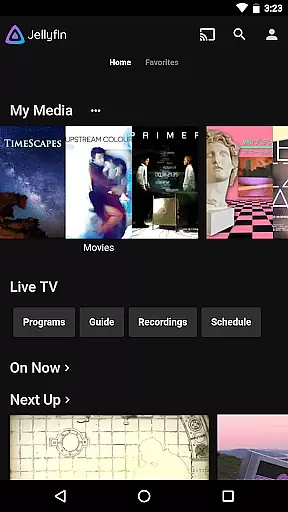
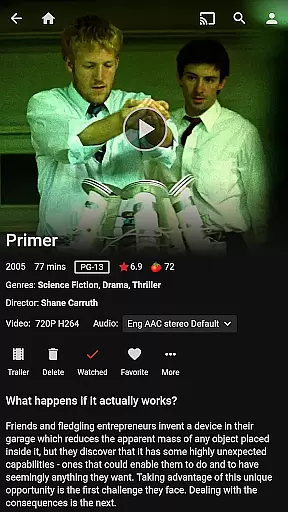
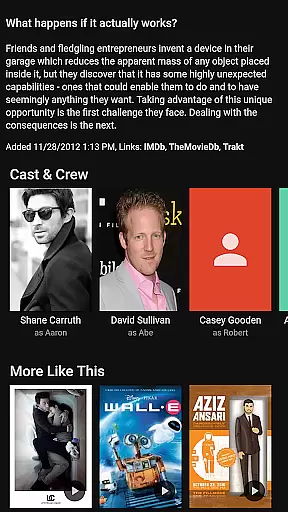
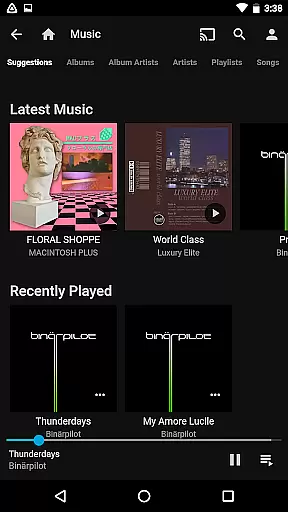

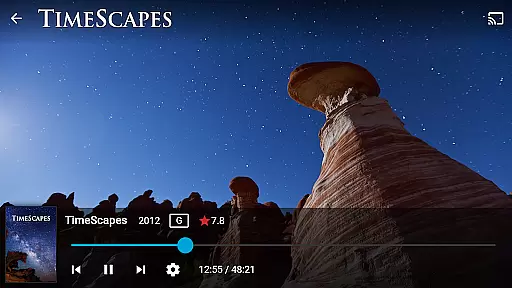
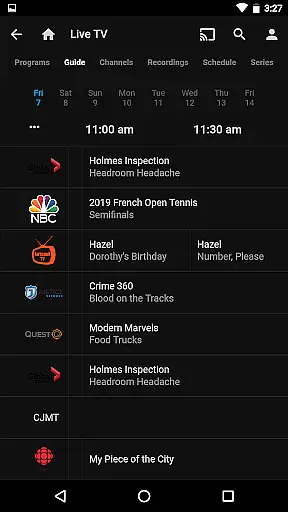
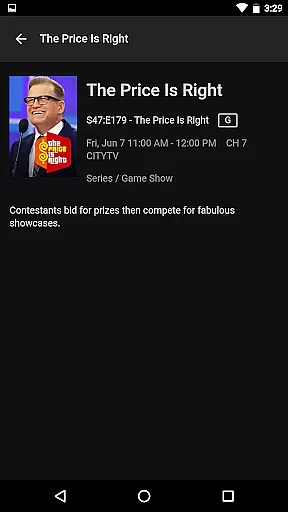
Jellyfin is an open-source media server and player that allows you to manage and stream your personal media collection. This Android app serves as the official companion, enabling users to access their media library from anywhere. With no fees or tracking, Jellyfin offers a privacy-focused solution for enjoying your videos, music, and photos.
The app supports key features like Live TV streaming, Chromecast integration, and Android Auto support for music playback. Whether you're at home or on the go, Jellyfin provides a seamless way to enjoy your media collection through an intuitive interface.
Jellyfin stands out with its robust feature set tailored for media enthusiasts. The app supports Live TV and DVR functionality, allowing users to watch and record live broadcasts directly through their server. Its Chromecast integration makes it easy to stream content to your TV without additional cables or devices.
For music lovers, Jellyfin offers Android Auto compatibility, enabling safe and convenient music playback while driving. The app also provides a polished user interface that organizes your entire media collection in a visually appealing way. With support for various media formats and customizable streaming options, Jellyfin ensures high-quality playback across all your devices.
Video format compatibility is a crucial feature for any video player, ensuring that users can enjoy their media without worrying about file type restrictions. Jellyfin excels in this area by supporting a wide range of video formats, from common ones like MP4 and AVI to more specialized codecs such as MKV and OGG.
The app's robust decoding capabilities allow seamless playback of videos stored on your Jellyfin server. Whether you're streaming high-definition movies or home videos, the platform ensures smooth performance across devices.
This extensive format support provides significant value to users, eliminating the need for format conversion and preserving original video quality. With Jellyfin, you can access your entire media library without compatibility concerns.
Moreover, regular updates to the platform ensure that new video formats are supported as they emerge, keeping your media experience future-proof and hassle-free.
While primarily a media streaming application, Jellyfin incorporates basic AI-powered editing features that enhance the user's video management experience. These intelligent tools help organize and optimize media libraries through automated metadata tagging and content categorization.
The application's AI algorithms analyze video content to generate accurate descriptions, thumbnails, and tags. This automation saves users considerable time when managing large media collections, while maintaining professional-looking organization standards.
These smart features extend to content discovery as well, where AI helps surface relevant media based on viewing habits and preferences. The system learns from user interactions to improve its recommendations over time.
Although not a full-fledged video editor, Jellyfin's AI-powered capabilities significantly streamline media management tasks, making it easier for users to maintain and navigate their digital libraries efficiently.
User-friendly interface
Free and open-source
Chromecast support
Live TV integration
Privacy-focused design
Requires separate server setup
No offline music support
Limited mobile features
Hardware-dependent DVR
Complex initial configuration

Fast, private downloading, video saving, social media
 4.50
4.50
Video Player - Unlimited features, 30 days money back guarantee.
4.60
Full HD Video mp3 Player, MP4 player play 1080p, File manager, Video Downloader
4.40
KMPlayer Plus (Divx Codec) officially support Divx codec.
4.30
Fast & Private Video Downloader App. Save all videos easily from the Internet.
4.40
Connect EasyCap or UVC devices for recording and broadcast video/audio stream
3.60
Browser for Fire TV to stream webvideos, online movies, livestreams in HD
4.40
Download Hub, easy and private way to download and enjoy your videos offline
4.80
convenient, safe and fast at Video Downloader & Player
4.60
Pro video editor app for Instagram, edit video with song, AI, effect & slowmo.
4.80
High-Quality USB Camera Viewer & HDMI Display
4.70
Download videos and play them offline
4.70
Browser + Remote for Roku to stream webvideos, online movies and livestreams
4.60
AirMirror Receiver - Screen mirroring/cast web videos to Android TV by AirPlay.
4.40
Make your own Animations, Video and Photo Edits, Visual Effects, and more!
4.00
All in one multi protocols stream receiver for AirPlay, Cast and DLNA.
3.60
Mix with Virtual DJ directly from your phone or tablet !
3.10
Video player with powerful streaming playback and various convenient features.
2.10
The smartest M3U IPTV Player your playlists have ever seen.
4.4


User Reviews