

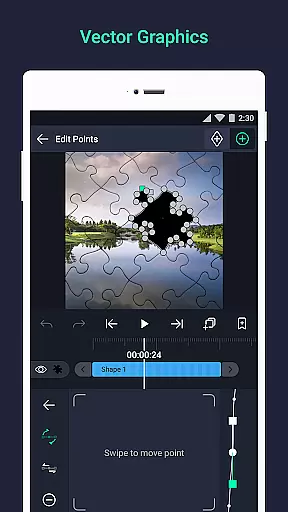
Alight Motion is a pioneering motion design application that brings professional-quality animation and video editing tools to your mobile device. This app allows users to create sophisticated visual effects, motion graphics, and video composites with multiple layers of graphics, video, and audio. With support for both vector and bitmap editing, Alight Motion stands out by enabling detailed animations and adjustments directly on your phone.
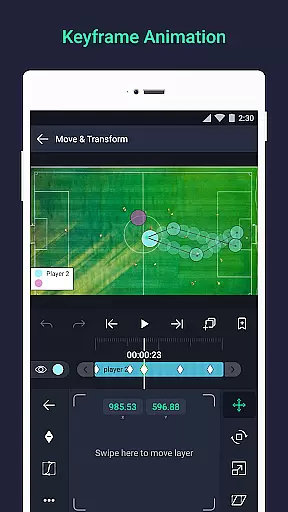
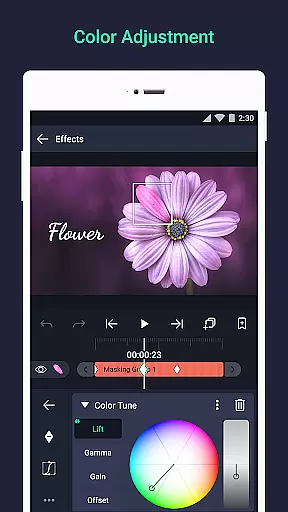
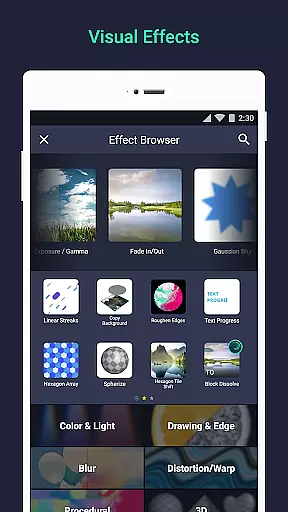
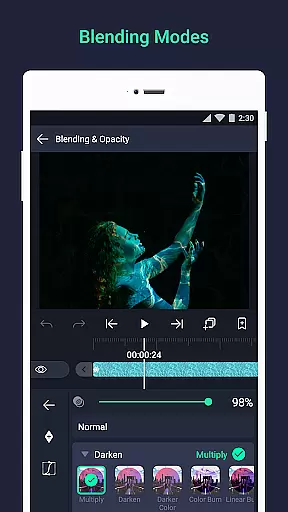
The app offers an extensive range of features including 160+ effect building blocks, keyframe animation for all settings, and advanced layer linking capabilities. Users can also take advantage of camera tools that support focus blur and fog, group layers, create masks, and adjust colors effortlessly. Whether you're a beginner or a seasoned designer, Alight Motion provides the tools necessary to produce high-quality animations and video projects efficiently.
Designed for creative professionals and hobbyists alike, Alight Motion is ideal for anyone looking to explore the world of motion design. Its comprehensive feature set makes it suitable for creating engaging social media content, professional presentations, or personal projects. By delivering powerful design capabilities in a mobile format, this app empowers users to bring their creative visions to life anytime, anywhere.
Alight Motion distinguishes itself through its rich feature set tailored for motion designers. One of its standout capabilities is the support for multiple layers, allowing users to work with graphics, video, and audio simultaneously. The app's vector and bitmap support enables precise graphic editing directly on mobile devices, which is crucial for creating detailed animations and visual effects.
Another remarkable feature is the availability of 160+ basic effect building blocks. These can be combined to form complex visual effects, providing endless creative possibilities. Keyframe animation is available for all settings, ensuring smooth transitions and dynamic motion. Additionally, advanced functionalities like linking parent and child layers, rigging character joints, and using cameras with pan, zoom, and focus blur effects allow for intricate project designs.
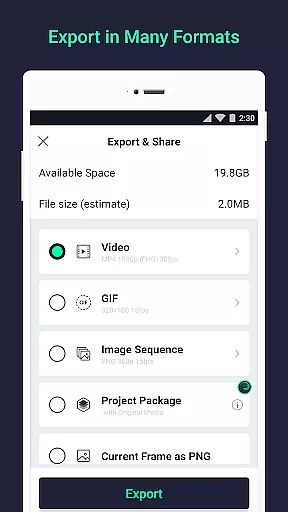
Users can benefit from tools such as color adjustment, animation easing presets, and velocity-based motion blur, which contribute to more fluid and professional-looking animations. The ability to export projects in various formats including MP4 video, GIF animation, and PNG sequences ensures compatibility across different platforms. Overall, these features make Alight Motion a versatile tool for producing high-quality motion graphics and animations.
Video format compatibility is a crucial feature for any video editing application, ensuring that users can work with a wide range of file types. Alight Motion supports multiple formats including MP4 video, GIF animation, and PNG sequences, making it versatile for various creative projects.
The app's ability to handle both vector and bitmap graphics adds another layer of flexibility. This means you can import and edit different graphic types without worrying about format limitations. The inclusion of solid color and gradient fill effects further enhances the creative possibilities.
Users benefit from this broad compatibility as it streamlines their workflow. Whether you're creating animations or compositing videos, having support for diverse formats ensures your projects are not constrained by technical limitations. This makes Alight Motion suitable for professionals who require high-quality output.
AI-powered editing features represent the cutting edge of video editing technology, automating complex tasks and enhancing creativity. Alight Motion incorporates AI tools that assist with animation easing, allowing users to pick from presets or create custom timing curves for more fluid motion.
The app also offers velocity-based motion blur, which helps in producing smoother videos by simulating realistic movement blurs. Additionally, keyframe animation is available for all settings, enabling precise control over how elements change over time. These intelligent features simplify the process of creating sophisticated visual effects.
By leveraging these advanced capabilities, users can achieve professional-quality results without needing extensive technical expertise. The AI-driven tools make it easier to experiment with different styles and techniques, empowering creators to bring their visions to life efficiently and effectively.
User-friendly interface
Extensive effect library
Powerful layer management
Professional-grade tools
Cross-platform export options
Higher system requirements
Subscription fees for premium
Complex for beginners
Limited free features
Occasional performance issues

Client application for NextPVR software
 3.00
3.00
Search & download videos from net with all video downloader, auto-detect & safe.
4.60
Create photo video with music & template. AI video maker for stunning slideshow.
4.60
Play ALL formats in 4K & HD. Video downloader, MP3 player, Chromecast & more.
4.80
Cast to Smart TV, Fire TV. Cast video, photo - Fast & Stable!
3.90
Add date and time watermark to photos and videos
4.50
Browser for Samsung TV to stream webvideos, online movies and livestreams in HD
4.10
VLC for Android is the best open source video and music player, fast and easy!
4.10
Make videos you’re proud to share with Edits, a video editor for creators.
4.70
AI Video Editor with Music, Filter, Slideshow, Effect, Merge & Trim Video.
4.80
A Simple app to download Video & Music from the Internet.
4.70
Watch a large amount of high-definition short drama content
4.60
Browser for Fire TV to stream webvideos, online movies, livestreams in HD
4.40
LumaFusion: The Ultimate Storytelling Experience for Video Editing
4.10
AI Video Editor:AI Music, Text to Video,Text to Speech,Auto Caption,Video Effect
4.00
Fast private browser with secure, seamless access & supported video downloads!
4.00
This app is an emulator of some specific IPTV boxes
3.50
Download videos easily & play them all in one smart, powerful video manager.
3.40
Browser for Sony TV to stream web videos, online movies and live tv
3.20


User Reviews