
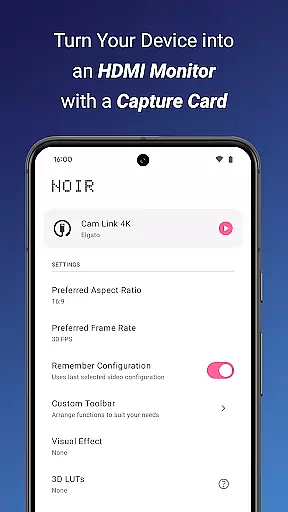
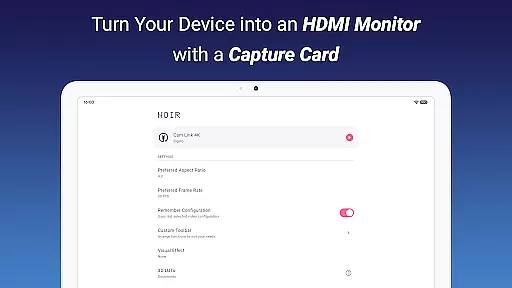
Noir Pro is a versatile video player and editor designed for users who need professional monitoring and display capabilities on their mobile devices. The app transforms your smartphone or tablet into a portable monitor for gaming consoles, laptops, cameras, and other HDMI-output devices when used with a compatible USB-C capture card. With support for UVC video streaming and advanced features like 3D LUTs, waveform monitors, and histogram analysis, Noir Pro caters to both content creators and gamers.
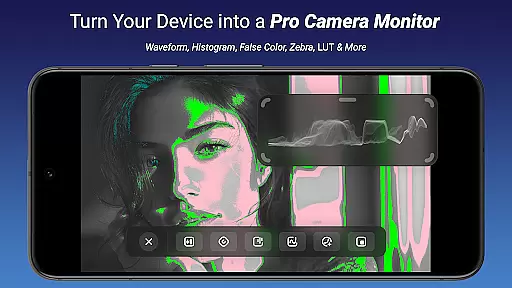
The application offers extensive customization options including brightness, contrast, and saturation adjustments, alongside unique display tools such as edge detection, false color, and zebra patterns. These features make it an ideal solution for professional video monitoring, drone piloting, and secondary laptop displays. By providing multiple graphics backend choices (OpenGL ES and Vulkan), Noir Pro ensures optimal performance across various devices.
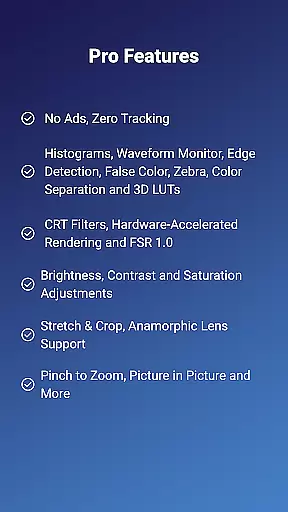
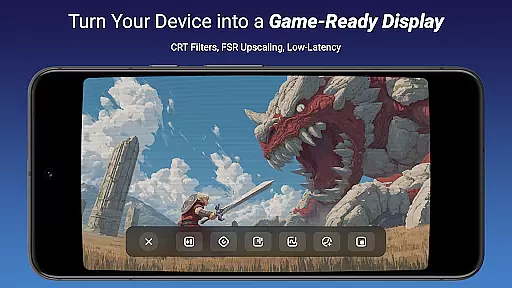
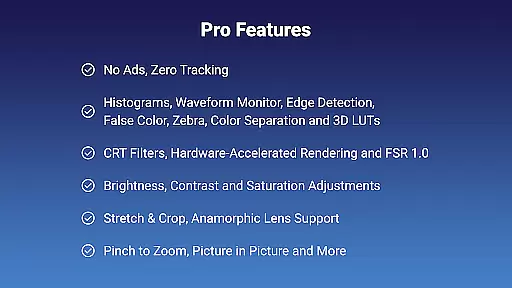
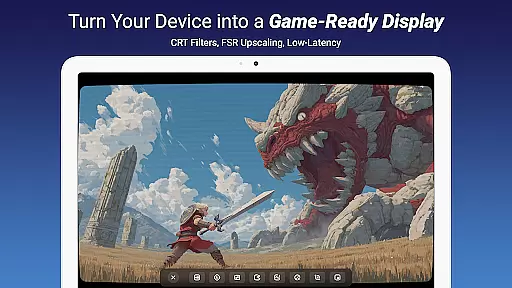
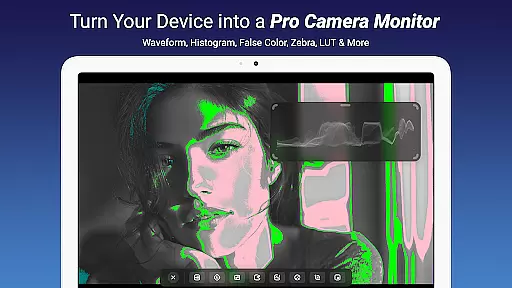
Noir Pro stands out with its comprehensive suite of professional features tailored for videographers and tech enthusiasts. The app includes advanced monitoring tools such as waveform monitors, histograms, and edge detection, which are crucial for accurate color grading and exposure control. Its support for 3D LUTs allows users to apply custom color profiles, while CRT filters and FSR 1.0 enhance the visual experience for retro gaming enthusiasts.
One of the key strengths of Noir Pro is its flexibility in display management. Users can utilize pinch-to-zoom functionality, stretch and crop options, and anamorphic lens support to customize their viewing experience. The app also provides practical solutions like picture-in-picture mode, in-app screenshots, and device-specific volume controls. These features, combined with compatibility with various capture cards and support for both UVC video and UAC audio streaming, make Noir Pro a complete solution for mobile video monitoring needs.
Video format compatibility is a crucial feature for any video player and editor, ensuring that users can work with a wide range of video files without conversion hassles. Noir Pro supports UVC video streaming and offers users the flexibility to choose between OpenGL ES and Vulkan for the graphics backend, catering to different device capabilities and user preferences.
The app's support extends to various devices such as gaming consoles, laptops, cameras, endoscopes, and microscopes with USB streaming features. This versatility allows users to utilize their devices as portable displays, enhancing productivity and convenience. Whether you're monitoring camera footage or using your mobile as a secondary display, Noir Pro ensures seamless performance.
For optimal results, it's recommended to use compatible video capture cards like Hagibis UHC07(P) or Genki ShadowCast 2. These accessories, combined with Noir Pro's extensive format support, ensure smooth video playback and preview experiences. Users can enjoy lag-free previews by ensuring their equipment meets the necessary specifications, such as USB 3.0 compatibility for reduced latency.
By supporting a broad spectrum of video formats and providing solutions for potential HDCP issues, Noir Pro delivers a comprehensive video handling solution. This makes it an invaluable tool for professionals and enthusiasts who require reliable performance across different devices and scenarios.
AI-powered editing features represent the cutting-edge advancement in video editing technology, enabling users to achieve professional results with minimal effort. Noir Pro incorporates several AI-driven tools that enhance the editing process, making it accessible even to novices while still offering depth for experienced editors.
Among these features are advanced functionalities like Waveform Monitor, Histogram, Edge Detection, False Color, Zebra, and Color Separation. These tools assist users in analyzing and adjusting video parameters such as brightness, contrast, and saturation with precision. The inclusion of CRT Filters and FSR 1.0 further expands creative possibilities, allowing for retro aesthetics or enhanced resolution outputs.
Noir Pro also includes practical utilities such as Pinch to Zoom, Stretch and Crop, and Anamorphic Lens Support, which streamline the editing workflow. App-specific volume control and Picture in Picture Mode add layers of customization, empowering users to tailor their projects exactly as envisioned. Additionally, the in-app screenshot feature facilitates easy sharing and documentation of edits.
By integrating sophisticated AI-powered editing features, Noir Pro not only simplifies complex tasks but also elevates the overall quality of video projects. Users benefit from efficient workflows and high-quality outcomes, positioning Noir Pro as a top choice for those seeking robust video editing capabilities on mobile platforms.
Advanced Monitoring Tools
Customizable Display Options
Wide Device Compatibility
Professional Color Grading Features
Optimized Performance with Vulkan
Requires Compatible Hardware
No Free Version Available
Complex for Beginners
Limited HDCP Support
Premium Price Point

Photo and Music Video Creator into Stunning Videos—Effortlessly
 4.40
4.40
?100% FREE! Download & save videos? safely in this app. All formats supported.
4.60
Search & download videos from net with all video downloader, auto-detect & safe.
4.60
KineMaster, Your Ultimate Video Editor!
4.40
Stream high quality video from your camera over NDI protocol
4.5
KMPlayer Plus (Divx Codec) officially support Divx codec.
4.30
Play and download HD videos from all sources — fast, simple, and all-in-one.
4.0
Powerful Video Editor & Photo Editing App —— Quick Edits & Stunning Effects!
4.30
The essential companion to your Blue Iris PC software
2.50
Play ALL formats in 4K & HD. Video downloader, MP3 player, Chromecast & more.
4.80
Fast & Private HD Video Downloader with Built-in Proxy Browser and Video Player.
4.50
Viddo: Generate Action Figure, AI Anime, AI kiss, AI hug Video from image & text
4.40
Video Downloader is an utility that can save videos and music from web sites
4.20
AI Video Editor:AI Music, Text to Video,Text to Speech,Auto Caption,Video Effect
4.00
Make your own Animations, Video and Photo Edits, Visual Effects, and more!
4.00
Fast private browser with secure, seamless access & supported video downloads!
4.00
Explore the largest library of free GIFs, Stickers & Memes - or create your own!
3.90
HD video & music player - All format support with floating & PIP mode!
3.80
This app is an emulator of some specific IPTV boxes
3.50


User Reviews