
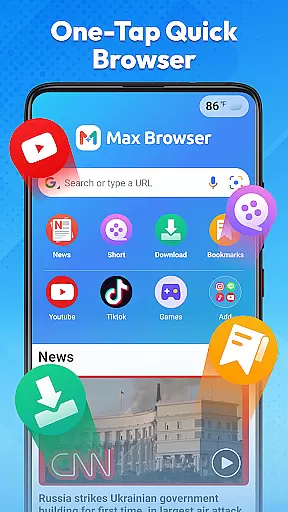

Max Browser is a versatile mobile browsing tool that combines web browsing, private search, video playback and downloading, real-time news updates, file management, and weather information. Designed for efficiency and convenience, it streamlines your online activities while offering robust security features. The browser's lightweight design ensures smooth page loading, while its intuitive interface makes navigation effortless.
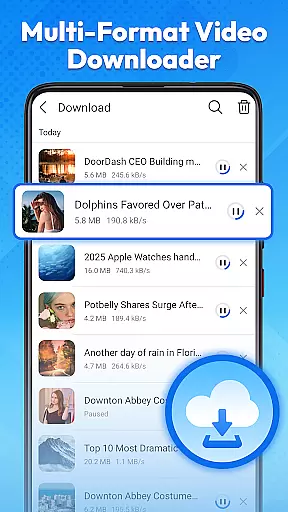
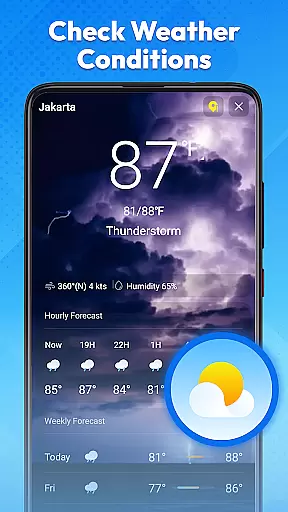
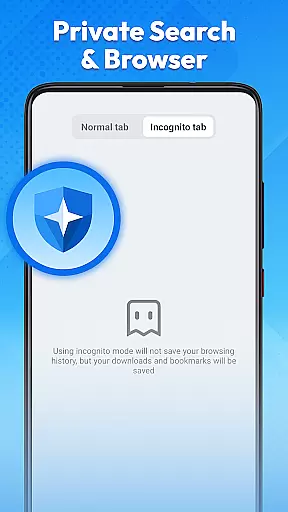
One of the standout features is its private browsing mode, which protects user privacy by not recording history or cookies. Additionally, Max Browser allows users to download and play videos in multiple formats directly within the app. Its integrated news channels provide up-to-date information across various categories, and the built-in weather feature offers real-time forecasts. These capabilities make Max Browser an ideal choice for both daily tasks and entertainment needs.
Max Browser stands out with its comprehensive feature set tailored for modern mobile users. The browser employs advanced optimization techniques to ensure fast and reliable web page loading. Its minimalist design focuses on usability, providing clear menus and simple navigation paths that help users find content quickly.
A key highlight is the private browsing mode, which safeguards user data by disabling history and cookie tracking. This is particularly useful when using public Wi-Fi or shared devices. Another notable feature is the multi-format video downloader and player, enabling seamless viewing and saving of online videos. Furthermore, the app includes a file management system for organizing downloaded content and a weather module that displays current conditions without needing additional apps.
Max Browser excels in delivering core functionalities with precision and effectiveness, ensuring users experience seamless web browsing. The browser's lightweight design and optimized loading technology significantly reduce page load times, making information retrieval swift and reliable.
Private search is another area where Max Browser shines. By offering a secure browsing mode that doesn't record history, cookies, or cached data, it ensures personal information security. This feature is particularly beneficial for users accessing the internet on public networks or shared devices, providing peace of mind regarding their privacy.
The integration of multi-format video playback and downloading adds to the browser's effectiveness. Users can watch or save videos directly within the app, eliminating the need for external tools. This built-in capability supports various formats, enhancing user convenience and satisfaction.
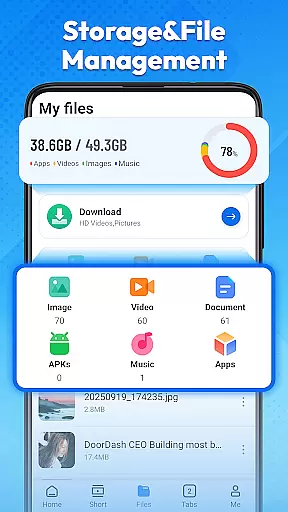
Furthermore, Max Browser provides real-time news updates across multiple categories, keeping users informed without the need for additional applications. Its file management system also simplifies the organization of downloaded content, improving efficiency and accessibility. These features collectively enhance the overall browsing experience, making Max Browser a top choice for mobile users.
Max Browser stands out for its interface simplicity and intuitiveness, which greatly enhances user interaction. The clear layout and straightforward navigation allow users to find their desired content quickly and effortlessly, streamlining their online activities.
A key aspect of its intuitive design is the private browsing mode. Activating this mode is simple, and once enabled, users can browse securely without worrying about leaving traces such as history or cookies. This ease of use extends to all features, ensuring even those new to the app can navigate confidently.
Video management within Max Browser is both simple and powerful. With an integrated player supporting multiple formats, users can easily play and manage videos without needing extra software. This seamless integration of advanced features into a user-friendly interface exemplifies the browser's commitment to accessibility.
Additionally, the inclusion of real-time news and weather updates further demonstrates Max Browser's focus on providing essential information through an intuitive platform. Users can access these features without hassle, enjoying a streamlined experience that meets diverse needs efficiently. Overall, Max Browser combines functionality with ease of use, setting a high standard for mobile browsing tools.
Fast page loading
Private browsing mode
Video download support
Integrated news feed
Weather updates included
Limited customization
Occasional bugs
High memory usage
No desktop sync
Ads in free version

Unlock your Essential Key. Create custom shortcuts to your favorite apps!
 4.2
4.2
Enjoy smooth gameplay with Game Booster
4.90
Optimize your WiFi network, turn your phone into Wifi Analyzer
4.70
Unleash gamepad precision for ultimate mobile gaming dominance.
3.90
Play your X-Box games remotely in 1080p with any controller and zero latency
4.60
The ultimate tool for network analysis, wifi scanning and problem detection.
4.90
Automate everything from settings to photos, SMS to speech. ADC2 prize winner.
4.10
Introducing Smart Printer, your ultimate destination for printing solutions!
4.00
fast and easy mp3 music downloader
4.80
ADB support Android 4.X-Android 13(Support wireless pair mode).No root required!
4.70
Small and simple app to Verify Root Access and BusyBox Install!
4.70
App to pay for FUTO Keyboard
4.60 4.50
4.50
PC precision for mobile gaming: dominate with keyboard and mouse!
4.30
Quickly check the frequency of the Earth
4.30
App that Recover your pictures, videos or files after you delete them.
4.20
Quickly & easily calculate the spacing of handrail balusters
4.20
Effortlessly run ADB commands directly on your device without a PC.
4.20
Download any file easily and quickly with Downloader
4.1


User Reviews