
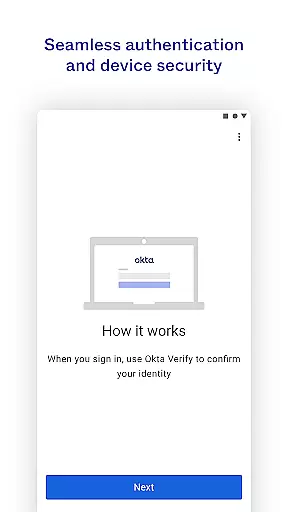
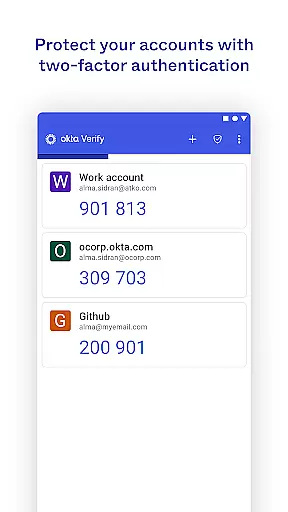
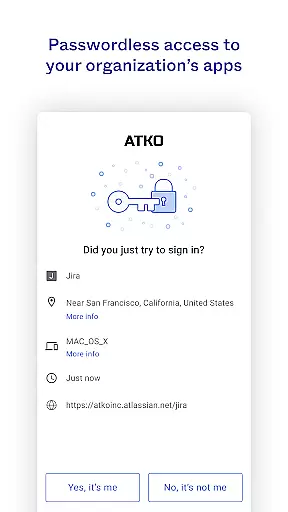
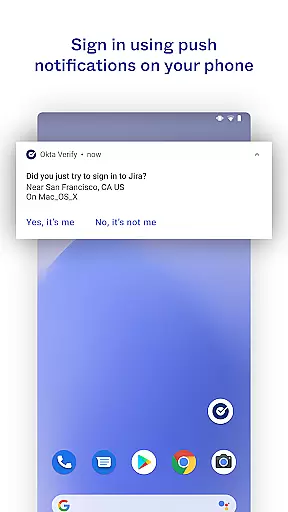
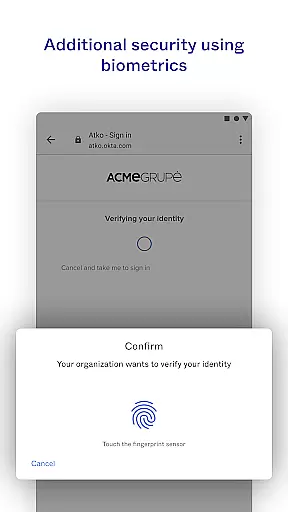
Okta Verify is a productivity-focused application designed to enhance security through two-step verification. This app ensures that only authorized users can access their accounts by providing multiple authentication methods. Users can choose between push notifications, temporary 6-digit codes, or biometric verification if enabled by their organization. The app also requires camera permissions for QR code scanning during the initial setup process.
This app is particularly useful for organizations looking to bolster their cybersecurity measures while maintaining ease of access for employees. By integrating with existing systems, Okta Verify provides a seamless yet secure way to manage app access across devices.
Okta Verify offers several key features that make it an essential tool for secure access. Firstly, it supports multiple verification methods including push notifications, which allow users to approve login requests directly from their device. Secondly, it generates time-based one-time passwords (TOTP) in the form of 6-digit codes that refresh periodically.
Additionally, Okta Verify supports biometric authentication such as fingerprint or facial recognition, enhancing both security and convenience. The app's ability to scan QR codes during enrollment simplifies the setup process, making it accessible even to non-technical users. These features collectively ensure robust protection against unauthorized access.
Okta Verify excels in core task management by providing a streamlined approach to two-step verification. This functionality is crucial for ensuring secure access to applications and accounts.
The app offers multiple verification methods including push notifications, temporary 6-digit codes, and biometric authentication. These options allow users to choose the most convenient and secure method that fits their workflow.
By integrating these advanced security features, Okta Verify ensures that only authorized users can access sensitive information. This not only protects user data but also enhances productivity by reducing unauthorized access attempts.
Overall, the app's robust task management capabilities make it an essential tool for maintaining security without compromising efficiency.
Cross-device synchronization is a key feature of Okta Verify, enabling reliable and consistent access across multiple devices. This ensures that users can verify their identity seamlessly, regardless of the device they are using.
The app uses advanced algorithms to synchronize verification data in real-time. This means that whether you're using a smartphone, tablet, or computer, your verification preferences and data remain consistent and up-to-date.
This reliability is particularly important for organizations that rely on remote work and need to ensure that employees can securely access resources from any location. By maintaining synchronization across devices, Okta Verify minimizes the risk of security breaches.
In summary, Okta Verify's cross-device synchronization provides peace of mind for both individual users and organizations, ensuring secure and uninterrupted access to critical applications.
Enhanced Security
User-Friendly Interface
Multiple Verification Methods
Seamless Integration
Biometric Support
Requires Internet Connection
Dependent on Organization Settings
Limited Customization
Potential Privacy Concerns
Occasional Login Delays

Seamlessly integrate data and reports to build your presentation to impress
 4.80
4.80
Create study competitions, track your hours, and stay consistent with friends
4.1
Ads Free App! Editor, Hide File, Copy, Move, Delete and Rename.. all facility av
1.70
Total remote control for your Android device, PC and cloud services (IFTTT)!
4.20
Professional calendar app for Google Calendar, MS Outlook & Exchange
4.20
Translate text/voice/photos in 150+ languages. Offline & fast translator app.
4.50
* block pre-roll ads, pop-up and forced redirect ads * Samsung certification app
4.00
Ultimate Virtual AI Character for immersive Roleplay Chat. Perfect Companion
3.90
AI Chatbot and AI writing assistant powered by ChatGPT.
4.60
Functional QR scanner and barcode reader that requires little storage space.
4.60
Lightweight PDF, Word, Excel reader.
4.60
Docker, Kubernetes management over Portainer Mobile
4.40
Activate Two Factor Authentication (2FA or Multi OTP), Password manager and more
4.10
Intelligent AI Assistant
4.10
Unlock AutoNotification
4.00
Wake up & get tasks done! Add alarms & reminders on the Clock Launcher.
4.00
⏰ Finally a timer app which can run multiple timers simultaneously on your watch
3.90
Mega cloud explorer plugin for Solid Explorer
3.80
Auto-shutoff Alarm with Sunrise, Sunset & Fixed Options.
3.50


User Reviews