
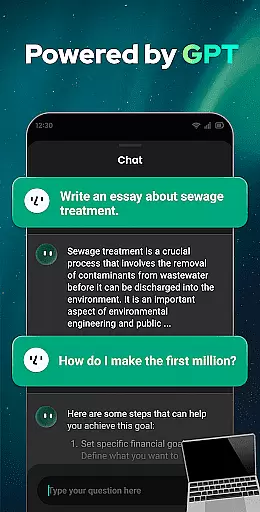
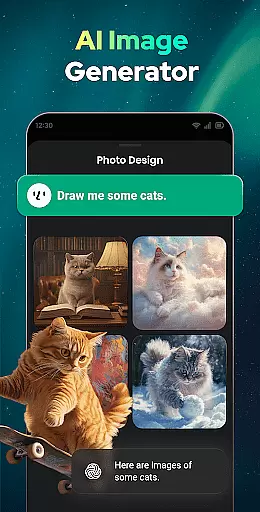
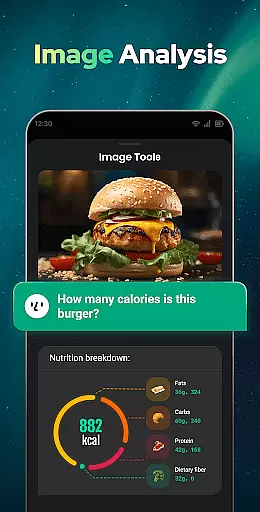
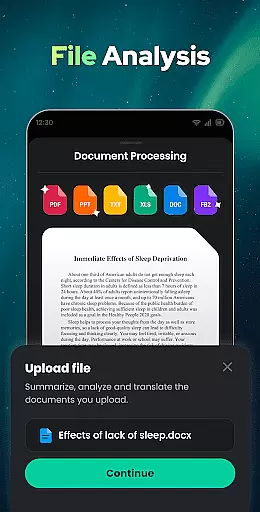
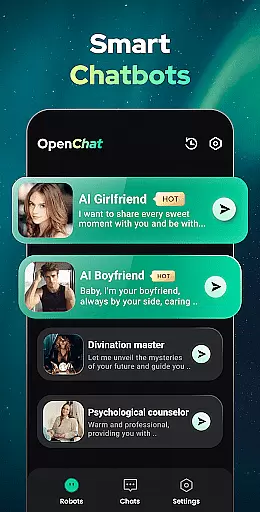
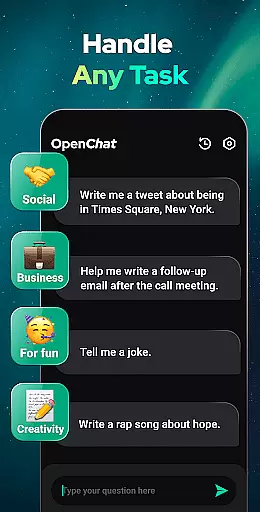
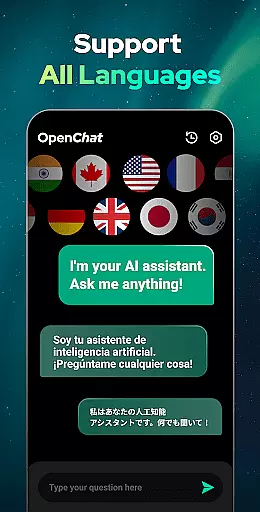
Open Chat is a cutting-edge AI chatbot application designed to revolutionize the way users interact with artificial intelligence. This productivity tool leverages the latest ChatGPT technology, including GPT-4, to deliver human-like text responses across various topics and languages. Whether you need assistance with writing tasks, seek reliable conversation, or require multilingual support, Open Chat has you covered.
The app's core functionality lies in its ability to answer questions in any field, from social matters to health, work, and entertainment. It also serves as a creative writing assistant, helping users craft essays, stories, lyrics, and more. Additionally, Open Chat offers continuous dialogue, grammar checking, and chat history features that enhance user experience by providing personalized and seamless interactions.
One notable use case for Open Chat is its role as a personal AI assistant for life, work, and study. Users can rely on this app to generate content, offer advice, and even assist with language learning, making it an indispensable tool for anyone looking to boost their productivity through AI-powered support.
Open Chat stands out due to its rich feature set tailored to maximize user productivity. One of the key highlights is its ability to provide instant responses powered by advanced ChatGPT technology. This ensures that users receive accurate and contextually relevant answers to their queries, mimicking natural human conversation.
In addition to answering questions, Open Chat functions as a versatile writing assistant. It can help draft various types of written content, such as essays, social media posts, stories, and more. The app supports all languages, making it an ideal choice for multilingual users who need translation services or wish to practice new languages. Furthermore, the continuous dialogue feature allows for follow-up questions and maintains context throughout conversations, enhancing the overall user experience.
Other notable features include a grammar checker, spell checker, and punctuation corrector, which collectively ensure high-quality writing output. With night mode, chat history, and an elegant UI, Open Chat provides both functionality and comfort, catering to diverse user needs while maintaining ease of use.
Effective task management is essential for productivity applications, serving as the backbone for organizing and executing tasks efficiently. Open Chat excels in this area by offering users a versatile AI chatbot that can handle any task assigned to it.
The app leverages the latest ChatGPT technology (GPT-4) to ensure that every request or command is understood and processed accurately. Whether you need assistance with writing tasks such as essays, stories, or social media posts, or you require help with more complex activities like making travel plans or seeking advice, Open Chat is designed to assist.
Users benefit from continuous dialogue features, allowing them to ask follow-up questions or continue previous chats seamlessly. This creates an interactive environment where the AI learns from ongoing interactions, improving its responses and personalizing the experience over time.
By integrating reliable AI chat functionalities with comprehensive task management capabilities, Open Chat ensures that users can maintain high levels of productivity without sacrificing the quality of their work. The app's ability to support all languages further enhances its utility, making it a global tool for task management.
Cross-device synchronization is crucial for users who rely on productivity apps across multiple platforms. Open Chat addresses this need by providing robust synchronization features that ensure data consistency and availability regardless of the device being used.
The application automatically saves chat history, enabling users to review past conversations and retrieve important information at any time. This feature not only enhances convenience but also promotes better organization and tracking of tasks and ideas.
With night mode and a simple, elegant UI, Open Chat offers a user-friendly interface that remains consistent across devices. This uniformity ensures that users have a seamless experience whether they are switching between their phone, tablet, or computer.
By focusing on reliable cross-device synchronization, Open Chat empowers users to stay productive and connected, no matter where they are or what device they choose to use. This reliability builds trust and encourages regular use, knowing that their data is always up-to-date and accessible.
User-friendly interface
Multilingual support
Advanced AI technology
Continuous dialogue capability
Comprehensive writing assistance
Limited offline functionality
Dependent on internet connection
Occasional response latency
No voice recognition feature
Premium features may require subscription

Ads Free App! Editor, Hide File, Copy, Move, Delete and Rename.. all facility av
 1.70
1.70
Direct Chat without saving contacts & Dual WA Account on Single Device
4.70
The Pro Version of Android's tiniest Notepad app. Just 0.3MB but feature-packed!
4.60
⏰ Finally a timer app which can run multiple timers simultaneously on your watch
3.90
Multilingual translator for text, voice, and image translation!
4.90
Create and edit presentations with Google Slides, part of Google Workspace.
4.00
Docker, Kubernetes management over Portainer Mobile
4.40
To do list widget with a notebook organizer, checklist, simple shopping list
4.60
Secure your apps with lock screens, use custom themes and different features.
4.40
aCalendar+ makes your day, week and month
4.70
Functional QR scanner and barcode reader that requires little storage space.
4.60
The AI assistant that thinks with you - write, code, and solve complex tasks
4.60
Lightweight PDF, Word, Excel reader.
4.60
Enjoy classic gameplay with customizable features and retro-style graphics.
4.30
Auto-shutoff Alarm with Sunrise, Sunset & Fixed Options.
3.50
Code on-the-go with VScode for Android. Edit,debug and collaborate from mobile!!
3.10
Experience and share your SolidWorks designs on your Android® phone and tablet.
2.50
AI Video AI Image Private LLM AI Browser Llama Gemma Ollama Connect LLM Studio
4.1
Create study competitions, track your hours, and stay consistent with friends
4.3


User Reviews