

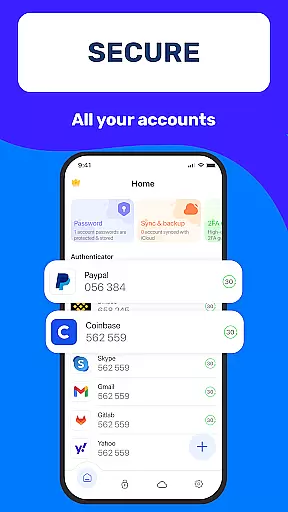
Authenticator App 2FA - Password Manager is a comprehensive productivity tool designed to enhance both security and convenience in managing digital accounts. This multifunctional application combines advanced two-factor authentication (2FA) with robust password management capabilities, making it an essential utility for modern users.
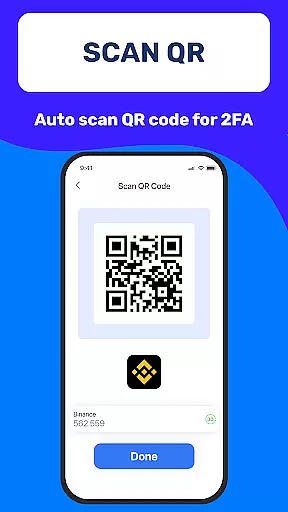
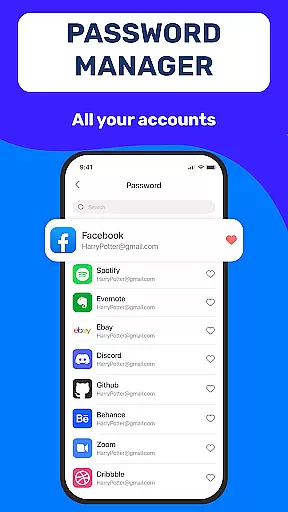
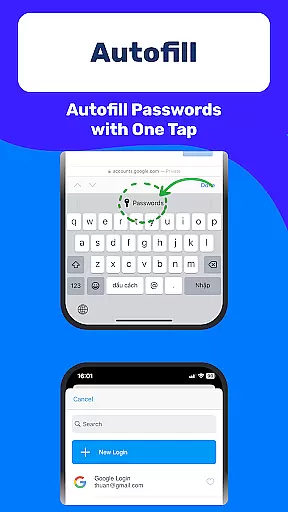
The app's core functionality revolves around its Scan QR 2FA feature, which simplifies the login process while significantly improving account security. Additionally, its integrated Password Manager and Autofill system streamlines web authentication by securely storing credentials and automatically populating login forms across websites.
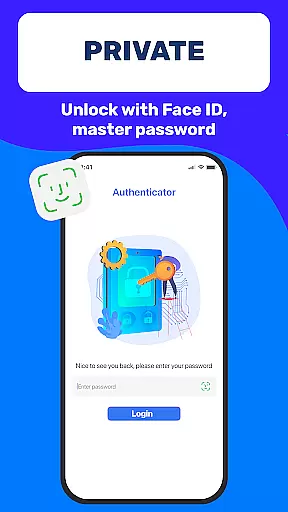
Beyond basic authentication, the application offers practical features like secure data backup and synchronization, flexible device switching through Import/Export capabilities, and multiple protection layers including Master Password and biometric Touch ID verification. These features make it particularly valuable for professionals and individuals seeking to maintain high security standards while optimizing their daily workflow.
Authenticator App 2FA - Password Manager distinguishes itself through a combination of innovative security features and user-friendly functionalities. The application's standout characteristic is its ability to seamlessly integrate multiple authentication methods with efficient password management solutions.
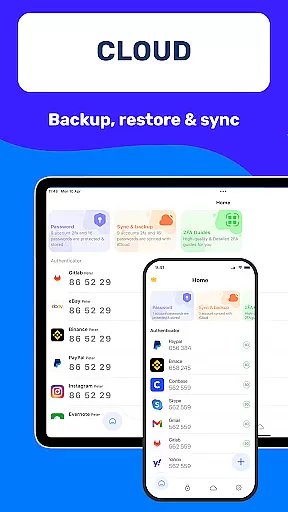
A key feature is the Backup & Sync functionality, which ensures complete data preservation during device changes or reinstallation scenarios. The app also incorporates a sophisticated Password Manager that not only stores credentials securely but also provides intelligent Autofill capabilities across various platforms. Furthermore, the inclusion of biometric authentication through Touch ID adds an extra layer of security while maintaining ease of access.
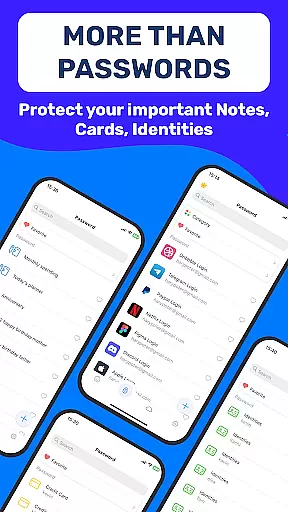
Additional notable features include Dark Mode for comfortable low-light usage, Credit Card Note storage for sensitive financial information, and Cloud-based Data Storage for worry-free data preservation. The application's support for importing from other Authenticator apps demonstrates its commitment to user flexibility and convenience, while the comprehensive Import/Export Data functionality enables efficient account management across multiple devices.
Task management is a cornerstone of productivity applications, and Authenticator App 2FA - Password Manager excels in this area by offering a comprehensive suite of features designed to streamline your digital life. At its core, the app provides robust account management through functionalities like Scan QR 2FA, which simplifies the login process while enhancing security.
The application goes beyond simple task tracking by integrating advanced capabilities such as Backup & Sync, ensuring that your data remains intact across device changes or reinstalls. This feature alone can save countless hours that would otherwise be spent on manual data recovery.
Additionally, the Password Manager and Autofill functions are engineered to securely store and manage your credentials. These tools not only protect sensitive information but also automate the tedious process of entering login details, thus reducing human error and increasing efficiency.
With Authenticator App 2FA - Password Manager, users gain access to an intuitive system that consolidates various aspects of digital security and personal information management into one platform, making it easier than ever to stay organized and secure.
Cross-device synchronization is essential for maintaining workflow continuity in today's multi-device world. Authenticator App 2FA - Password Manager addresses this need with its reliable Backup & Sync feature, which ensures that all your vital information is preserved and accessible, no matter where you are or what device you're using.
This synchronization capability extends to the Password Manager and Autofill functionalities, allowing seamless transitions between devices without the risk of losing stored credentials or other important data. Whether switching from an old phone to a new one or working across multiple gadgets, users can trust that their information will be up-to-date and readily available.
Furthermore, the app's Cloud Data Storage feature adds another layer of reliability by safeguarding against data loss due to unforeseen circumstances like device damage or theft. This means peace of mind knowing that even if something happens to your physical device, your digital life remains intact.
By prioritizing synchronization reliability, Authenticator App 2FA - Password Manager empowers users to focus on their tasks without worrying about data inconsistencies or accessibility issues across different platforms.
Enhanced Security
User-Friendly Interface
Comprehensive Backup
Efficient Autofill
Cross-Device Support
Premium Features Locked
Occasional Sync Issues
Steep Learning Curve
Limited Free Storage
High System Requirements

Ads Free App! Editor, Hide File, Copy, Move, Delete and Rename.. all facility av
 1.70
1.70
Professional calendar app for Google Calendar, MS Outlook & Exchange
4.20
The upgraded version of Name Wheel with AI and the power to add your own wheels.
4.2
Simple and reliable communication between inmates, friends and family
3.20
All document reader, all in one file viewer read PDF, DOCX, XLS, PPT, TXT files.
4.60
Subscribe to Webcal & .ics calendars and keep them up-to-date!
4.50
Docker, Kubernetes management over Portainer Mobile
4.40
Access your phone's notifications, calls, apps, photos & texts on your PC
3.90
AI Chatbot and AI writing assistant powered by ChatGPT.
4.60
Simple notepad & memo. Take notes, to-do list, shopping list with reminders.
4.80
PDF scanner & converter for files, photos, lottery, QR codes. One swipe away!
4.50
Planet Free VPN - The best Fast Unlimited and Secure VPN Without Logs
4.50
Send files, sync SMS, notifications & clipboard across devices via local network
4.40
Enjoy classic gameplay with customizable features and retro-style graphics.
4.30
⏰ Finally a timer app which can run multiple timers simultaneously on your watch
3.90
Smart PDF reader & editor to view, organize and manage PDF documents easily.
3.70
Remotely view listen control and record cameras.
3.70
Code on-the-go with VScode for Android. Edit,debug and collaborate from mobile!!
3.10
IP Camera Viewer - Android TV : RTSP Surveillance camera viewer for Android TV
4.5


User Reviews