
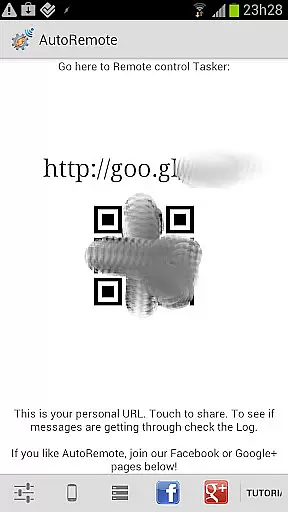
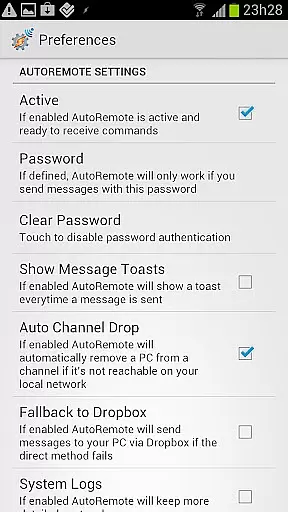
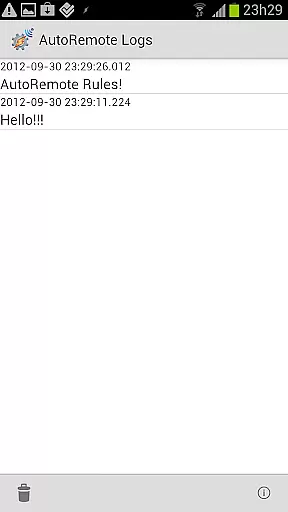
AutoRemote is a powerful productivity tool that allows users to remotely control their devices, including phones, PCs, and web services. With seamless IFTTT integration, it enables you to send push notifications between devices and trigger actions through Tasker or standalone apps. Whether you want to control your PC from your Android device or manage your Android from various web services like Facebook or Twitter, AutoRemote provides the flexibility to do so.
The app offers an unprecedented level of control with advanced matching options and a flexible command system. You can set up profiles in Tasker to react to specific messages, allowing for endless customization possibilities. From finding your lost phone to sending shopping lists, AutoRemote transforms how you interact with your devices, making remote management intuitive and efficient.
AutoRemote stands out with its versatile features designed to enhance productivity. One of its core functionalities is device-to-device messaging, which allows you to control one device from another, whether it's your phone, tablet, or PC. This bi-directional messaging capability ensures that you can request information, such as your phone's location, and have it displayed on another device.
In addition to device control, AutoRemote supports integration with the Android Share menu, enabling you to share links or text directly between devices. Imagine watching a YouTube video on your phone and seamlessly transferring it to your tablet for a better viewing experience. The app also includes advanced matching options and a command system that works similarly to AutoBarcode, providing users with a highly customizable remote control solution.
At the heart of AutoRemote lies its robust core task management system, designed to streamline how you interact with your devices. This feature allows users to create and manage complex tasks that can be triggered remotely, offering unprecedented control over their digital environment.
The application leverages Tasker integration to enable detailed task customization. Users can set up specific profiles within Tasker that react to AutoRemote messages, ensuring that every command is executed precisely as intended. This seamless interaction between services enhances productivity by automating routine processes.
With AutoRemote's task management, users gain the ability to automate responses based on incoming messages or triggers from other devices. Whether it's sending a repetitive 'I'm here!' message when you lose your phone or creating a spoken shopping list reminder at a set time, the possibilities are vast and varied.
This level of control not only saves time but also adds a layer of convenience to daily activities. By allowing for bi-directional messaging and advanced matching options, AutoRemote ensures that each task is tailored to meet individual needs, making device management both efficient and intuitive.
Cross-device synchronization is a critical component of AutoRemote, ensuring that all your devices work in harmony. This reliability is achieved through a sophisticated system that maintains real-time updates across Android devices, PCs, and web services.
AutoRemote excels in providing consistent performance whether you're controlling your PC from an Android device or vice versa. The synchronization process is seamless, allowing users to send commands via URLs or share menus without worrying about delays or failures in execution.
One standout aspect is the ability to request information from one device and have it displayed on another. For instance, imagine locating your phoneu2019s position and having that data instantly appear on a map on your tablet or PC. Such functionality underscores the app's commitment to dependable cross-device interactions.
Ultimately, this reliable synchronization empowers users to customize their workflows extensively. From sharing links directly to another device for better viewing experiences to setting up automated alerts, AutoRemote guarantees that every action is accurately mirrored across platforms, enhancing overall user engagement and satisfaction.
User-friendly interface
Flexible command system
IFTTT integration
Device-to-device messaging
Advanced customization options
Requires Tasker for full functionality
Steep learning curve
Limited without additional plugins
Occasional connectivity issues
Premium features need purchase

QuickBooks Workforce lets teams view pay info and track time in one place.
 4.70
4.70
The long-awaited modern gallery app for your Nextcloud server
4.70
Auto-shutoff Alarm with Sunrise, Sunset & Fixed Options.
3.50
The Pro Version of Android's tiniest Notepad app. Just 0.3MB but feature-packed!
4.60
Remotely view listen control and record cameras.
3.70
All document reader, all in one file viewer read PDF, DOCX, XLS, PPT, TXT files.
4.60
A simple Whisper AI keyboard for reliable speech transcription and rewording
4.60
Lightweight PDF, Word, Excel reader.
4.60
Note taking, handwriting, record audio, PDF annotation, planner & journal
4.20
Native client for Forgejo and Gitea
5.00
Best Tool for the professionals Electrician, Electrical contractors, etc.
4.90
Use powerful, industry-leading AI tools to generate visual charts from any data
4.80
Understand anything with a personalized AI research assistant
4.80
Automates browsing any website and notifies you of important changes or events
4.30
Easily read and manage all your PDF files
4.10
Font maker keyboard with your own handwriting
4.10
Take control of your clipboard with Clipper!
3.90
Simple and reliable communication between inmates, friends and family
3.20
The upgraded version of Name Wheel with AI and the power to add your own wheels.
4.3


User Reviews