
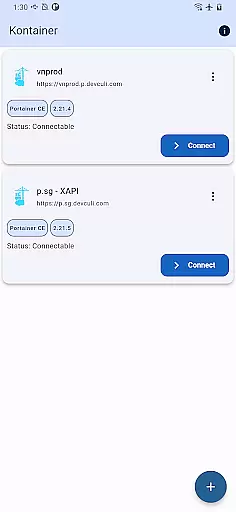
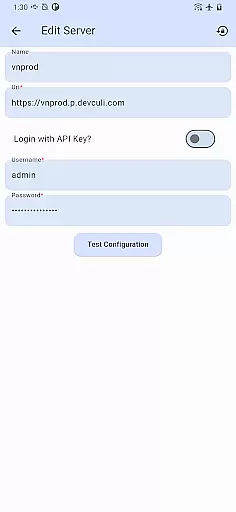
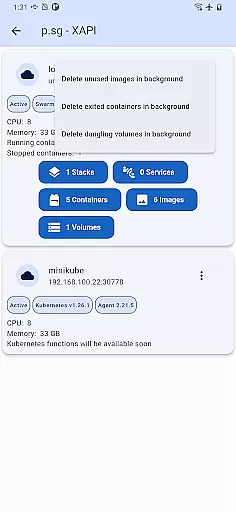
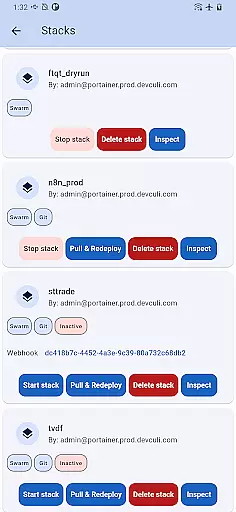
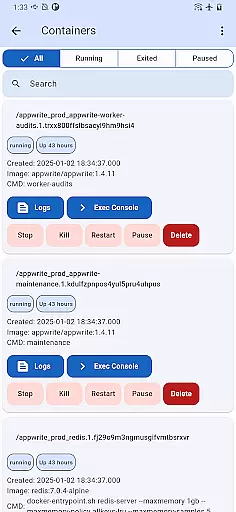
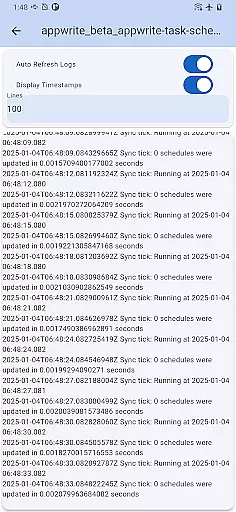
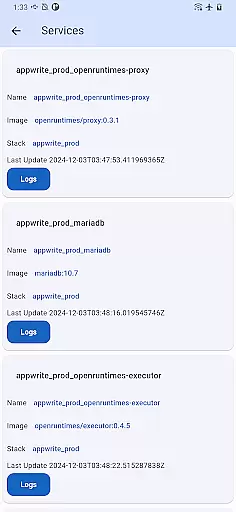
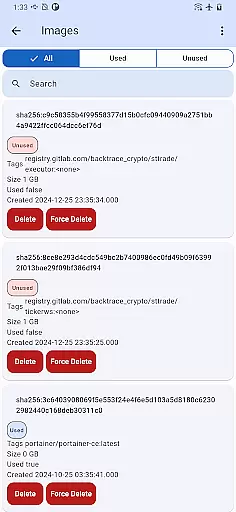
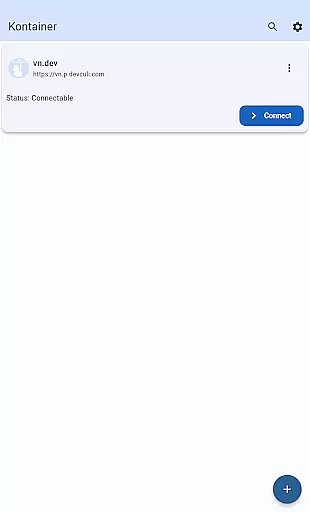
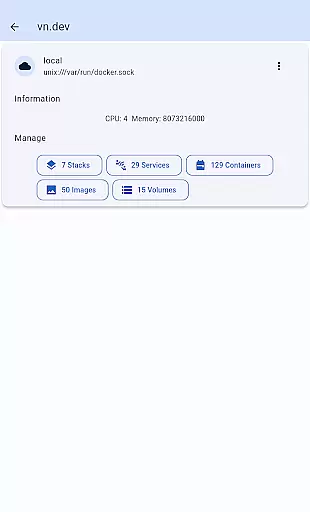
Portainer Mobile, also known as Kontainer, is a powerful productivity tool designed to simplify container management for Docker and Kubernetes environments. This mobile application allows users to manage their Portainer deployments from anywhere, providing full control over hybrid and multi-cloud infrastructures directly from a mobile device.
The app supports multi-cluster and multi-device management, offering a unified interface that consolidates all Docker and Kubernetes endpoints into a single view. With this feature, users can easily monitor, configure, and optimize their containerized workloads across various environments—whether on developer laptops, in data centers, or deployed in the cloud. Kontainer ensures secure and efficient management while streamlining deployment processes.
Designed for IT professionals and DevOps teams, Portainer Mobile empowers users with the flexibility to oversee their container operations remotely. Whether you're managing edge computing setups or large-scale enterprise deployments, this app provides the tools needed to maintain operational efficiency and security.
Portainer Mobile offers a comprehensive set of features tailored for managing containerized environments efficiently. One of its standout capabilities is multi-cluster and multi-device management, which enables users to handle multiple Docker and Kubernetes deployments through a unified interface. This functionality simplifies the complexity of overseeing hybrid and multi-cloud environments by consolidating all critical information into a single view.
The app also emphasizes ease of use and accessibility. Users can perform essential tasks such as monitoring resource usage, configuring settings, and optimizing container performance directly from their mobile devices. These features ensure that DevOps teams can respond quickly to operational needs without being tied to a desktop workstation.
Security and efficiency are at the core of Portainer Mobile's design. The app facilitates secure connections to your Portainer instances, ensuring that sensitive operations remain protected. Additionally, upcoming support for Kubernetes (K8S) functions will further enhance its utility, making it an indispensable tool for modern container management.
Core task management in Portainer Mobile allows users to efficiently oversee Docker and Kubernetes environments from their mobile devices. This feature is crucial for IT professionals who need to manage containerized deployments across hybrid and multi-cloud environments on the go.
The app supports multi-cluster and multi-device management, providing a unified interface that consolidates all your Docker and Kubernetes endpoints into a single view. This makes it easier than ever to monitor, configure, and optimize your container operations without being tied to a desktop computer.
With this functionality, users can streamline deployment processes, boost efficiency, and ensure secure managementu2014all from their mobile device. The ability to manage both Docker and Kubernetes through one platform significantly reduces the complexity and time required for container management tasks.
Cross-device synchronization reliability ensures that all changes made via Portainer Mobile are accurately reflected across all devices. For IT professionals managing Docker and Kubernetes environments, having reliable synchronization is essential to maintain consistency and avoid potential issues in containerized deployments.
Portainer Mobile provides a seamless experience by maintaining real-time updates between your mobile device and other connected systems. Whether you're working from a developer laptop, in a data center, on the cloud, or at the edge, you can trust that your configurations and monitoring data will be up-to-date and consistent.
This reliability empowers users with the flexibility to switch between devices without worrying about discrepancies in their container management tasks. By ensuring that every action taken on one device is mirrored across others, Portainer Mobile enhances productivity and peace of mind for its users.
User-friendly interface
Multi-cluster support
Secure remote access
Unified endpoint view
Efficient deployment
K8S support pending
Limited advanced tools
Requires Portainer setup
Cloud-only sync
Premium feature cost

Create study competitions, track your hours, and stay consistent with friends
 4.2
4.2
A simple, portable logger for POTA, SOTA, Field Day, and more
4.4
CalenGoo is a very flexible and feature-rich calendar app
4.40
PDF scanner & converter for files, photos, lottery, QR codes. One swipe away!
4.50
Access your phone's notifications, calls, apps, photos & texts on your PC
3.90
Ultimate Virtual AI Character for immersive Roleplay Chat. Perfect Companion
3.90
Scan paperwork into PDF/JPG, generate your own e-signature and send fax or email
4.70
Seamlessly read, manage, and organize all your PDF files solution in one place
4.40
Put a lock on your cloud: Take the security of your data into your own hands
3.70
Understand anything with a personalized AI research assistant
4.80
We're working to become the best machining app on the market! www.cncdirt.com
4.80
Simple notepad & memo. Take notes, to-do list, shopping list with reminders.
4.80
App Lock with fingerprint, password: Lock apps & hide photos with lock screens
4.60
A Pixel Art watchface inspired by other iconic 90s designs for Wear OS devices!
4.40
Easily read and manage all your PDF files
4.10
Experience real multitasking on your Android!
4.00
Wake up & get tasks done! Add alarms & reminders on the Clock Launcher.
4.00
Create and edit presentations with Google Slides, part of Google Workspace.
4.00
AI Video AI Image Private LLM AI Browser Llama Gemma Ollama Connect LLM Studio
4.5


User Reviews