
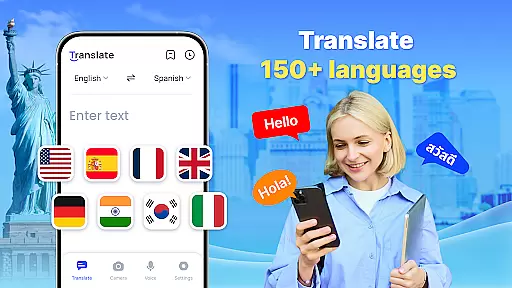


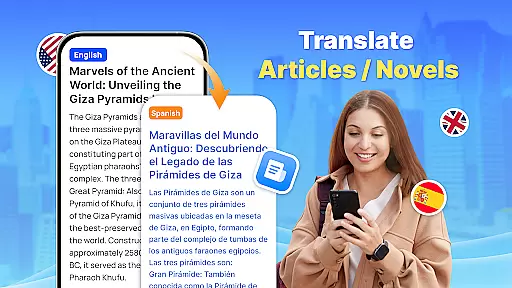
Translate - Translator is a versatile productivity app designed to break language barriers across 150+ languages. This free translation tool supports text, voice, and photo translation, making it an essential companion for travelers, students, and professionals alike. With its offline capabilities, users can translate without an internet connection, ensuring accessibility in remote areas or during international travel.
The app's core strength lies in its multiple translation modes. Users can type text directly, speak into the microphone for real-time voice translation, or use the camera to translate images containing foreign text. Its intuitive interface and quick translation features, including the floating ball for full-screen translations, make cross-cultural communication seamless and efficient.
Whether you're negotiating business deals abroad, learning a new language, or navigating foreign menus, Translate - Translator provides accurate and instant results. The ability to save translations and create personalized collections ensures that frequently used phrases are always at your fingertips, enhancing productivity in multilingual environments.
Translate - Translator stands out with its comprehensive feature set tailored for productivity-focused users. The app's text translation function supports over 150 languages, automatically detecting input language and providing reverse translation options for verification. This ensures accuracy and reliability, whether you're drafting emails, studying, or communicating with international colleagues.
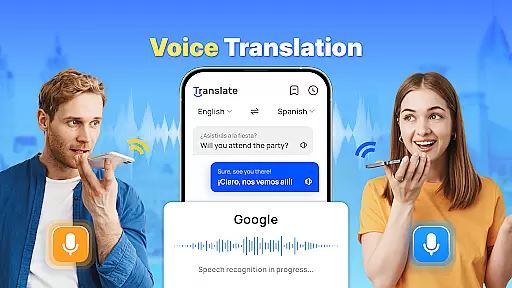
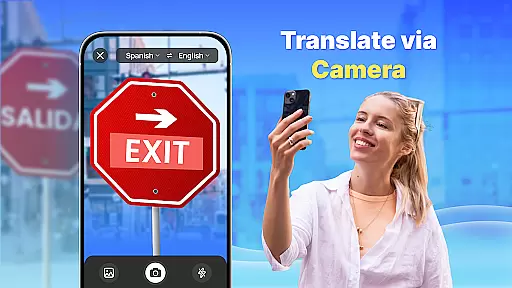
Voice translation utilizes advanced AI technology to deliver real-time conversation support. By speaking naturally into the microphone, users can engage in fluid dialogues with foreign speakers. Additionally, the AI-powered photo translation allows users to capture images of menus, signs, or documents, extracting text and translating it instantly. These features are particularly useful in dynamic environments like meetings, travel, or fieldwork.
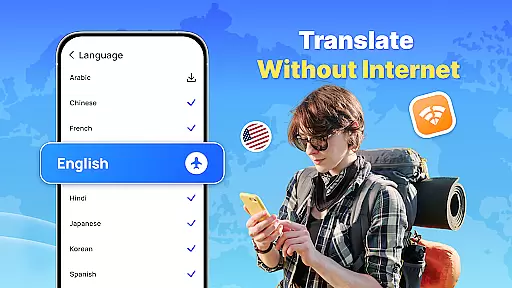
Offline functionality sets this app apart from competitors. Users can download language packs to enable translations without an internet connection, saving data costs while traveling. The floating ball feature enables quick access to translation tools, allowing users to translate full-screen content effortlessly. Combined with the ability to save and share results, these innovations make Translate - Translator an indispensable tool for anyone working in multilingual settings.
Core task management in a productivity app like Translate ensures that users can efficiently handle multiple translation tasks without losing track of their progress. This feature is crucial for maintaining workflow and achieving desired outcomes.
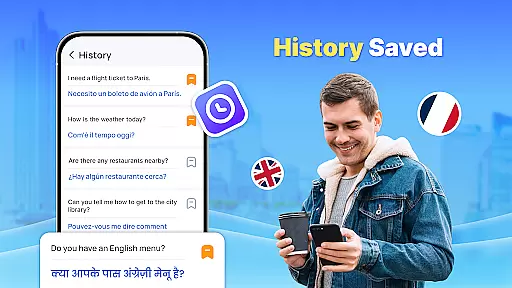
The Translate app implements core task management through its ability to save and share translation results, create collections of important translations, and provide quick access to frequently used phrases or words. Users can organize their translations into categories such as travel conversations or business emails, making it easier to retrieve them later.
For users, this means they can rely on the app not only for instant translations but also as a repository of their translation history. Whether traveling abroad, communicating with foreign clients, or learning new languages, having a structured way to manage translations enhances productivity and saves time.
This functionality adds significant value by allowing seamless transitions between different tasks, ensuring that users never lose important information and can quickly pick up where they left off, thus streamlining their overall translation process.
Cross-device synchronization reliability is essential for users who operate on multiple devices and need consistent access to their data. In the context of the Translate app, this feature ensures that translations, saved phrases, and settings are synced across all user devices.
Translate achieves reliable synchronization by leveraging cloud storage solutions and real-time update mechanisms. Whenever a user performs a translation or saves a phrase, the information is instantly updated across all linked devices, ensuring uniformity and accessibility.
Users benefit from this feature by experiencing uninterrupted service regardless of the device they use. For instance, someone might start translating text on their smartphone during a commute and continue editing or referring to it on a tablet at home, without missing a beat.
By providing dependable cross-device synchronization, Translate enhances user convenience and trust. It ensures that valuable translations and personalized settings are always available, thereby improving the overall user experience and productivity.
Supports 150+ languages
Offline translation available
Real-time voice recognition
User-friendly interface
Free to use
Limited advanced features
Ads may interrupt
Occasional inaccuracies
Requires storage space
No live chat support

Take control of your clipboard with Clipper!
 3.90
3.90
IP Camera Viewer - Android TV : RTSP Surveillance camera viewer for Android TV
4.4
Pwnagotchi companion app
4.20
Stay on top of your to-dos with Google Tasks, part of Google Workspace.
4.60
Simple and reliable communication between inmates, friends and family
3.20
A Pixel Art watchface inspired by other iconic 90s designs for Wear OS devices!
4.40
Experience and share your SolidWorks designs on your Android® phone and tablet.
2.50
This small app MUST BE INSTALLED after purchase, else license won't work
4.40
Ultimate Virtual AI Character for immersive Roleplay Chat. Perfect Companion
3.90
Android Wallet Password Manager
4.80
QuickBooks Workforce lets teams view pay info and track time in one place.
4.70
All document reader, all in one file viewer read PDF, DOCX, XLS, PPT, TXT files.
4.60
Fill, sign & send docs, forms, agreements & contracts via electronic signature.
4.50
Share files & memories safely. Keep your photos and videos secure.
4.40
A customizable calendar for your Wear OS watch
4.20
Intelligent AI Assistant
4.10
Mega cloud explorer plugin for Solid Explorer
3.80
Smart PDF reader & editor to view, organize and manage PDF documents easily.
3.70
Easiest event planning, volunteer signups & parent teacher conference scheduling
2.20


User Reviews