
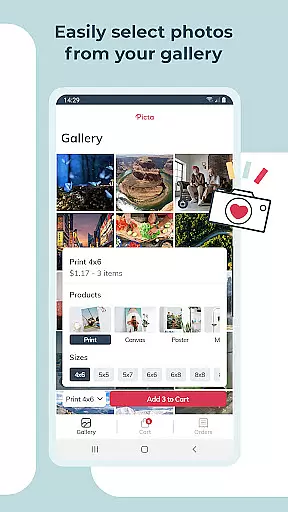
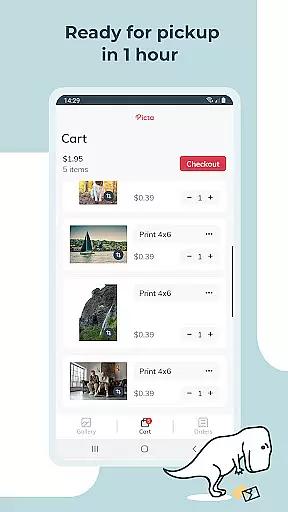
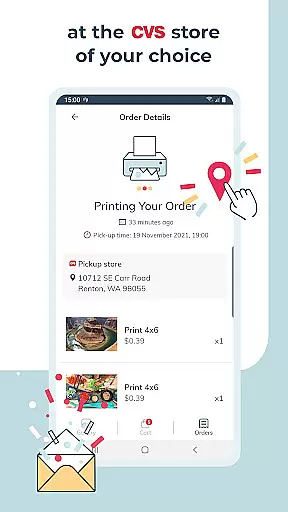
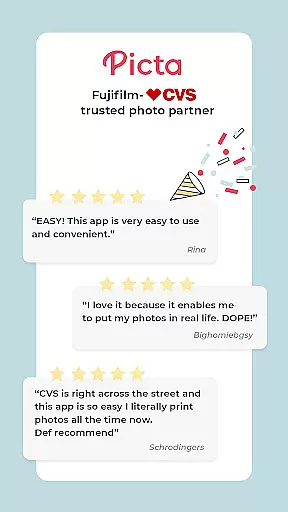
Picta x CVS Photo Print is a mobile application designed to simplify the process of photo printing. This app allows users to effortlessly print their digital photos directly from their smartphones and pick them up at their nearest CVS store within an hour. With a user-friendly interface, customers can choose from various print sizes including 4x6, 5x7, square prints, and more.
One of the standout features of this app is its ability to offer same-day pickup, making it convenient for those who need quick access to their printed memories. Additionally, Picta x CVS Photo Print provides options for creating personalized gifts such as magnets and greeting cards, adding a creative touch to your cherished moments.
The Picta x CVS Photo Print app boasts a range of features that cater to both amateur photographers and professionals alike. Users can select from multiple print sizes, ranging from standard 4x6 prints to larger 8x10 enlargements, ensuring there's an option for every occasion. The app also supports square prints, perfect for showcasing Instagram photos.
Beyond just photo printing, the app offers personalized gift options like custom magnets and greeting cards, allowing users to create unique keepsakes. Its intuitive cropping and zooming tools make it easy to adjust images before printing. Furthermore, the enhanced CVS store locator simplifies the process of finding a nearby location for quick pickup.
Real-time capture and preview functionality is essential for ensuring that users can accurately select and edit photos before printing. Picta x CVS Photo Print offers a seamless experience by allowing users to crop and zoom each picture easily within the app.
This feature ensures that every photo meets the user's expectations in terms of composition and quality before it is sent for printing. The ability to make these adjustments in real time eliminates the guesswork involved in photo selection, thus enhancing the overall user experience.
By integrating real-time capture and preview, the app empowers users to create professional-quality prints with confidence. Whether selecting standard print sizes or custom products like magnets or cards, users can visualize the final output, which significantly increases satisfaction with the printed photos.
AI beauty and enhancement features are increasingly important in photo printing apps, offering users the ability to enhance their photos while maintaining a natural look. Picta x CVS Photo Print leverages advanced AI technology to provide safe and fast photo transfers without compromising on quality.
The app includes tools that automatically adjust lighting, contrast, and color balance, ensuring that each photo looks its best. These enhancements are applied subtly to preserve the authenticity of the original image, making it ideal for turning memorable moments into fabulous photo prints and gifts.
With this feature, users can trust that their photos will be enhanced professionally yet naturally, adding an extra layer of polish to their prints. This capability not only improves the aesthetic appeal of the photos but also reinforces the app's commitment to delivering high-quality photo printing services.
User-friendly interface
Fast same-day pickup
Variety of print sizes
Personalized gift options
Convenient store locator
Limited to CVS stores
No direct payment in-app
Requires physical pickup
Occasional delays in printing
Internet connection needed

A collection of tools and reference tables for DPs, ACs, DITs and Operators.
 4.70
4.70
AI portrait generator and polaroid AI selfie, fun AI generated AI photo creator!
4.30
[3DSteroid Pro] is a stereoscopic application for Android.
4.30
Application for remote controlling DSLR
3.00
Photobooth mini FULL app will allow you to add more fun to your parties
4.00
USB Storage Access for Photos, Videos, Music and Documents
3.80
Create AI photos & videos with Enhancer; restore, fix, beautify, enhance photos
4.50
The original Rarevision VHS look seen everywhere!
4.70
Discover How to Plan any Sun, Moon and Milky Way Photo You Imagine in Seconds
4.70
Pro version: AR sun/moon tracker for any date. Tool for photographers & planners
4.90
AI Photo Editor with 100+ Filters, Effects! Remove BG, Retouch & Photo Enhancer.
4.80
Photo prints, cards, & gifts at Walgreens. Easy ordering & fast local pickup !
4.80
Enhance, upscale, and transform your images — on your device, without limits
4.70
Movie camera, supports pro recording settings for filming. Try it and be amazed!
4.50
Future baby face generator: AI kids generator, kid face! What my baby look like?
4.40
A light meter for true photographers.
4.20
Create amazing frames with up to five photos. Rounded corners, effects and more!
3.60
GCamera allows all GCam features on all phone models! Better photos with GCamera
3.30
HD Photo gallery and photo manager to edit, hide private photos, videos & albums
4.5


User Reviews