
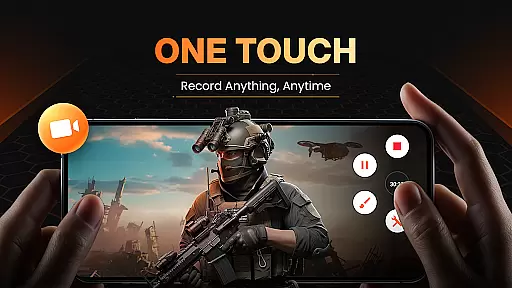
XRecorder is a versatile screen recording app designed for capturing high-quality video content on Android devices. It offers advanced features like internal audio recording, facecam support, and customizable floating controls.
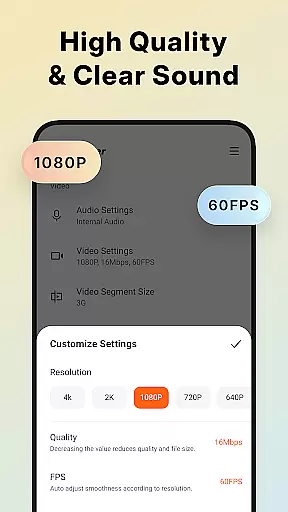
The app excels in recording gameplay videos, video tutorials, and live streams without watermarks or time limits. Users can capture screenshots, edit videos, and adjust settings like resolution (up to 1080p), frame rate (up to 120 FPS), and bit rate.
Perfect for gamers, content creators, and educators who need professional-grade screen recording capabilities without requiring root access. The built-in editing tools provide additional flexibility for creating polished video content.
XRecorder stands out with its comprehensive feature set tailored for both casual and professional users. The app supports multiple recording modes including gameplay capture, video calls, and live streaming to platforms like YouTube using RTMP protocol.
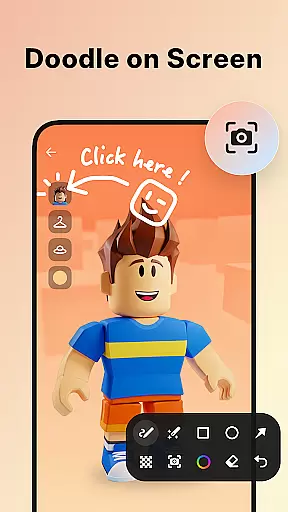
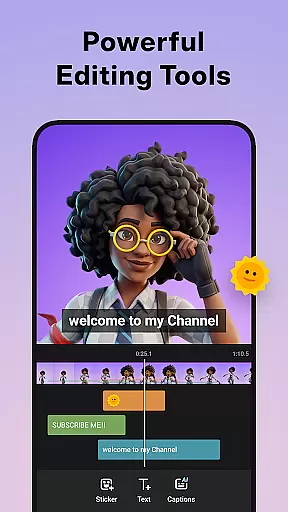
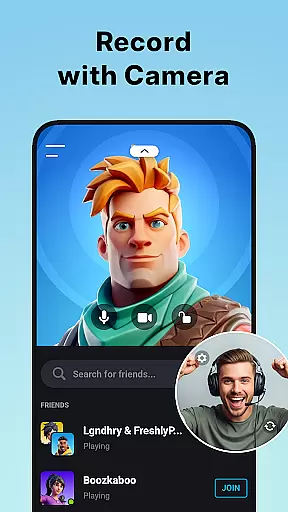
Advanced functionality includes facecam recording with customizable window size and position, brush tools for screen annotations, and a robust video editor. The editor allows trimming, splitting, adding music, adjusting speed, and applying stylish filters.
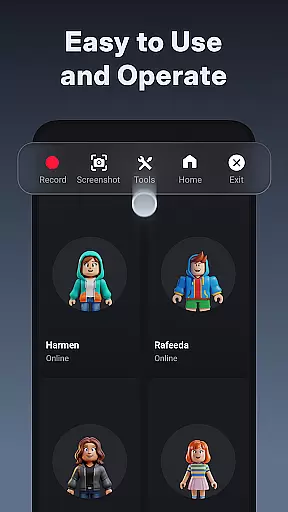
Unique capabilities like the trash bin feature enables recovery of deleted recordings within three days. Users can customize floating controls, choose alternative storage locations, and benefit from no watermark restrictions while maintaining high-quality recording standards.
Video format compatibility is a crucial feature for any video player and editor, ensuring that users can work with a wide range of video files without conversion hassles. Screen Recorder - XRecorder excels in this area by supporting various resolutions and frame rates, from 240p to 1080p Full HD and 15FPS to 60FPS. This flexibility allows content creators to record and edit videos tailored to specific platforms or audiences.
The application's ability to export videos in customizable settings, including bitrate up to 12Mbps, empowers users to balance between file size and video quality according to their needs. Whether it's for professional video production or casual sharing on social media, XRecorder provides the necessary tools to produce high-quality content efficiently.
Moreover, the inclusion of advanced features like internal audio recording (for Android 10 and above) and YouTube & RTMP live streaming enhances its appeal to gamers, educators, and live content creators. These capabilities ensure that audiovisual fidelity is maintained throughout the recording and editing process, making XRecorder a versatile choice for diverse video projects.
AI-powered editing features are revolutionizing how we approach video post-production, offering smarter and faster ways to enhance our creations. Screen Recorder - XRecorder incorporates several AI-driven tools that simplify complex editing tasks, such as trimming, cropping, and rotating videos with precision. The built-in video trimmer allows users to cut and split footage seamlessly, while the crop and rotate functions enable adjustments to fit any platform's requirements.
Beyond basic edits, XRecorder offers creative enhancements through stylish filters, speed controls, and music integration. Users can apply vintage or lomo effects to give their videos a unique aesthetic, or adjust playback speed to create dramatic slow-motion sequences or fast-paced montages. Adding popular music tracks further personalizes the final product, engaging viewers with synchronized soundtracks.
For those seeking even more customization, the facecam feature lets creators overlay their reactions onto gameplay or tutorials, fostering a more personal connection with their audience. Combined with brush tools for drawing directly on the screen, these AI-powered functionalities make XRecorder not just a screen recorder but a comprehensive video editing suite designed to elevate user-generated content to professional standards.
User-friendly interface
High-quality recording
No watermark restriction
Advanced editing tools
Flexible customization options
Android 10 required for some features
Occasional performance issues
Limited iOS compatibility
Storage-intensive recordings
Complex for beginners

HD Video player all format, HD Videos, Cast & Subtitle. No annoying ads.
 4.60
4.60
Video Player - Unlimited features, 30 days money back guarantee.
4.60
Save photos and videos from social apps in one tap.
3.60
Photo and Music Video Creator into Stunning Videos—Effortlessly
4.40
High-Quality USB Camera Viewer & HDMI Display
4.70
GENRAL PRO - General Pro is the best video player that fully supports all formats.
4.70
LumaFusion: The Ultimate Storytelling Experience for Video Editing
4.10
Download Hub, easy and private way to download and enjoy your videos offline
4.80
Photo editor & video maker with music and slideshows.
4.10
A Simple app to download Video & Music from the Internet.
4.70
Cast Videos from Web Browser, IPTV to Roku, Chromecast, DLNA, Smart TV +more
4.60
HD video maker with no watermark, no ads & vlog maker with music, PIP, text
4.50
Video Downloader is an utility that can save videos and music from web sites
4.20
Web Browser for LG TV to stream webvideos, online movies and livestreams in HD
4.20
Connect 2 UVC devices for recording and broadcast video/audio stream
3.90
Connect EasyCap or UVC devices for recording and broadcast video/audio stream
3.60
Browser for Sony TV to stream web videos, online movies and live tv
3.20
Stream high quality video from your camera over NDI protocol
4.2
Play and download HD videos from all sources — fast, simple, and all-in-one.
4.0


User Reviews