
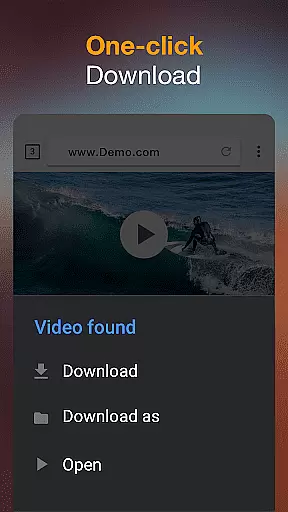

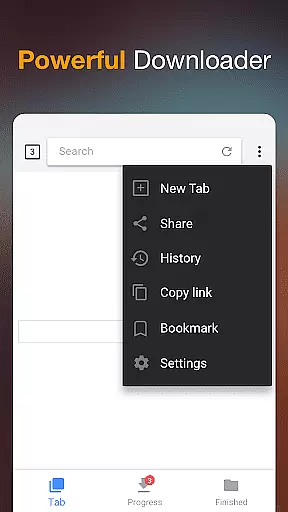
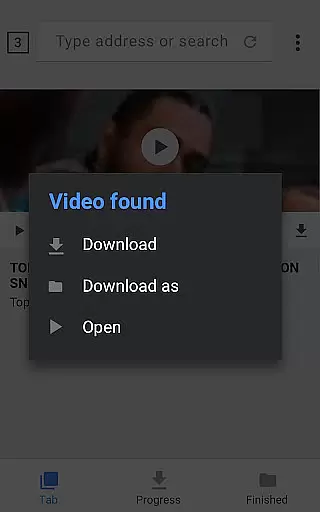

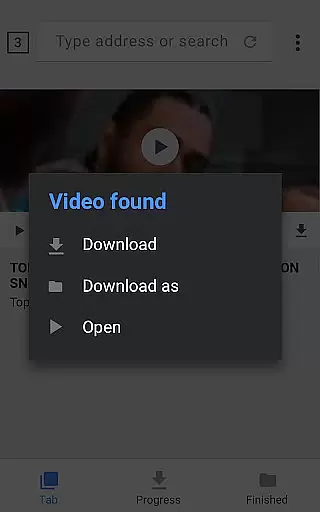

Video Downloader is a versatile tool designed to simplify the process of downloading videos and music directly from the Internet onto your device. With support for all formats, this app ensures that users can download any type of content they desire, whether it's MP4, AVI, or even documents like PDFs. The app auto-detects videos as you browse, allowing for effortless one-click downloads.
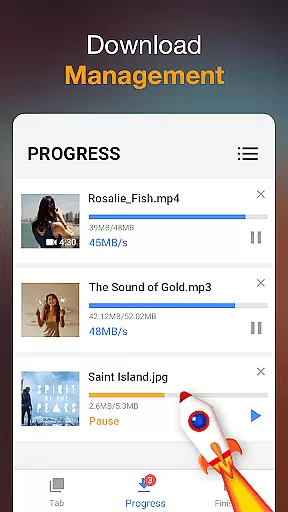
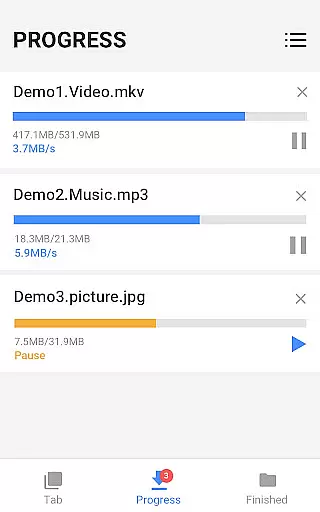
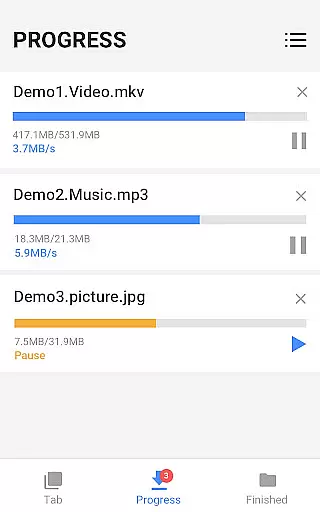
In addition to its primary function, Video Downloader offers a powerful download manager that provides control over your downloads. You can pause, resume, and remove downloads at will, making it ideal for managing large files or multiple downloads simultaneously. Whether you're looking to download HD videos or need a reliable way to save content for offline viewing, this app delivers both functionality and convenience in one package.
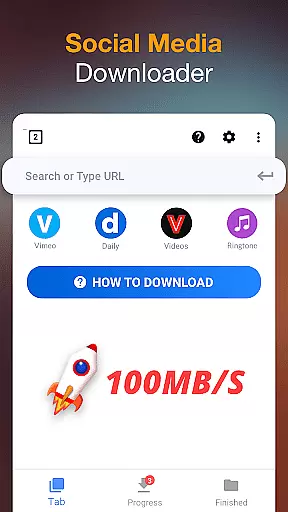
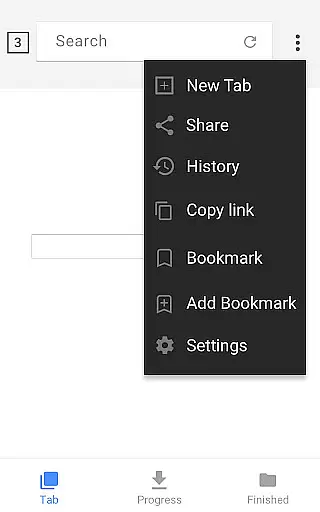
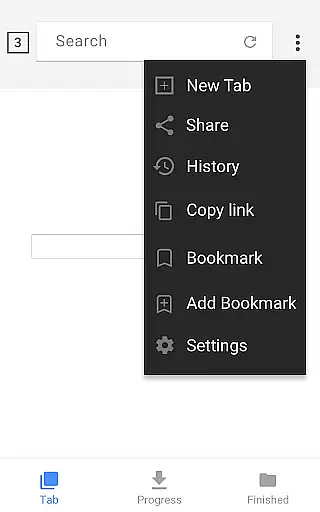
One of the standout features of Video Downloader is its built-in browser, which allows users to browse and detect videos seamlessly. Once detected, videos can be downloaded with just a single tap, streamlining the entire process. The app also includes a built-in media player, enabling users to preview and play their downloaded videos offline without needing additional software.
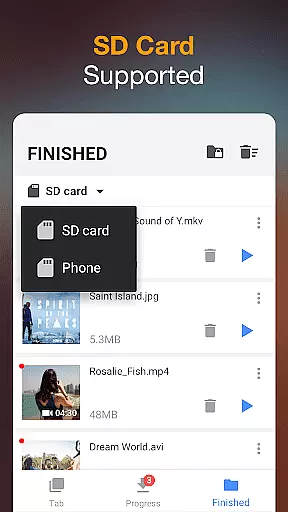
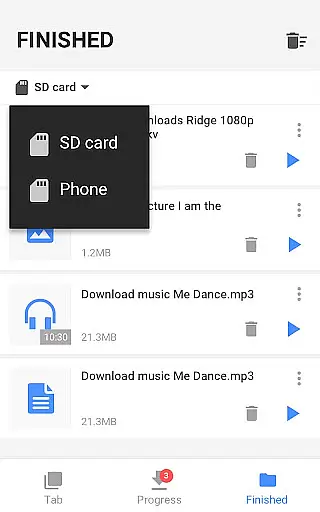
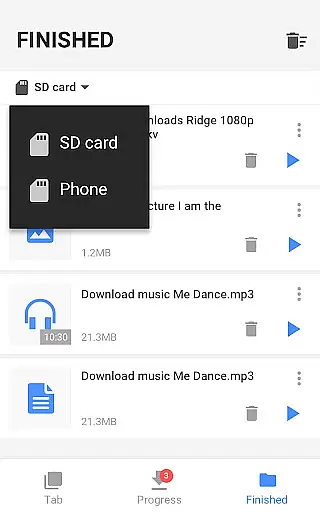
Another remarkable aspect is the full-featured download manager, which supports advanced functionalities such as background downloading, pausing, resuming, and even handling failed downloads. Users can store their downloaded files in password-protected folders, ensuring privacy and security. Furthermore, the app supports SD cards, fast download speeds, and the ability to handle large file downloads, making it an indispensable tool for anyone who regularly downloads multimedia content.
Video Downloader stands out for its exceptional video format compatibility, ensuring users can download and enjoy content in their preferred formats. This application supports an extensive range of formats including mp3, m4a, mp4, m4v, mov, avi, wmv, and more, catering to diverse user needs.
The app's built-in browser facilitates seamless browsing and auto-detection of videos across websites, allowing users to download videos with just a single click. Whether it's music or video content, users can rely on Video Downloader to handle all download formats efficiently.
Moreover, the powerful download manager enhances the downloading experience by enabling features such as pausing, resuming, and removing downloads. Users can also download several files simultaneously, making it an ideal choice for those who require versatile video format support.
While Video Downloader primarily focuses on providing a robust platform for downloading videos and music, it also incorporates AI-powered editing features that enhance user interaction with multimedia content. These features allow users to preview videos before downloading, ensuring they acquire the exact content they desire.
One notable aspect is the fast download capability, which not only saves time but also optimizes the overall user experience. The app ensures that users can play downloaded videos offline using the built-in player, thus offering convenience and flexibility.
Additionally, the app provides options for organizing downloaded files effectively, such as saving them in password-protected folders and supporting SD card storage. With these advanced functionalities, Video Downloader empowers users to manage and enjoy their digital libraries effortlessly.
User-friendly interface
Fast download speed
All format support
Powerful download manager
Offline playback
Limited free features
Ads may interrupt
Occasional bugs
Requires permissions
Compatibility issues

Photo and Music Video Creator into Stunning Videos—Effortlessly
 4.40
4.40
Video Downloader is an utility that can save videos and music from web sites
4.20
HD video maker with no watermark, no ads & vlog maker with music, PIP, text
4.50
Play and download HD videos from all sources — fast, simple, and all-in-one.
4.1
Cast to Smart TV, Fire TV. Cast video, photo - Fast & Stable!
3.90
Browser for Sony TV to stream web videos, online movies and live tv
3.20
Fast & Private HD Video Downloader with Built-in Proxy Browser and Video Player.
4.50
Fast private browser with secure, seamless access & supported video downloads!
4.00
Viddo: Generate Action Figure, AI Anime, AI kiss, AI hug Video from image & text
4.40
Play ALL formats in 4K & HD. Video downloader, MP3 player, Chromecast & more.
4.80
AI Video Editor with Music, Filter, Slideshow, Effect, Merge & Trim Video.
4.80
Screen recorder with audio to take live videos & Screenshot in high quality!
4.70
Cast Videos from Web Browser, IPTV to Roku, Chromecast, DLNA, Smart TV +more
4.60
Auto video maker with music & exclusive filters. Video editing made simple.
4.50
Cast to Chromecast, Xbox, Fire Stick, Roku, DLNA, Smart TV & No Feature Limited!
4.50
Turn your phone into a wireless camera!
4.20
Livestream, news, & gaming content. Watch, chat, and upload. Join Rumble today!
3.80
Connect EasyCap or UVC devices for recording and broadcast video/audio stream
3.60
IPTV Player - Watch live TV from m3m & m3u8 playlist, stream IPTV on mobile
3.30


User Reviews