
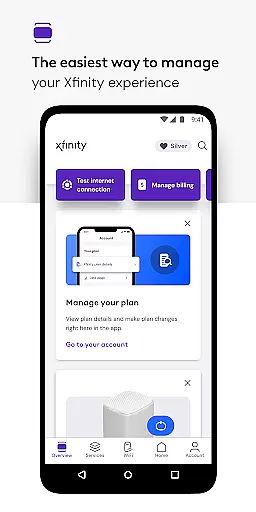
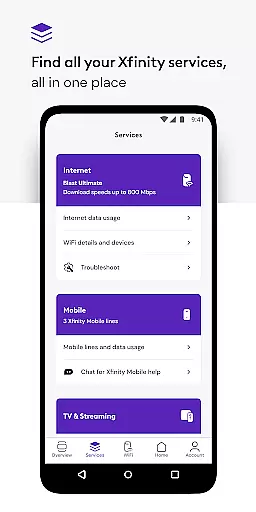
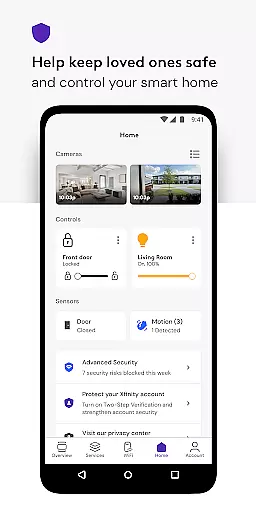
Xfinity is a productivity app designed to enhance your Xfinity experience by providing comprehensive service management in one place. The app introduces NOW, a simplified approach to obtaining internet and mobile services with transparent, all-inclusive monthly pricing. Xfinity customers benefit from 24/7 real-time support, tools for equipment activation and internet speed testing, and exclusive rewards.
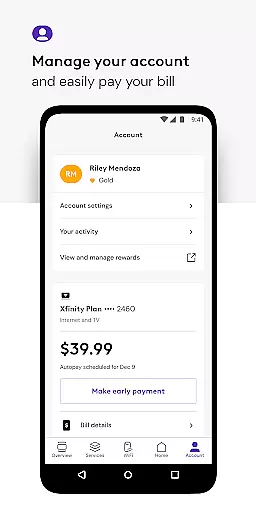
For those renting equipment, the app offers advanced account management features including bill payment, plan details, and service upgrades. It also provides personalized WiFi performance tips, advanced security for device protection, parental controls, and ultimate WiFi management. With an intuitive interface, getting started requires only your Xfinity ID and password.
The Xfinity app boasts a range of features tailored to boost productivity and streamline service management. Key functionalities include seamless account management allowing users to pay bills, view plans, and modify services effortlessly. Personalized tools offer insights into improving WiFi performance while advanced security measures protect devices and ensure family safety online.
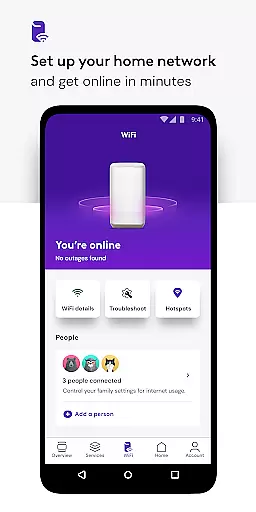
Additionally, the app includes parental controls enabling safe browsing environments and the ability to pause WiFi access on connected devices. Ultimate control features empower users to set up WiFi networks, assign user profiles, and optimize the performance of every connected device. These robust capabilities make managing your Xfinity services efficient and secure.
Task management is a cornerstone of productivity applications, and the Xfinity app excels in providing users with comprehensive tools to manage their account efficiently. This feature allows customers to handle various aspects of their services, such as paying bills, reviewing plan details, and making changes or upgrades to their subscriptions, all from one centralized location.
The app's interface is designed for ease of use, ensuring that even those who are not tech-savvy can navigate and utilize its features effectively. With real-time support available 24/7, any issues or questions about tasks can be addressed promptly, enhancing the overall user experience.
For customers renting equipment, additional personalized tools offer insights into WiFi performance and security settings. These include parental controls and advanced protection features which contribute to a safer online environment. Such capabilities ensure users have everything they need at their fingertips to maintain an optimal home network setup.
Cross-device synchronization is vital for users who interact with their service on multiple platforms. The Xfinity app ensures reliable syncing across devices, allowing seamless transitions whether you're accessing your account from a smartphone, tablet, or computer. This reliability means that every action taken on one device will reflect instantly on others, keeping all information up-to-date no matter where it's accessed.
With features like personalized tools for WiFi management and security settings, having consistent data across devices enhances convenience and control over the household network. Users can set up profiles, test internet speeds, and manage connected devices without missing a beat when switching between screens.
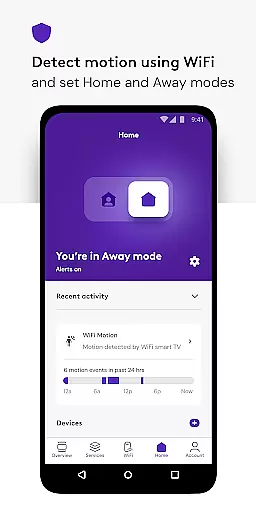
In addition to these practical benefits, the app also supports Advanced Security on the go, which activates a VPN service when connected to unsecured networks away from home. This ensures continuous protection of personal data while maintaining synchronization integrity so that safety measures remain intact regardless of how or where the app is used.
User-friendly interface
Comprehensive service management
Advanced security features
Personalized WiFi optimization
Exclusive customer rewards
Limited to Xfinity customers
Requires rental equipment for full functionality
Occasional need for additional permissions
Potential privacy concerns with data collection
Dependent on stable internet connection

Seamlessly integrate data and reports to build your presentation to impress
 4.80
4.80
Activate Two Factor Authentication (2FA or Multi OTP), Password manager and more
4.10
Enjoy classic gameplay with customizable features and retro-style graphics.
4.30
Code on-the-go with VScode for Android. Edit,debug and collaborate from mobile!!
3.10
Secure your apps with lock screens, use custom themes and different features.
4.40
Share files & memories safely. Keep your photos and videos secure.
4.40
Lightweight PDF, Word, Excel reader.
4.60
Understand anything with a personalized AI research assistant
4.80
Seamlessly read, manage, and organize all your PDF files solution in one place
4.40
8 custom complications. Custom Time Fonts. Beautiful color schemes. A++ Design.
5.00
Functional QR scanner and barcode reader that requires little storage space.
4.60
To do list widget with a notebook organizer, checklist, simple shopping list
4.60
CalenGoo is a very flexible and feature-rich calendar app
4.40
Access, manage and transfer files on Android, PC, Mac, NAS and cloud storages.
4.30
Customizable calendar widget for seamless event sync, planning & scheduling.
4.00
Access your phone's notifications, calls, apps, photos & texts on your PC
3.90
Easiest event planning, volunteer signups & parent teacher conference scheduling
2.20
Ads Free App! Editor, Hide File, Copy, Move, Delete and Rename.. all facility av
1.70
The upgraded version of Name Wheel with AI and the power to add your own wheels.
4.4


User Reviews