
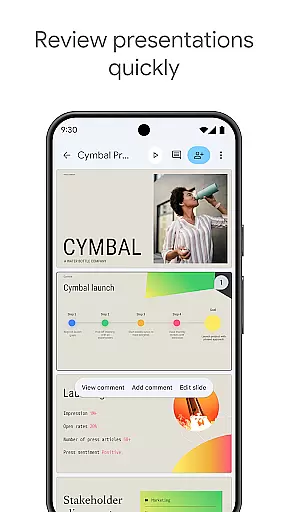
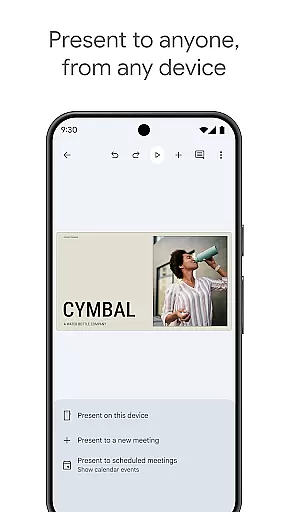
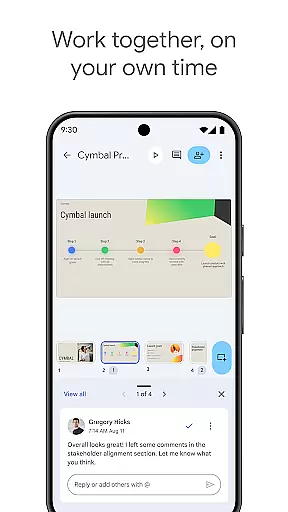
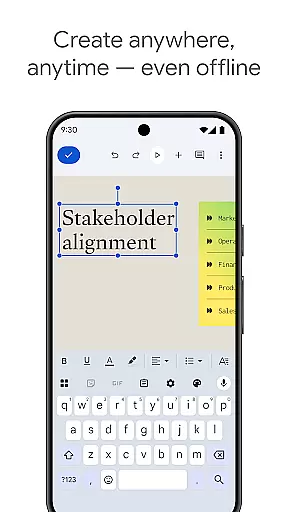
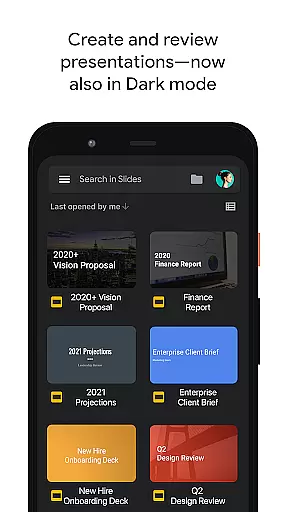
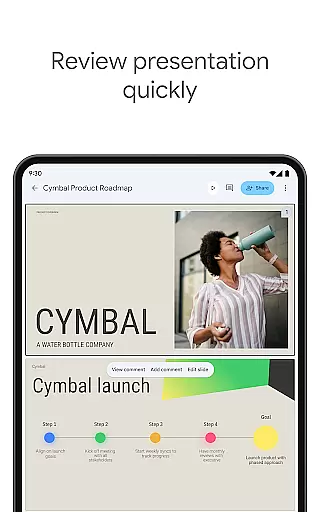
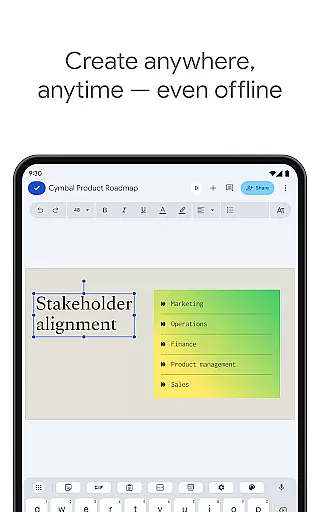
Google Slides is a powerful productivity application that allows users to create, edit, and collaborate on presentations directly from Android devices. The app provides comprehensive functionality including real-time collaboration, offline access, and automatic saving. Users can add comments, format text, rearrange slides, and even present directly from their mobile devices.
The application stands out with its smart suggestions feature that helps users design visually appealing slides instantly. It also integrates seamlessly with Google Workspace, enabling professional teams to work together efficiently. With support for PowerPoint files and video call presentations, Google Slides delivers a complete presentation solution for both individual and team use.
Google Slides offers an impressive array of features designed to enhance productivity and collaboration. The app supports real-time editing where multiple users can work simultaneously on the same presentation. Its cross-platform compatibility ensures seamless transitions between desktop and mobile devices, allowing users to practice presentations until the last minute.
Advanced formatting options enable users to customize slides with videos, images, drawings, and smooth transitions. The app's smart suggestion system helps create professional-looking presentations quickly. Additional features include calendar integration for video calls, camera support for inserting images, and microphone access for audio transmission during presentations. These capabilities make Google Slides a versatile tool for modern workplace collaboration.
Google Slides excels in core task management by offering a comprehensive suite of tools designed to streamline the presentation creation process. The app allows users to create new presentations or edit existing ones with ease, providing essential functions such as adding and rearranging slides, formatting text and shapes, and inserting multimedia elements.
The collaborative nature of Google Slides significantly enhances productivity. Multiple users can work on the same presentation simultaneously, regardless of their location. This feature is particularly beneficial for teams that operate remotely or across different time zones, ensuring that everyone stays on the same page and can contribute in real-time.
Additionally, Google Slides ensures that your work is always safe with automatic saving. Every change made is instantly saved, eliminating the risk of losing important data due to unexpected interruptions. This seamless integration of task management features within a user-friendly interface makes Google Slides an indispensable tool for both individual and team projects.
Cross-device synchronization is a cornerstone of Google Slides, enabling users to access their presentations from any device at any time. Whether you're using an Android phone, tablet, PC, or Mac, Google Slides ensures that your work is consistently up-to-date across all platforms. This reliable synchronization means you can start a presentation on one device and seamlessly continue working on another without missing a beat.
Offline functionality further augments the cross-device experience. Users can work on their presentations even without an internet connection, with changes automatically syncing once connectivity is restored. This feature is invaluable for professionals who need to work while traveling or in areas with limited internet access.
Moreover, Google Slides offers the ability to present directly from mobile devices, providing flexibility and convenience. This ensures that users are always prepared, whether they're in a boardroom or attending a virtual meeting. By prioritizing robust cross-device synchronization, Google Slides empowers users to work efficiently and effectively, no matter where they are.
User-friendly interface
Real-time collaboration
Automatic saving
Cross-platform support
PowerPoint compatibility
Limited offline features
Basic templates
Internet dependency
Fewer animations
Storage requirements

Mega cloud explorer plugin for Solid Explorer
 3.80
3.80
Mind Map and brainstorm, note taking and idea collection
4.80
App lock - lock apps with fingerprint, password, pin or pattern, protect privacy
4.70
Fill, sign & send docs, forms, agreements & contracts via electronic signature.
4.50
Translate text/voice/photos in 150+ languages. Offline & fast translator app.
4.50
A comprehensive suite of tools designed specifically for Lactation Consultants
4.4
The ultimate file manager for rooted devices. The original and still the best.
4.00
AT&T Internet customers can use this app to personalize their Wi-Fi network.
4.40
Note taking, handwriting, record audio, PDF annotation, planner & journal
4.20
8 custom complications. Custom Time Fonts. Beautiful color schemes. A++ Design.
5.00
Protect and view your important info on your phone and tablet with eWallet®
4.80
A simple Whisper AI keyboard for reliable speech transcription and rewording
4.60
This small app MUST BE INSTALLED after purchase, else license won't work
4.40
All in One PDF Reader: Manage, Read and Edit your Documents
4.20
Todo reminder
4.10
A Revolutionary All-in-One Artificial Intelligence Tools
3.80
Experience and share your SolidWorks designs on your Android® phone and tablet.
2.50
Ads Free App! Editor, Hide File, Copy, Move, Delete and Rename.. all facility av
1.70
Create study competitions, track your hours, and stay consistent with friends
4.4


User Reviews