
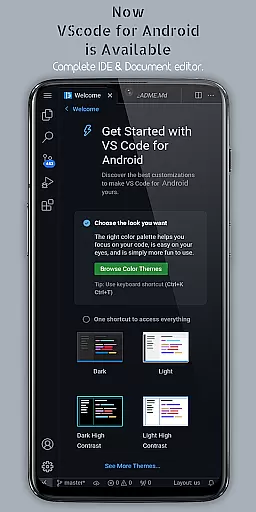
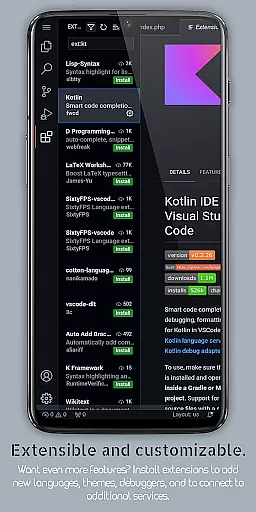
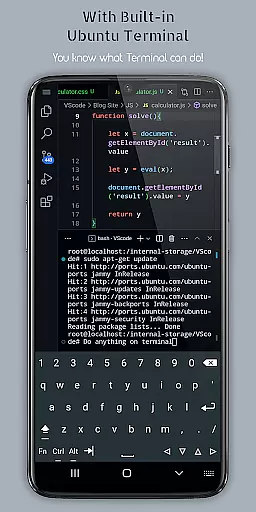
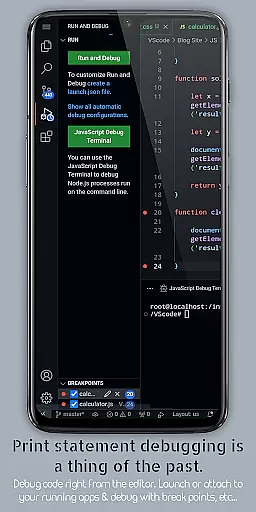
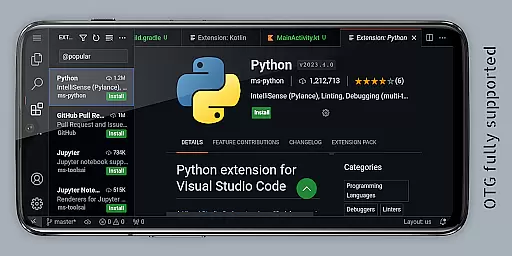
VScode for Android brings the powerful functionality of Visual Studio Code to mobile devices, allowing developers to write, edit, and debug code on-the-go. With support for a wide range of programming languages and file types, this app is designed to cater to both professional developers and coding enthusiasts alike.
The app features customizable themes, extensions, IntelliSense, debugging tools, and built-in Git support, providing an immersive and efficient coding experience. Its fullscreen mode offers an uninterrupted coding session by hiding system bars, while remote access capabilities let users connect via a web browser using their phone's IP address and port 8080.
Whether you're working on HTML, Python, Java, or other popular languages, VScode for Android ensures a versatile coding environment. The app also supports multi-cursor editing, split view, integrated terminal, and task automation, making it a complete mobile development solution.
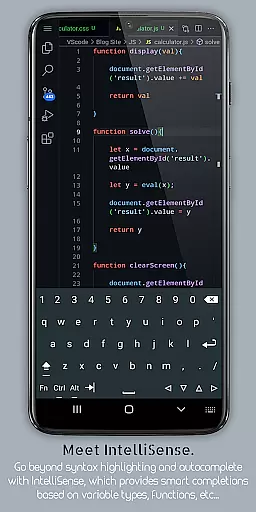
VScode for Android stands out with its comprehensive feature set tailored for productivity. The app includes a built-in debugger to identify and fix errors efficiently, syntax highlighting for various programming languages, and IntelliSense for intelligent code completion that speeds up the coding process.
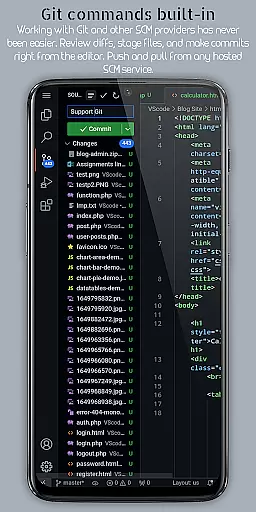
Developers can leverage snippets for reusable code pieces, perform code refactoring operations like renaming variables, and use embedded Git for version control tasks directly within the editor. Customizable keyboard shortcuts allow personalized key bindings, enhancing workflow efficiency.
Additional features include multi-cursor editing for simultaneous changes, a built-in terminal for command-line access, split view editing for multitasking, and language-specific settings for optimized workflows. These robust functionalities make VScode for Android a top choice for mobile coding.
VScode for Android revolutionizes the way developers handle task management on mobile devices. The app brings the full-fledged capabilities of desktop Visual Studio Code to your fingertips, allowing you to write, edit, and debug code seamlessly.
With support for a wide array of programming languages and file types, this app ensures that users can work on any project with ease. Its powerful features like IntelliSense, customizable themes, extensions, and debugging tools make coding efficient and user-friendly.
The built-in support for Git and other version control systems enhances collaborative work, making it easier than ever to manage tasks across teams. This functionality is crucial for developers who need to track changes, manage versions, and collaborate efficiently.
By providing an immersive display experience and remote access capabilities, VScode for Android ensures that task management is not only comprehensive but also adaptable to various working environments, thus maximizing productivity.
One of the standout features of VScode for Android is its reliable cross-device synchronization. This functionality allows developers to start a project on one device and continue working on it from another without missing a beat.
The app supports real-time synchronization of code edits, ensuring that all changes are updated across devices instantaneously. This seamless integration is vital for developers who switch between multiple devices throughout their day.
Additionally, the built-in terminal and split view editing further enhance the synchronization experience by providing versatile tools that adapt to different workflows. These features ensure that no matter where you are coding, your environment remains consistent and reliable.
Overall, the robust synchronization capabilities of VScode for Android empower developers to maintain high productivity levels, regardless of their physical location or the device they are using.
Powerful code editor
Wide language support
Efficient debugging tools
Customizable interface
Remote access capability
Complex for beginners
Limited mobile functionality
Requires internet
Occasional bugs
Not officially by Microsoft

AI Video AI Image Private LLM AI Browser Llama Gemma Ollama Connect LLM Studio
 4.3
4.3
A customizable calendar for your Wear OS watch
4.20
Unlock AutoNotification
4.00
Mega cloud explorer plugin for Solid Explorer
3.80
Simple and reliable communication between inmates, friends and family
3.20
Activate Two Factor Authentication (2FA or Multi OTP), Password manager and more
4.10
Subscribe to Webcal & .ics calendars and keep them up-to-date!
4.50
Intelligent AI Assistant
4.10
Seamlessly read, manage, and organize all your PDF files solution in one place
4.40
Use powerful, industry-leading AI tools to generate visual charts from any data
4.80
Seamlessly integrate data and reports to build your presentation to impress
4.80
Understand anything with a personalized AI research assistant
4.80
The long-awaited modern gallery app for your Nextcloud server
4.70
Quickly and easily keep track of your work shifts
4.70
Absolutely the best CNC machinist speed and feed calculator around. fswizard.com
4.60
Share files & memories safely. Keep your photos and videos secure.
4.40
Enjoy classic gameplay with customizable features and retro-style graphics.
4.30
Create and edit presentations with Google Slides, part of Google Workspace.
4.00
The ultimate file manager for rooted devices. The original and still the best.
4.00


User Reviews