
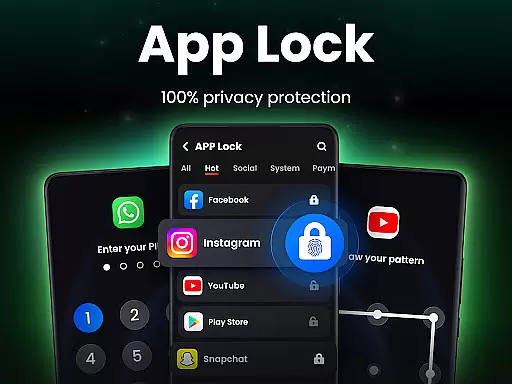
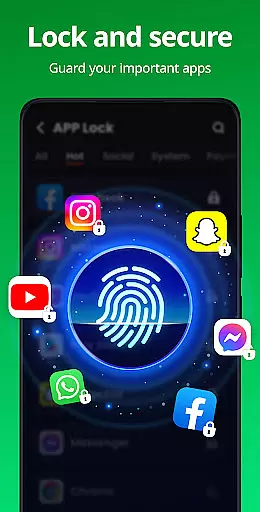
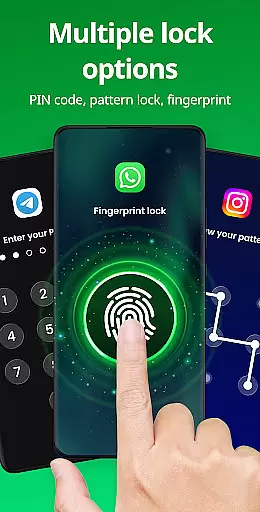
App Lock is a powerful productivity tool designed to protect your personal data with advanced security features. The app allows users to lock specific applications using PIN, pattern, or fingerprint authentication, ensuring complete privacy and control over sensitive information. With its user-friendly interface, App Lock makes it simple to secure social media apps like WhatsApp and Instagram, as well as essential phone features such as Gallery, Contacts, and Messages.
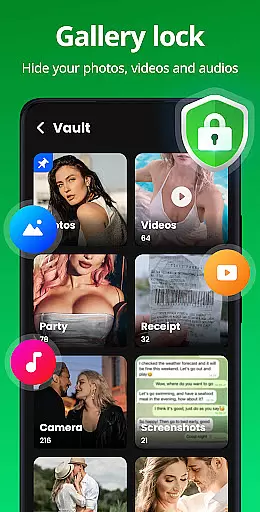
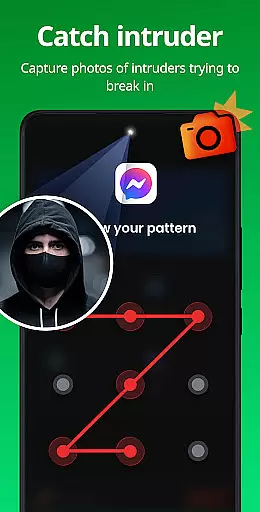
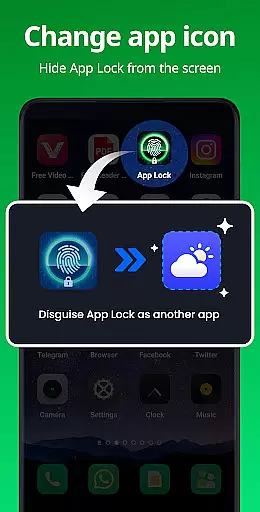
In addition to locking apps, this tool offers a Safe Vault feature that hides private photos and videos, making them accessible only through a password. It also includes innovative functionalities like Intruder Selfie, which captures a photo of anyone attempting unauthorized access. Disguise App and Uninstall Protection further enhance security by masking the app's presence and preventing accidental removal. Suitable for safeguarding against both physical intrusion and digital threats, App Lock provides peace of mind for anyone looking to secure their mobile environment.
App Lock stands out with its comprehensive suite of security features tailored for privacy-conscious users. One of its core capabilities is the ability to lock apps using multiple authentication methods including PIN, pattern, or fingerprint. This ensures that only authorized individuals can access sensitive applications, protecting your private conversations and data from prying eyes.
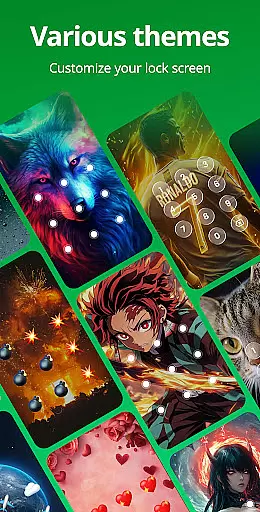
Beyond basic locking functionality, App Lock includes several advanced features. The Safe Vault allows users to hide private photos and videos, storing them securely away from the regular gallery. Intruder Selfie automatically takes a picture of anyone who enters the wrong password, adding an extra layer of security. Additionally, the Disguise App feature lets you mask the app under a different name, while Uninstall Protection prevents accidental removal. With customizable themes and settings like Random Keyboard and Hide Pattern Draw Path, users can tailor their experience to maximize both security and convenience.
Looking ahead, App Lock plans to introduce even more features such as Encrypt Notification, Junk File Cleaner, and Cloud Backup. These upcoming additions will further enhance the app's utility by encrypting notifications, cleaning up unnecessary files, and providing reliable cloud storage solutions. Required permissions are clearly explained, ensuring transparency about how your data is protected. Overall, App Lock delivers robust security measures in a flexible and intuitive package.
In the realm of productivity, core task management is pivotal for organizing and securing your digital life. App Lock excels in this area by providing a robust framework to manage access to your essential applications with ease.
With features like locking apps through PIN, pattern, or fingerprint, it ensures that only authorized users can access sensitive applications such as WhatsApp, Instagram, and Facebook. This granular control over app accessibility significantly enhances personal data security.
Moreover, the ability to lock financial apps like Google Pay and PayPal prevents unauthorized transactions, offering peace of mind regarding accidental payments or in-app purchases. The app also includes uninstall protection, safeguarding against the loss of hidden files due to accidental removal.
By integrating these comprehensive task management features, App Lock empowers users to maintain strict control over their digital footprint, ensuring privacy and security are always at the forefront.
Cross-device synchronization is crucial for maintaining consistency and reliability across multiple devices. While App Lock focuses primarily on device-specific security, its potential for synchronization cannot be overlooked.
Although currently centered on individual device protection, the app hints at future capabilities such as cloud backup. This feature would enable users to back up their data securely to the cloud, preventing file loss and ensuring seamless access across devices.
The forthcoming encrypted notifications feature promises to enhance cross-device functionality further by allowing secure message reading within the app itself, thus streamlining communication privacy.
While awaiting these advancements, users can still benefit from reliable single-device management, knowing their private data remains protected under any circumstance. With continuous updates and improvements, App Lock aims to deliver an increasingly synchronized and secure user experience.
Advanced security features
User-friendly interface
Multiple authentication methods
Private data protection
Innovative additional tools
Requires multiple permissions
May slow down older devices
Limited free version
Occasional ads in free tier
Fingerprint sensor dependency

Client for Nextcloud Deck
 4.60
4.60
Native client for Forgejo and Gitea
5.00
aCalendar+ makes your day, week and month
4.70
Find and delete junk files & block unwanted notifications & manage files
3.70
All document reader, all in one file viewer read PDF, DOCX, XLS, PPT, TXT files.
4.60
Best Tool for the professionals Electrician, Electrical contractors, etc.
4.90
A Pixel Art watchface inspired by other iconic 90s designs for Wear OS devices!
4.40
Simple notepad & memo. Take notes, to-do list, shopping list with reminders.
4.80
AI Chatbot and AI writing assistant powered by ChatGPT.
4.60
Scientific calculator for Android - looks and operates like the real thing!
4.90
Seamlessly integrate data and reports to build your presentation to impress
4.80
Secure, fast, open-source, VNC and SSH Remote Desktop for Windows, Linux and Mac
4.70
A beautiful digital clock with autostart and many other functions
4.70
PDF scanner & converter for files, photos, lottery, QR codes. One swipe away!
4.50
Docker, Kubernetes management over Portainer Mobile
4.40
Pwnagotchi companion app
4.20
* block pre-roll ads, pop-up and forced redirect ads * Samsung certification app
4.00
Smart PDF reader & editor to view, organize and manage PDF documents easily.
3.70
Create study competitions, track your hours, and stay consistent with friends
4.4


User Reviews