
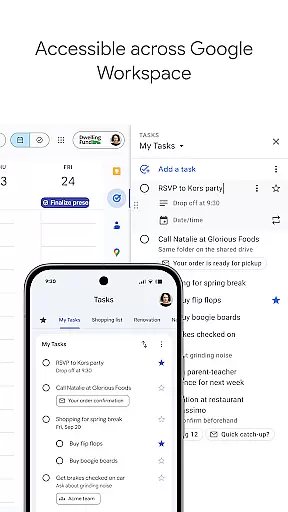
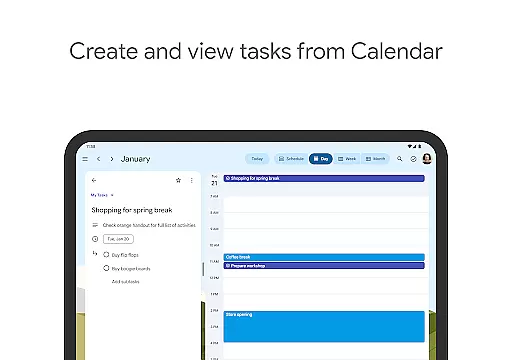
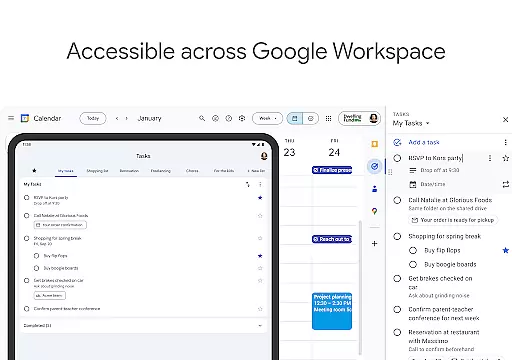
Google Tasks is a productivity app designed to help users manage their daily tasks efficiently. The app allows you to capture, organize, and track your to-dos from any device, ensuring you never miss an important deadline. With seamless integration across Gmail and Google Workspace, it creates a unified task management experience that boosts productivity.
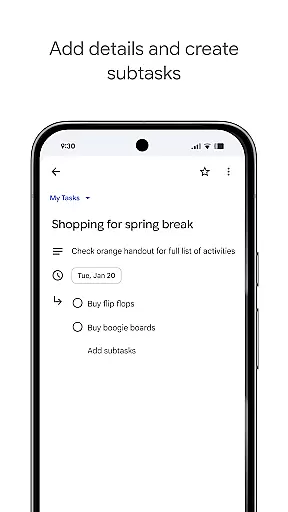
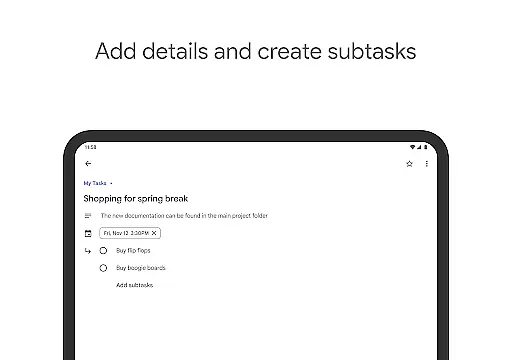
The app's key features include creating multiple task lists for better organization, setting priority levels through drag-and-drop functionality, and breaking down complex tasks into subtasks. Additionally, users can set reminders and due dates, ensuring timely completion of tasks. Whether you're managing work projects or personal errands, Google Tasks provides a simple yet powerful solution to stay on top of your responsibilities.
Google Tasks offers a variety of features that make task management effortless and intuitive. One standout feature is its ability to sync tasks across all devices, ensuring your to-do list is always up-to-date whether you're using a phone, tablet, or computer. This cross-platform functionality is particularly useful for users who switch between devices throughout the day.
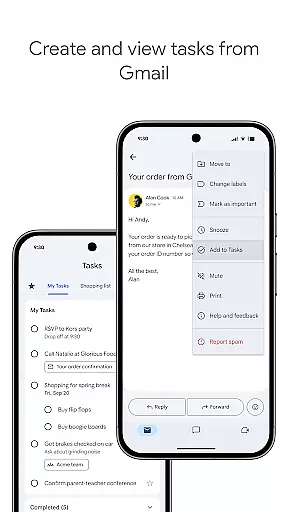
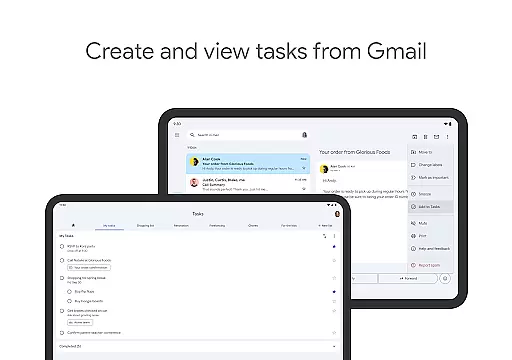
Another notable feature is its deep integration with Gmail, allowing users to create tasks directly from emails. Each task retains a link to the original email, making it easy to reference important information. The app also supports subtasks, enabling users to break larger projects into manageable steps. With customizable notifications and priority markers, Google Tasks ensures that users can tailor the app to fit their unique workflow needs.
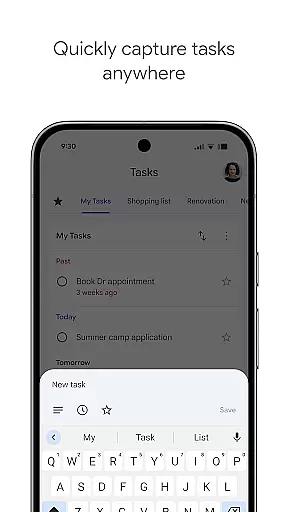
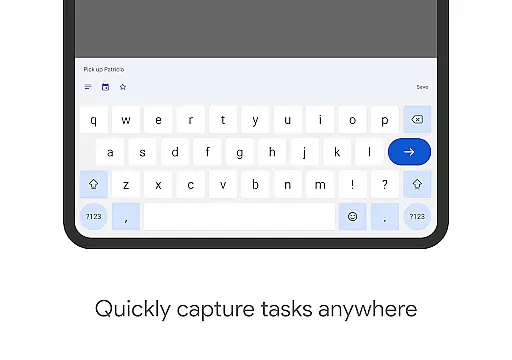
Google Tasks offers a robust core task management system that helps users stay organized and efficient. The app allows you to view, create, edit, and manage tasks from your mobile device, ensuring that your to-do list is always accessible.
One of the standout features is the ability to organize tasks into different lists based on topics or priorities. This helps users categorize their responsibilities effectively, making it easier to focus on what matters most at any given time.
The app also supports prioritization through drag-and-drop functionality, enabling users to reorder tasks effortlessly. Additionally, important tasks can be marked with a star, ensuring they stand out and receive the attention they require.
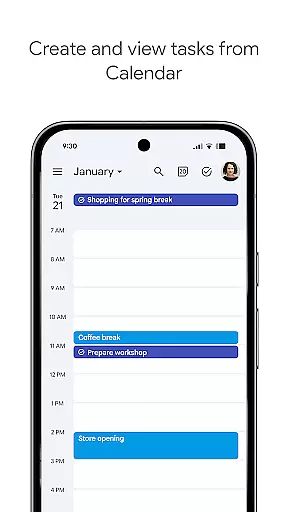
With seamless integration across all devices and synchronization with Gmail and Google Calendar, Google Tasks ensures that users can manage their tasks efficiently, no matter where they are or what device they're using.
Cross-device synchronization is a critical feature of Google Tasks, ensuring that your to-do list is always up-to-date across all your devices. Whether you're using a smartphone, tablet, or computer, you can access your tasks wherever you go.
This reliable synchronization is powered by Google's robust infrastructure, which guarantees that changes made on one device are instantly reflected on all others. This means you can start a task on your phone during your commute and continue working on it from your desktop when you arrive at the office.
In addition to real-time updates, Google Tasks integrates seamlessly with other Google services like Gmail and Google Calendar. This interconnected ecosystem allows for streamlined workflows, such as creating tasks directly from emails in Gmail, complete with links back to the original message for easy reference.
Overall, the cross-device synchronization reliability of Google Tasks ensures that users never miss an important deadline or forget a crucial task, providing peace of mind and enhancing productivity.
User-friendly interface
Seamless Gmail integration
Cross-device synchronization
Free to use
Simple yet effective design
Limited advanced features
No team collaboration tools
Basic UI design
Few customization options
Offline functionality restricted

AI Video AI Image Private LLM AI Browser Llama Gemma Ollama Connect LLM Studio
 4.1
4.1
Experience real multitasking on your Android!
4.00
Device's storage information in a simple and clear graphical form (infographics)
4.10
Functional QR scanner and barcode reader that requires little storage space.
4.60
All document reader, all in one file viewer read PDF, DOCX, XLS, PPT, TXT files.
4.60
Code on-the-go with VScode for Android. Edit,debug and collaborate from mobile!!
3.10
Docker, Kubernetes management over Portainer Mobile
4.40
The ultimate file manager for rooted devices. The original and still the best.
4.00
Secure your apps with lock screens, use custom themes and different features.
4.40
Seamlessly integrate data and reports to build your presentation to impress
4.80
Direct Chat without saving contacts & Dual WA Account on Single Device
4.70
Scan paperwork into PDF/JPG, generate your own e-signature and send fax or email
4.70
When you Focus, so will your Bean in this cozy focus timer
4.30
Total remote control for your Android device, PC and cloud services (IFTTT)!
4.20
Todo reminder
4.10
Activate Two Factor Authentication (2FA or Multi OTP), Password manager and more
4.10
Take control of your clipboard with Clipper!
3.90
Remotely view listen control and record cameras.
3.70
Experience and share your SolidWorks designs on your Android® phone and tablet.
2.50


User Reviews