
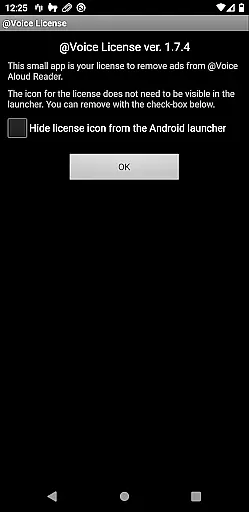
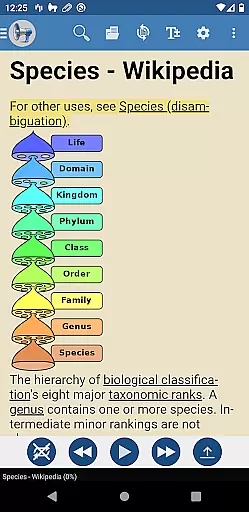
@Voice Premium License is a productivity-enhancing application designed as an optional upgrade for @Voice Aloud Reader. This app removes in-app advertisements, such as banner ads and full-screen ads that appear when loading new content, thereby conserving battery life and reducing data usage. By installing this license directly from the Google Play Store, users unlock additional features within the main @Voice app.
Key functionalities include automated continuous recording through entire reading lists or eBooks, customizable speech tags for different types of content, and potential future premium features. These enhancements provide a seamless and enriched user experience, making it ideal for individuals who rely on text-to-speech technology for reading articles, books, and other written materials.
The @Voice Premium License offers several advanced features that significantly enhance the functionality of the @Voice Aloud Reader. One notable feature is the ability to record continuously through an entire reading list or eBook without manual intervention, unlike the free version which stops after each article or chapter. This ensures uninterrupted audio playback, perfect for users who need hands-free operation over extended periods.
Another standout feature is the use of tags with speech replacements. Users can create distinct sets of speech customizations tailored to various types of content, such as scientific articles or fiction, and switch between them effortlessly using these tags. This level of customization allows for a more personalized listening experience. Additionally, the removal of intrusive ads not only improves the visual interface but also optimizes device performance by saving battery and minimizing data transfer.
Task management is a critical aspect of productivity applications, ensuring users can efficiently organize and execute their tasks. @Voice Premium License enhances the core functionalities of @Voice Aloud Reader by removing ads that disrupt user experience, allowing for uninterrupted focus on reading tasks.
This app ensures that users can manage their reading lists without the distraction of ads, which not only improves battery life but also saves data usage. The removal of these interruptions means users can seamlessly transition from one article or book chapter to the next, maintaining their flow and increasing productivity.
By installing this license, users gain access to an enhanced version of @Voice Aloud Reader where they can truly immerse themselves in their content. This streamlined experience is invaluable for those who rely on the app for large volumes of reading or for whom time is of the essence.
Cross-device synchronization is essential for users who engage with content across multiple platforms. @Voice Premium License offers reliable synchronization features that ensure a consistent experience whether you're using a phone or tablet.
With this premium upgrade, users can expect that their reading progress, preferences, and settings are accurately mirrored across all devices. This means picking up right where you left off, regardless of the device in hand, providing unparalleled convenience and coherence in your reading journey.
The reliability of this synchronization instills confidence in users, knowing their data is securely and accurately maintained. For avid readers and professionals who require dependable access to their materials, this feature significantly enhances the overall utility and appeal of the @Voice Aloud Reader application.
Ad-free experience
Continuous recording
Customizable speech tags
Enhanced user experience
Battery and data savings
Separate installation required
Premium cost involved
Dependent on main app
Limited standalone utility
No direct functionality

A customizable calendar for your Wear OS watch
 4.20
4.20
Wake up & get tasks done! Add alarms & reminders on the Clock Launcher.
4.00
The upgraded version of Name Wheel with AI and the power to add your own wheels.
4.3
A simple, portable logger for POTA, SOTA, Field Day, and more
4.1
Functional QR scanner and barcode reader that requires little storage space.
4.60
Code on-the-go with VScode for Android. Edit,debug and collaborate from mobile!!
3.10
Great calculator for Android named one of USA TODAY's "25 Essential Apps".
4.90
Lightweight PDF, Word, Excel reader.
4.60
Daily processing of PDF documents.
4.40
8 custom complications. Custom Time Fonts. Beautiful color schemes. A++ Design.
5.00
Best Tool for the professionals Electrician, Electrical contractors, etc.
4.90
The Pro Version of Android's tiniest Notepad app. Just 0.3MB but feature-packed!
4.60
Absolutely the best CNC machinist speed and feed calculator around. fswizard.com
4.60
All document reader, all in one file viewer read PDF, DOCX, XLS, PPT, TXT files.
4.60
Fill, sign & send docs, forms, agreements & contracts via electronic signature.
4.50
Tally and goal counter for Wear OS & mobile
4.50
Docker, Kubernetes management over Portainer Mobile
4.40
Professional calendar app for Google Calendar, MS Outlook & Exchange
4.20
Create study competitions, track your hours, and stay consistent with friends
4.0


User Reviews