

"PER27 Galaxy Digital" is a digital Wear OS watch face designed by PERSONA
 4.10
4.10
Highly customizable hybrid watch face for Wear OS, perfect for everyday use.
4.60
Christmas and New Year - Themed Watchface
4.3
MyNISSAN® lets you remotely control your car from your phone.*
4.50
Wear Os Watch Face - Animated Snow Effect & Magic Spark - 6 Scenes
4.10
Kia Access makes getting your vehicle information easier than ever
4.60
Locate your family members by GPS phone location tracker everywhere and anytime
4.30
The #1 source of faces for your smartwatch!
4.00
Simple, helpful messaging by Google
4.60
Digital, flexibly customizable watch face. For Wear OS 5.0, API 34+ and later.
5.00
Period, ovulation & pregnancy tracker. Fertility insights & menstrual calendar.
4.90
Real-time weather radar with temperatures, warnings, hurricanes, and widgets
4.80
Diet tracker for weight loss - track calories, food and macros. Simple and easy!
4.70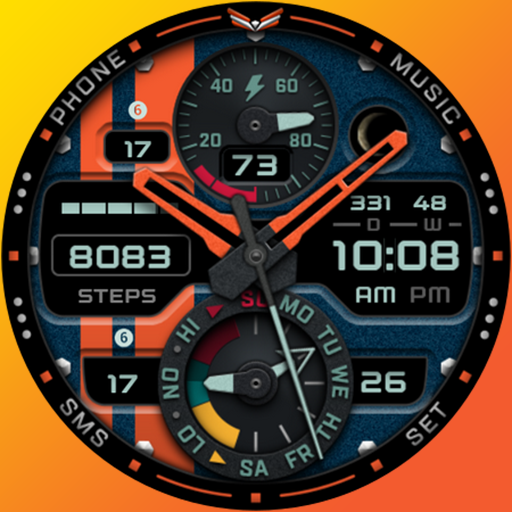
A modern premium sporty hybrid watch face for Wear OS by Ballozi
4.70
Animated video-game inspired “secret agent” simulation, right on your wrist!
4.20
A digital watch face that celebrates Christmas.
4.00
Professional weather radar and more
3.90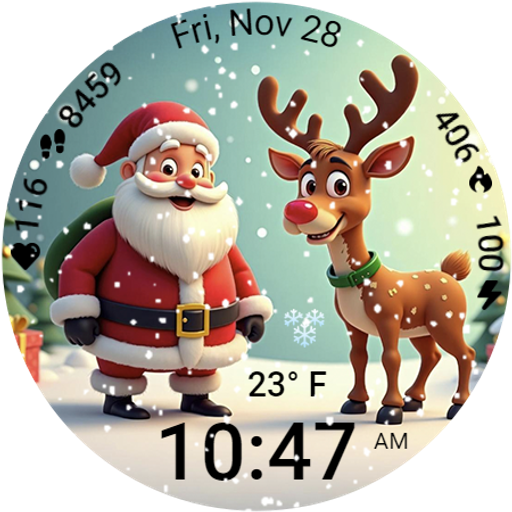
A heartwarming Christmas scene featuring a cute image of Santa and Rudolf
4.1
A watch face that fuses motorsport precision with contemporary smartwatch design
4.0


