
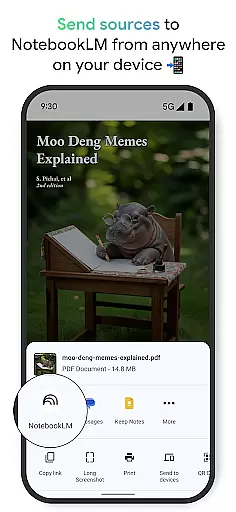
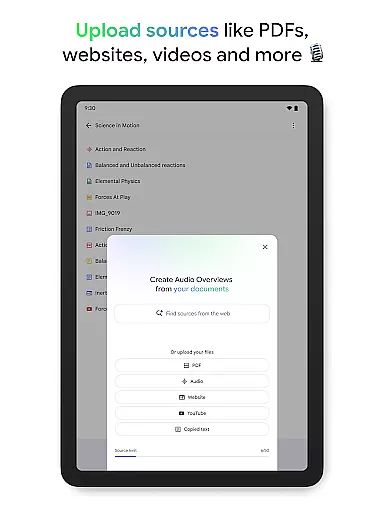
NotebookLM is a productivity app designed to simplify complex information management. It allows users to upload various sources like PDFs, websites, and videos, transforming them into easily digestible formats. The app's AI capabilities provide trusted insights by analyzing uploaded content and making meaningful connections between different sources.
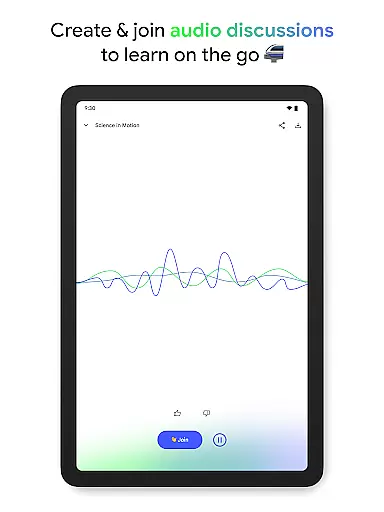
With features like Audio Overviews and offline support, users can learn on the go through podcast-style discussions hosted by AI personalities. This makes it an invaluable tool for students, researchers, and professionals who need to process large amounts of information efficiently while maintaining accuracy and reliability in their work.
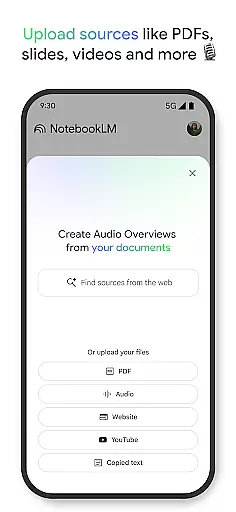
The app offers robust document processing capabilities, enabling users to upload and analyze multiple file types including PDFs, web pages, and video content. Its AI-driven analysis system creates comprehensive summaries and draws insightful connections between different sources, all while maintaining proper citations for reference.
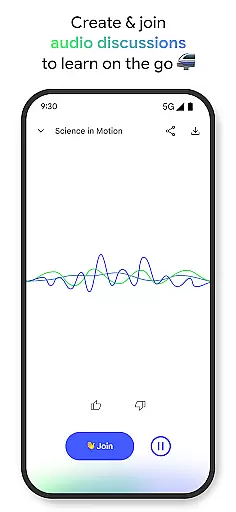
NotebookLM stands out with its innovative Audio Overview feature, allowing users to consume content through engaging podcast-style discussions. The app supports background playback and offline access, providing flexibility for users to learn anytime, anywhere. Additionally, the interactive AI hosts enable dynamic conversations where users can ask questions and guide discussions, creating a personalized learning experience.
Effective task management is essential for productivity, and Google NotebookLM excels in this area by transforming how users interact with information. The app allows you to upload various sources such as PDFs, websites, and videos, converting them into manageable insights.
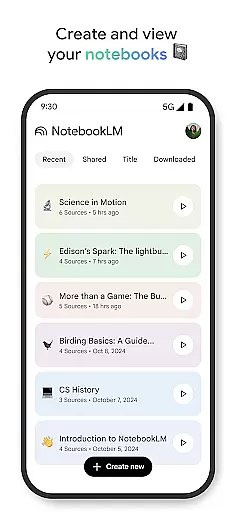
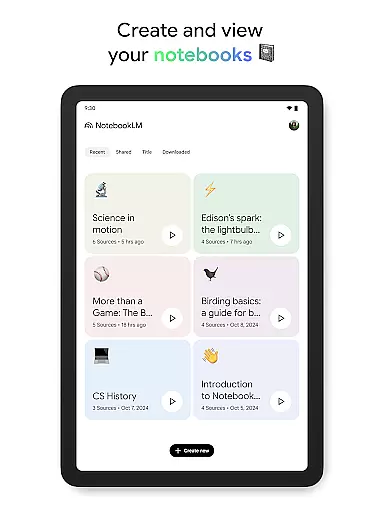
By creating notebooks from these sources, the app provides a structured way to organize thoughts and research materials. This feature is particularly beneficial for students, researchers, and professionals who need to manage large volumes of information efficiently.
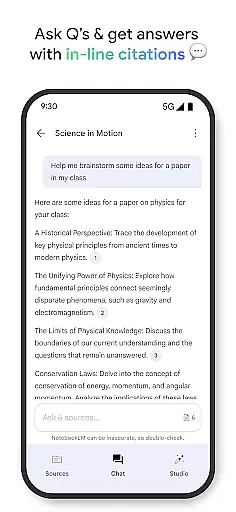
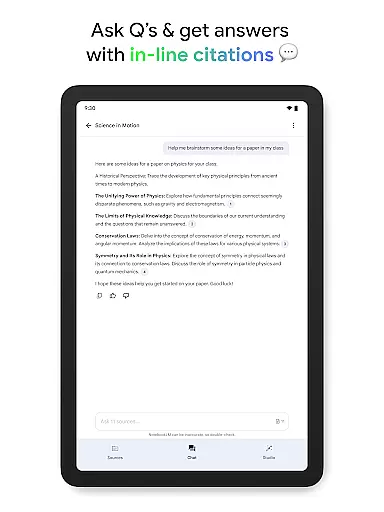
The ability to ask questions about the content and receive trusted answers, with citations from your uploaded sources, enhances the user's capacity to process complex data quickly. This ensures that users can focus on their core tasks without getting bogged down by the details.
Furthermore, the app supports different learning styles by offering alternatives like podcast-style audio discussions, making it adaptable to individual preferences and needs. This flexibility in task management empowers users to learn and work more effectively.
Cross-device synchronization is crucial for maintaining workflow continuity, and Google NotebookLM ensures reliable access to your notebooks across multiple devices. Whether you're at your desk or on the move, your data remains consistent and up-to-date.
The app supports background playback and offline access, allowing users to listen to Audio Overviews even without an internet connection. This feature is invaluable for those who need to stay productive regardless of their location or network availability.
With real-time updates and seamless integration between devices, users can create and modify notebooks on one device and instantly see changes reflected on others. This synchronization capability ensures that all your devices are always in sync, providing a cohesive user experience.
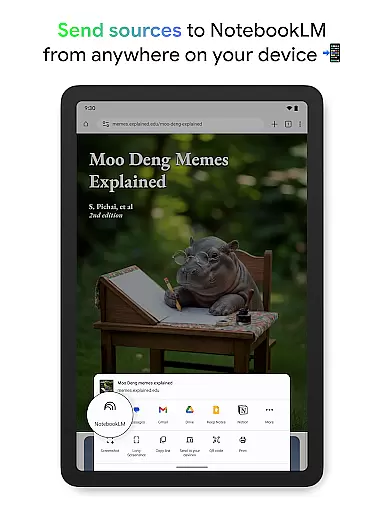
Moreover, the app's support for various source types, including PDFs and YouTube videos, means that no matter where you are, you have comprehensive access to your research materials. This reliability in synchronization makes Google NotebookLM a powerful tool for anyone looking to streamline their productivity workflow.
Powerful AI analysis
Multiple file support
Offline functionality
Interactive learning
Cited references
Limited free features
Requires internet
Premium subscription
Complex interface
Occasional bugs

Client for Nextcloud Deck
 4.60
4.60
A simple, portable logger for POTA, SOTA, Field Day, and more
4.4
Make apps & sites with natural language prompts
4.10
Stay on top of your to-dos with Google Tasks, part of Google Workspace.
4.60
PDF scanner & converter for files, photos, lottery, QR codes. One swipe away!
4.50
A simple Whisper AI keyboard for reliable speech transcription and rewording
4.60
Access your phone's notifications, calls, apps, photos & texts on your PC
3.90
Simple notepad & memo. Take notes, to-do list, shopping list with reminders.
4.80
Set up, print, and get support—in one place
4.20
Best Tool for the professionals Electrician, Electrical contractors, etc.
4.90
The long-awaited modern gallery app for your Nextcloud server
4.70
Scan paperwork into PDF/JPG, generate your own e-signature and send fax or email
4.70
The AI assistant that thinks with you - write, code, and solve complex tasks
4.60
To do list widget with a notebook organizer, checklist, simple shopping list
4.60
A Pixel Art watchface inspired by other iconic 90s designs for Wear OS devices!
4.40
Easily read and manage all your PDF files
4.10
Intelligent AI Assistant
4.10
Wake up & get tasks done! Add alarms & reminders on the Clock Launcher.
4.00
Auto-shutoff Alarm with Sunrise, Sunset & Fixed Options.
3.50


User Reviews