
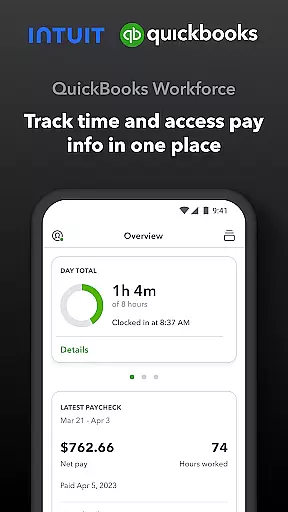
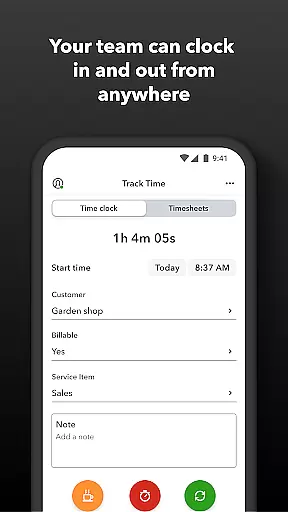
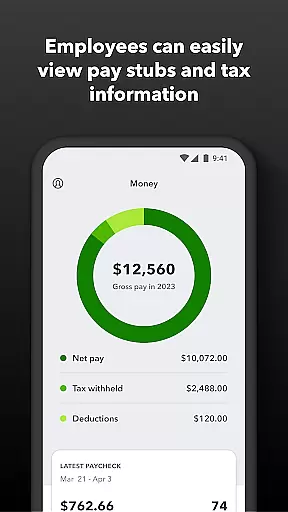
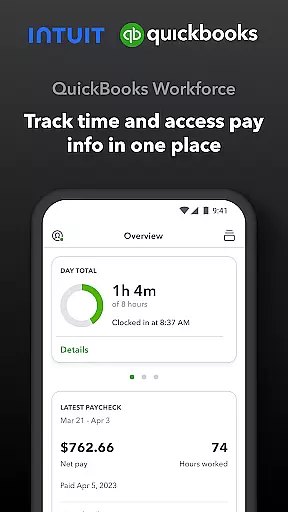
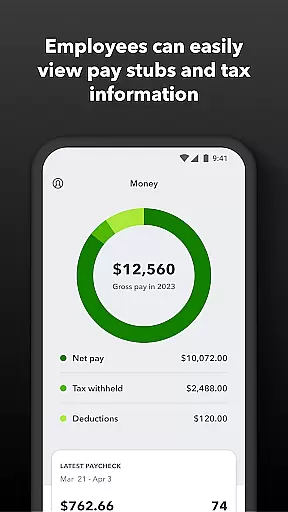
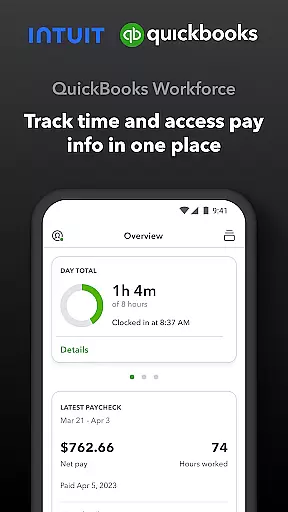
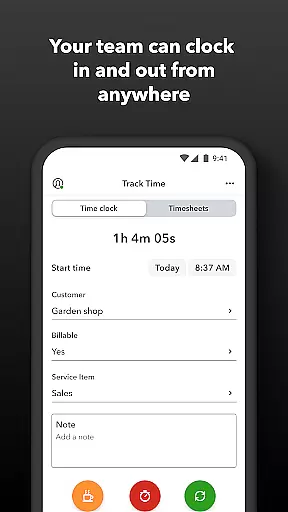
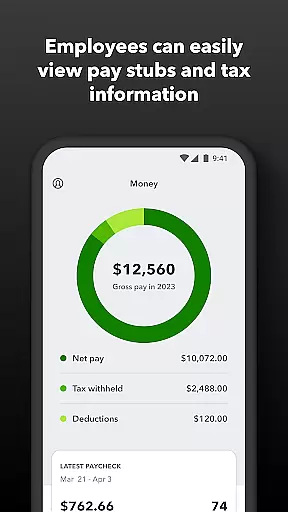
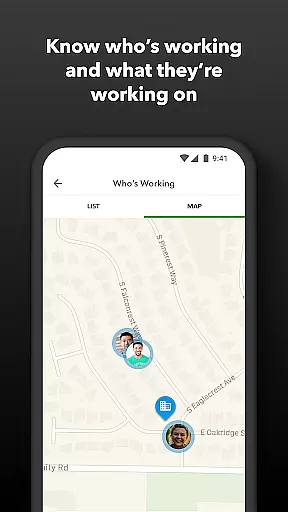
QuickBooks Workforce is a comprehensive productivity app designed for businesses using QuickBooks Payroll and QuickBooks Time. This powerful tool allows teams to conveniently view pay information and track time from a single platform. Employees can access essential payroll documents like pay stubs and W-2s anytime, anywhere, while also managing their timesheets and job schedules efficiently.
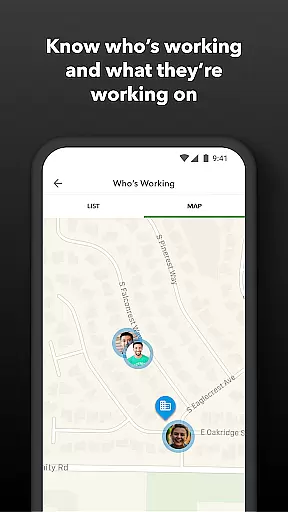
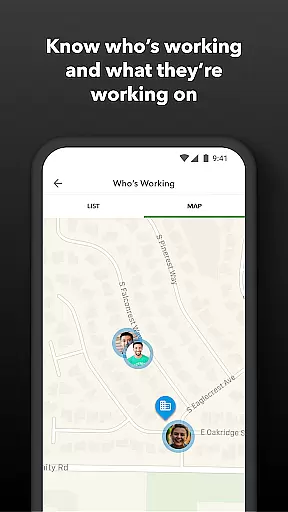
The app's standout feature is its robust time tracking capability that works even without Wi-Fi or service. It supports GPS-based location tracking and includes functionalities such as clocking in and out, submitting time-off requests, and switching jobs with ease. For employers and admins, the app offers advanced management features including real-time team monitoring, schedule creation, and geofencing capabilities. These tools help streamline operations, reduce costs, and enhance overall productivity.
QuickBooks Workforce is particularly beneficial for businesses looking to eliminate manual data entry and improve accuracy in payroll processing. Its seamless integration with QuickBooks Online and other accounting software ensures that all data is synchronized effortlessly, providing real-time reports in multiple formats. With additional benefits like developer open API and detailed time logs, this app is an indispensable tool for modern businesses aiming to optimize their workforce management.
QuickBooks Workforce boasts a wide array of features tailored to enhance productivity and streamline workforce management. One of its primary strengths is the ability to provide both employees and employers with comprehensive tools to manage pay information and track time effectively. Employees can easily access their pay stubs, W-2s, and other critical payroll documents directly through the app, ensuring they have the necessary information at their fingertips.
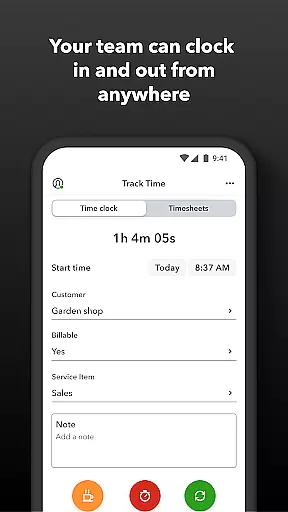
For time tracking, the app offers advanced functionalities such as offline clocking in and out, GPS-based location tracking, and the ability to switch jobs or take breaks seamlessly. Employers benefit from sophisticated management features like real-time monitoring of who is working and where, automated alerts for unscheduled clock-ins or potential overtime, and detailed reporting options. The app also supports geofencing, which reminds employees to clock in or out when entering or leaving a job site—a feature exclusive to QuickBooks Time Elite users.
Integration capabilities further enhance the app's utility by allowing seamless data flow between QuickBooks Workforce and various payroll, accounting, and invoicing software. This ensures accurate time data replaces traditional paper timesheets, making payroll and invoicing faster and less costly. Additionally, the developer open API provides flexibility for custom integrations, catering to specific business needs and ensuring maximum efficiency and accuracy in workforce management.
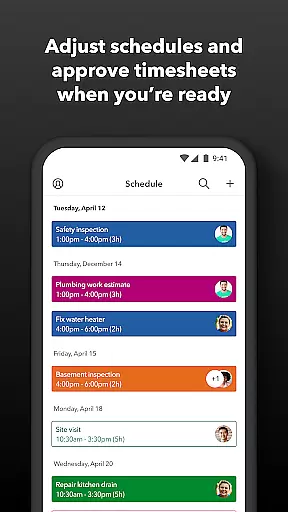
Task management is a cornerstone of productivity applications, and QuickBooks Workforce excels in this area by offering comprehensive tools for both employees and employers. The app allows team members to clock in and out, edit timesheets, and manage job schedules with ease. These features ensure that time tracking is accurate and efficient, eliminating the need for manual entry and reducing errors.
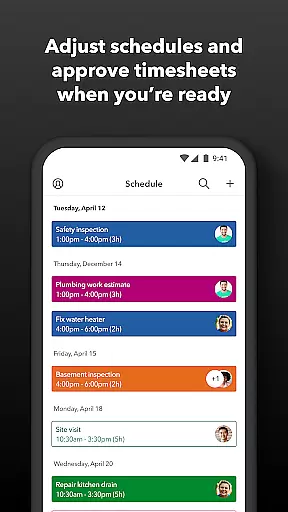
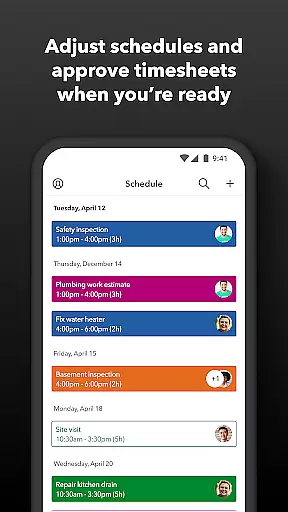
For employers and admins, QuickBooks Workforce provides advanced oversight capabilities. They can approve, edit, or delete timesheets, create or modify schedules, and even set up geofences to remind employees to clock in or out when entering or leaving a job site. This level of control helps businesses maintain precise records and optimize workforce management.
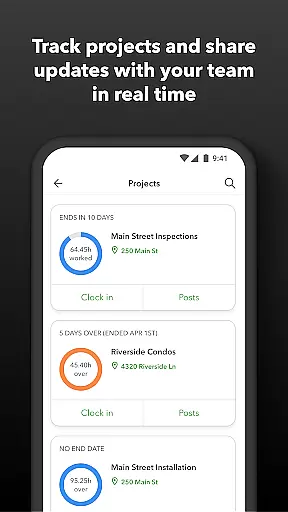
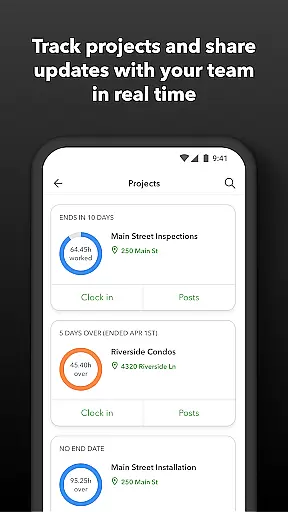
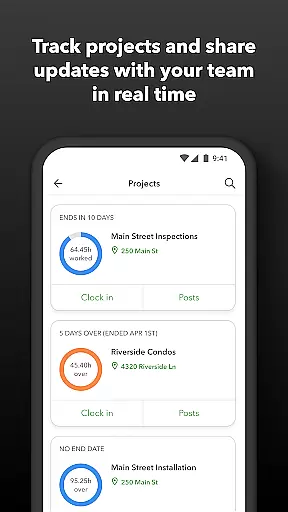
The real-time reporting feature further enhances task management by providing instant access to day and week totals, along with other crucial time reports. Employers can oversee team productivity and project status, making necessary adjustments to budgets, deadlines, and resources. This ensures that projects stay on track and within budget, ultimately leading to increased efficiency and profitability.
Cross-device synchronization is vital for ensuring that all team members have access to the most up-to-date information regardless of the device they use. QuickBooks Workforce guarantees reliable synchronization across multiple platforms, allowing employees to access pay stubs, W-2s, and other pay info anytime, anywhere. This seamless integration ensures that everyone is on the same page, enhancing overall productivity.
The app's ability to function without Wi-Fi or service is another significant advantage. Employees can clock in and out, submit and track paid time off, sick days, and holidays, and even switch jobs or take breaks offline. Once connectivity is restored, all data is automatically synced, ensuring no loss of critical information and maintaining operational continuity.
Furthermore, QuickBooks Workforce integrates effortlessly with QuickBooks Online and QuickBooks Desktop Payroll, as well as other payroll, accounting, and invoicing software. This compatibility ensures that data flows smoothly between systems, reducing redundancy and saving time. By leveraging these robust synchronization features, businesses can streamline their operations, reduce costs, and focus more on growth and innovation.
User-friendly interface
Comprehensive payroll access
Advanced time tracking
Seamless software integration
Real-time reporting
Limited free features
Subscription required
Premium cost for elite
Complex setup process
Occasional sync issues

A Revolutionary All-in-One Artificial Intelligence Tools
 3.80
3.80
Client for Nextcloud Deck
4.60
Take control of your clipboard with Clipper!
3.90
Create study competitions, track your hours, and stay consistent with friends
4.3
Total remote control for your Android device, PC and cloud services (IFTTT)!
4.20
Scan paperwork into PDF/JPG, generate your own e-signature and send fax or email
4.70
AT&T Internet customers can use this app to personalize their Wi-Fi network.
4.40
Browse and view your photos and videos from the phone with photo & video hide.
4.10
QuickEdit is a fast, stable and full featured text and code editor.
4.20
Secure, fast, open-source, Remote Desktop Client for Windows and Linux with SSH
4.60
All document reader, all in one file viewer read PDF, DOCX, XLS, PPT, TXT files.
4.60
Planet Free VPN - The best Fast Unlimited and Secure VPN Without Logs
4.50
CalenGoo is a very flexible and feature-rich calendar app
4.40
Docker, Kubernetes management over Portainer Mobile
4.40
Pwnagotchi companion app
4.20
Create and edit presentations with Google Slides, part of Google Workspace.
4.00
Smart PDF reader & editor to view, organize and manage PDF documents easily.
3.70
Remotely view listen control and record cameras.
3.70
IP Camera Viewer - Android TV : RTSP Surveillance camera viewer for Android TV
4.3


User Reviews