

Microsoft Excel is the leading spreadsheet application that empowers users to create, edit, and share professional-grade spreadsheets on mobile devices. This powerful productivity tool offers advanced data analytics, chart creation, budget tracking, and financial management capabilities. With its intuitive interface, users can easily build complex spreadsheets, pivot tables, and charts while on the go. The app's seamless integration with Microsoft 365 services makes it an essential solution for both personal and business use.
Excel's comprehensive feature set includes modern templates for budgets, accounting, and task management. Its robust calculation engine supports familiar formulas and functions, enabling accurate financial analysis and reporting. The app's collaboration tools allow multiple users to work on the same document simultaneously, making it ideal for team projects and remote work environments. Whether you're managing personal finances or analyzing corporate data, Excel provides the tools needed to make informed decisions.
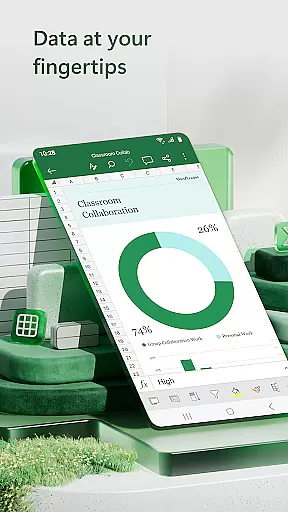
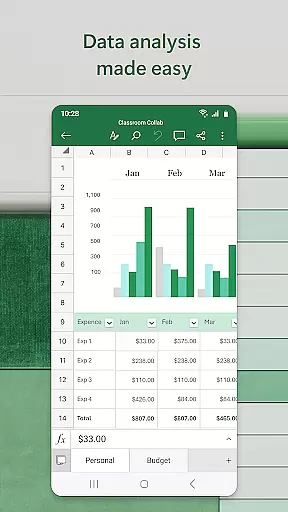
Microsoft Excel stands out with its extensive collection of productivity-enhancing features. The app provides sophisticated spreadsheet functionality including advanced formulas, data visualization tools, and customizable templates. Users can create dynamic charts and graphs using built-in chart makers and pivot table functionalities. The app's powerful calculation engine supports complex financial modeling and statistical analysis, making it suitable for both basic and advanced use cases.
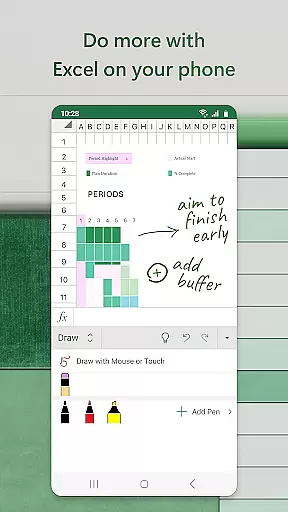
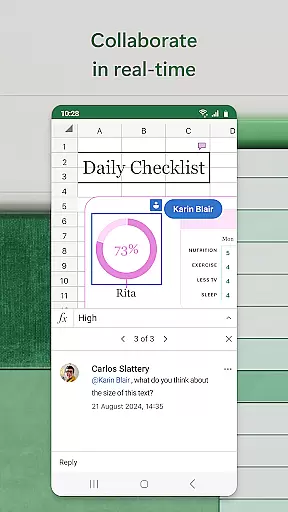
One of Excel's key strengths is its seamless collaboration capabilities. The app allows real-time co-authoring, where multiple users can work on the same spreadsheet simultaneously. Its integration with cloud services enables automatic saving and version control. The drawing tools and annotation features provide additional flexibility for marking up documents and highlighting important data points. These enterprise-grade features, combined with its user-friendly interface, make Excel the preferred choice for mobile productivity applications.
Microsoft Excel revolutionizes core task management by offering a comprehensive suite of tools designed to streamline productivity and enhance workflow efficiency. At its core, Excel provides users with the ability to create, edit, and manage spreadsheets that serve as dynamic platforms for organizing tasks, budgets, and data analytics.
The app's modern templates allow users to quickly initiate projects ranging from simple task lists to complex financial analyses. With familiar formulas and an accounting calculator integrated into its interface, Excel enables precise calculations and data manipulations on-the-go. This ensures that whether you're managing personal finances or conducting professional data analysis, every operation is both intuitive and accurate.
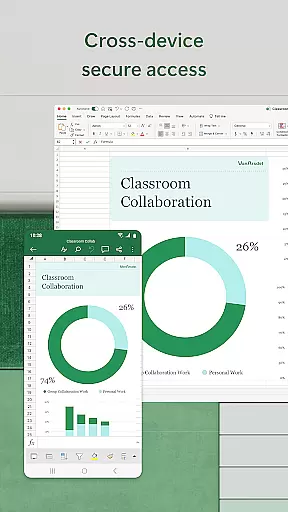
Excel stands out in its capability to adapt its functionalities across devices without compromising the user experience. The consistency in features, formats, and formulas means that users can seamlessly transition between working on their phone, tablet, or desktop while maintaining the integrity and formatting of their spreadsheets and charts.
Ultimately, Microsoft Excel empowers users to take full control of their task management needs. By providing powerful tools for budget tracking, expense management, and sophisticated data visualization through pivot charts and tables, Excel ensures that users can efficiently track, analyze, and make informed decisions based on their financial and operational data.
Cross-device synchronization is a pivotal feature of Microsoft Excel, ensuring that your data is reliably accessible and up-to-date across all your devices. Whether you're switching from your desktop at work to your smartphone during transit, Excel guarantees that your spreadsheets, charts, and data analytics are consistently synchronized.
This seamless integration is powered by Microsoftu2019s cloud infrastructure, which supports real-time updates and backups. As you edit documents or crunch numbers on one device, changes are instantly reflected on all others linked to your account. This not only enhances productivity but also offers peace of mind knowing that your latest work is always available, regardless of where or when you need it.
Moreover, Excel's synchronization extends beyond mere file updates; it encompasses collaborative workspaces where multiple users can simultaneously engage with the same document. This collaborative environment fosters teamwork and accelerates project timelines by allowing team members to view, edit, and comment on shared files in real time.
In conclusion, Microsoft Excel's robust cross-device synchronization transforms how users interact with their data daily. By ensuring reliable access and continuity across various platforms, Excel not only simplifies task management but also amplifies collaborative efforts, making it an indispensable tool for both individual productivity and team-based projects.
Comprehensive feature set
Intuitive user interface
Seamless cloud integration
Real-time collaboration tools
Cross-platform compatibility
Requires subscription for full features
Steep learning curve for beginners
Resource-intensive on older devices
Limited offline functionality
Complex UI for casual users

QuickBooks Workforce lets teams view pay info and track time in one place.
 4.70
4.70
Easily read and manage all your PDF files
4.10
Device's storage information in a simple and clear graphical form (infographics)
4.10
Make apps & sites with natural language prompts
4.10
Enjoy classic gameplay with customizable features and retro-style graphics.
4.30
A Pixel Art watchface inspired by other iconic 90s designs for Wear OS devices!
4.40
Experience and share your SolidWorks designs on your Android® phone and tablet.
2.50
Scientific calculator for Android - looks and operates like the real thing!
4.90
Seamlessly read, manage, and organize all your PDF files solution in one place
4.40
Multilingual translator for text, voice, and image translation!
4.90
Understand anything with a personalized AI research assistant
4.80
Simple notepad & memo. Take notes, to-do list, shopping list with reminders.
4.80
Calendar 2023 widget for Android. Appointment scheduler, planner, and reminder
4.60
Planet Free VPN - The best Fast Unlimited and Secure VPN Without Logs
4.50
CalenGoo is a very flexible and feature-rich calendar app
4.40
Access, manage and transfer files on Android, PC, Mac, NAS and cloud storages.
4.30
Experience real multitasking on your Android!
4.00
The ultimate file manager for rooted devices. The original and still the best.
4.00
Find and delete junk files & block unwanted notifications & manage files
3.70


User Reviews