
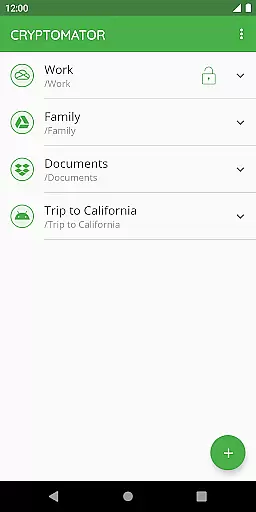
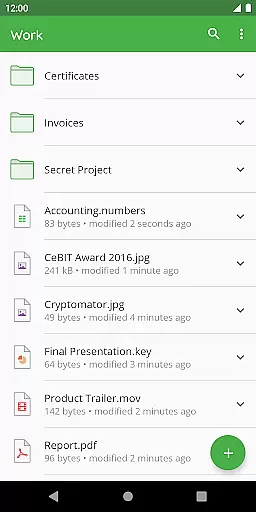
Cryptomator is a user-friendly encryption tool designed to secure your cloud-stored data. This productivity app allows you to create secure vaults, encrypting both file contents and filenames with AES-256 bit encryption. It ensures that your data remains protected before uploading to any cloud service, making it an essential utility for privacy-conscious users.
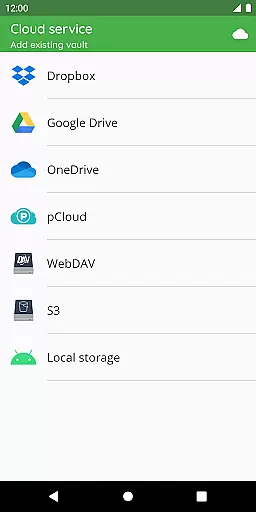
With compatibility across major platforms like Dropbox, Google Drive, OneDrive, and WebDAV services, Cryptomator provides seamless access to your encrypted files on all devices. Its open-source nature guarantees transparency, while features like automatic vault locking and fingerprint authentication enhance both security and convenience.
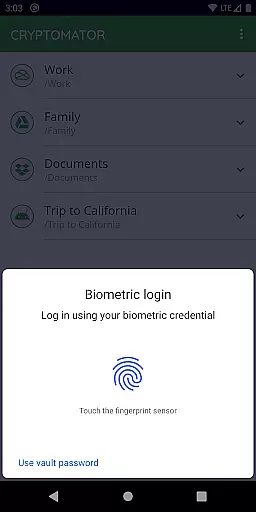
Cryptomator stands out with its robust yet easy-to-use encryption capabilities. The app employs advanced cryptographic protocols such as AES and scrypt, ensuring top-tier protection against brute-force attacks. Users can conveniently unlock their vaults using fingerprint authentication, streamlining the access process without compromising security.
One of Cryptomator's key strengths lies in its cross-platform compatibility. Whether you're using Android, iOS, Windows, or macOS, the app integrates effortlessly with popular cloud storage solutions like Dropbox and Google Drive. Additionally, its open-source framework allows tech-savvy users to verify the integrity of its security implementations, fostering trust and reliability among its user base.
In the realm of productivity, effective task management is crucial for maintaining workflow and achieving goals. Cryptomator excels in this area by offering a streamlined approach to securing your digital tasks and files.
With Cryptomator, you can create secure vaults where all your sensitive data and tasks can be stored. This ensures that your important information remains protected from unauthorized access, providing peace of mind as you manage your projects.
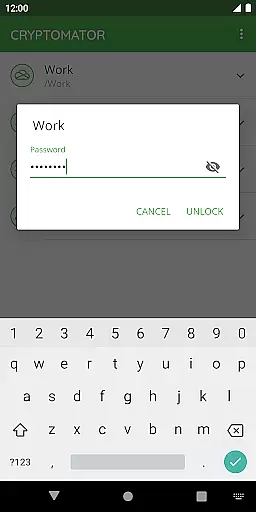
The application simplifies task management through easy-to-use encryption. You only need to set a password for your vault, eliminating the need for additional accounts or complex configurations. This straightforward process allows you to focus on your work without being bogged down by complicated security measures.
By integrating with popular cloud services like Dropbox and Google Drive, Cryptomator ensures that your encrypted tasks and files are accessible wherever you go. This compatibility enhances your ability to manage tasks efficiently across different devices, bolstering your productivity while keeping your data secure.
Reliable cross-device synchronization is a cornerstone of modern productivity tools, ensuring that your data is consistently available across all your devices. Cryptomator addresses this need by providing robust synchronization capabilities that maintain the integrity and security of your files.
Cryptomator's synchronization process is seamless and automatic. Once you've uploaded your encrypted files to your preferred cloud service, any changes you make are promptly synchronized across all linked devices. This means you can start a task on your computer and continue working on it from your mobile device without missing a beat.
Security during synchronization is paramount, and Cryptomator employs advanced encryption protocols to protect your data. Utilizing AES with a 256-bit key length, Cryptomator ensures that your files remain confidential and tamper-proof as they move between devices. This level of security provides assurance that your information is safeguarded against potential threats.
Furthermore, Cryptomator's open-source nature allows experts to verify the robustness of its synchronization features. This transparency builds trust, assuring users that their cross-device workflow is not only efficient but also secure. With Cryptomator, you can enjoy uninterrupted productivity with the confidence that your data is reliably synchronized and protected.
Strong AES-256 encryption
Easy-to-use interface
Open-source transparency
Cross-platform support
Fingerprint unlock feature
No built-in cloud storage
Limited free version
Requires manual setup
Occasional sync issues
Hefty system requirements

 4.20
4.20
QuickBooks Workforce lets teams view pay info and track time in one place.
4.70
Take control of your clipboard with Clipper!
3.90
Unlock AutoNotification
4.00
All in one sketching tool. Technical and General drawing. Online Maps support.
3.70
Absolutely the best CNC machinist speed and feed calculator around. fswizard.com
4.60
A comprehensive suite of tools designed specifically for Lactation Consultants
4.0
A simple Whisper AI keyboard for reliable speech transcription and rewording
4.60
The ultimate file manager for rooted devices. The original and still the best.
4.00
Quickly and easily keep track of your work shifts
4.70
Calendar 2023 widget for Android. Appointment scheduler, planner, and reminder
4.60
Translate text/voice/photos in 150+ languages. Offline & fast translator app.
4.50
Send files, sync SMS, notifications & clipboard across devices via local network
4.40
Access, manage and transfer files on Android, PC, Mac, NAS and cloud storages.
4.30
Pwnagotchi companion app
4.20
A Revolutionary All-in-One Artificial Intelligence Tools
3.80
Ads Free App! Editor, Hide File, Copy, Move, Delete and Rename.. all facility av
1.70
AI Video AI Image Private LLM AI Browser Llama Gemma Ollama Connect LLM Studio
4.4
The upgraded version of Name Wheel with AI and the power to add your own wheels.
4.3


User Reviews