
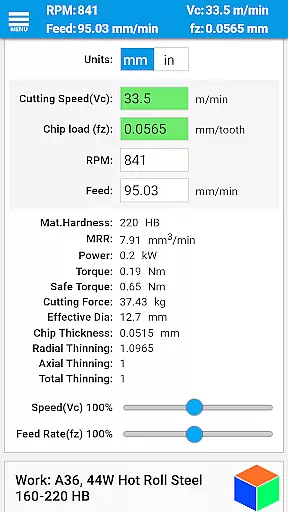
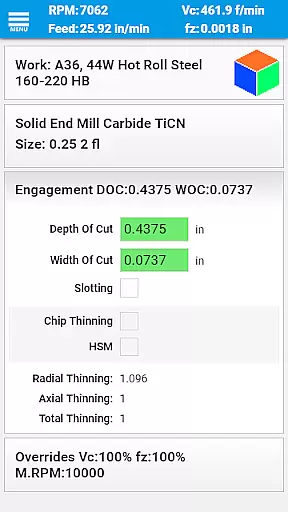
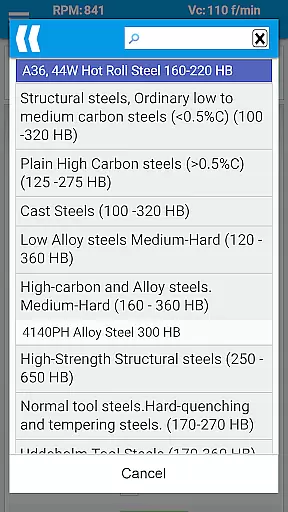
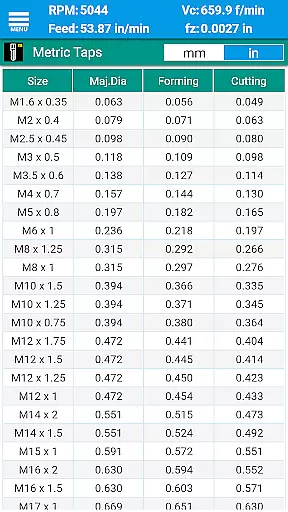
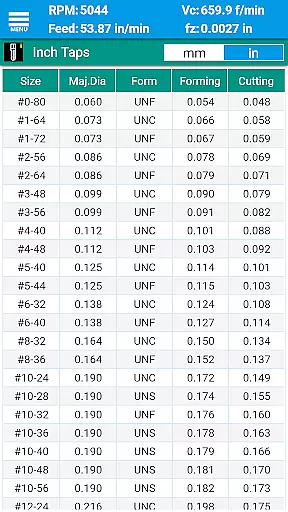
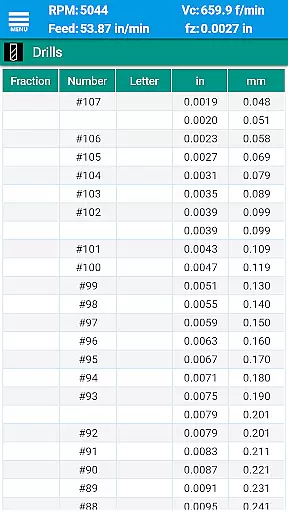
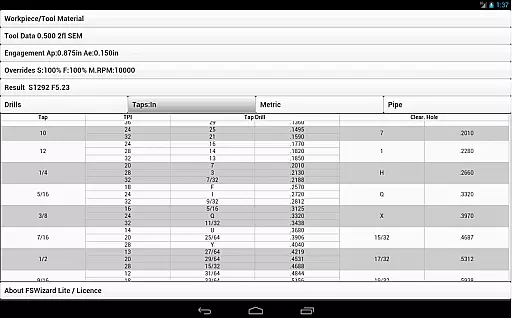
FSWizard Pro Machinist Calc is a premier CNC milling and turning speed and feed calculator designed specifically for machinists. This productivity app simplifies the process of calculating speeds and feeds by allowing users to select their work and tool material without needing to know specific numbers. FSWizard automatically applies recommended cutting speeds and chip loads for various tools, including indexed and solid endmills, drills, and taps.
Beyond its core functionality, the app offers advanced features such as chip thinning calculations, high-speed machining optimization, and determining optimal depth and width of cut parameters. It also includes comprehensive reference materials like drill charts, tap drill charts, and GD&T references, making it an all-in-one solution for CNC machinists looking to improve productivity and extend tool life.
Whether you're working with metric or imperial units, FSWizard Pro Machinist Calc provides the necessary tools and information to optimize your machining operations efficiently and effectively.
FSWizard Pro Machinist Calc boasts an array of sophisticated features tailored for CNC machinists. The app provides detailed milling speeds and feeds, including specialized calculations for ball nose endmills, drilling, and tapping operations. Users can benefit from advanced functionalities such as High-Speed Machining (HSM) support, chip thinning analysis, and optimized machining parameters for depth and width of cuts.
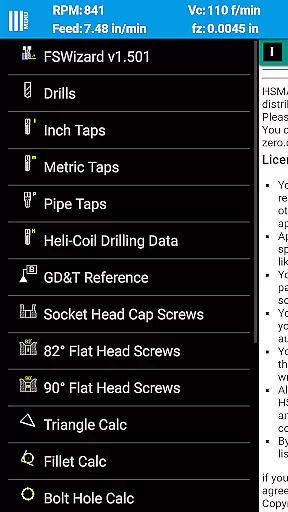
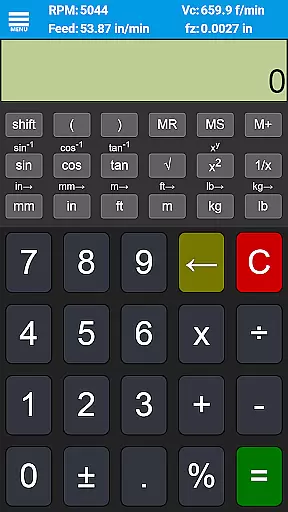
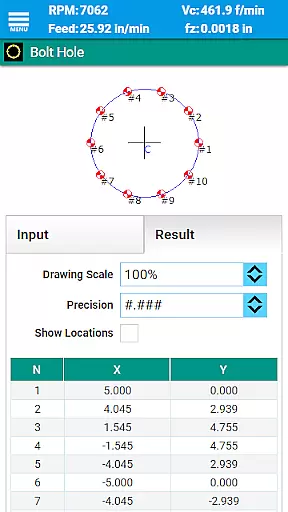
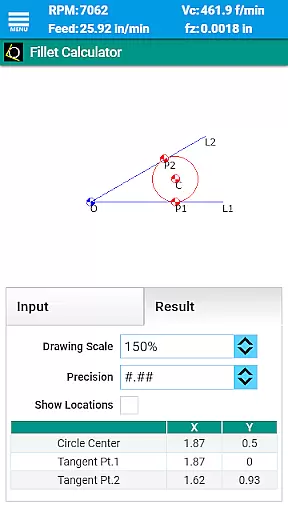
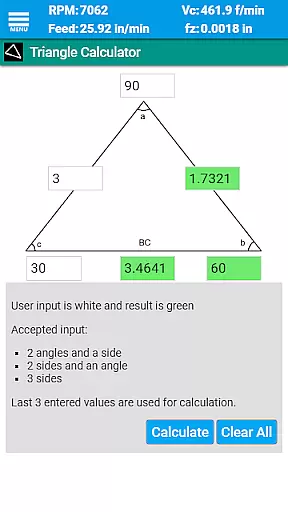
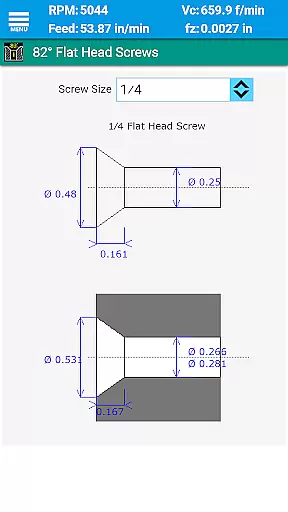
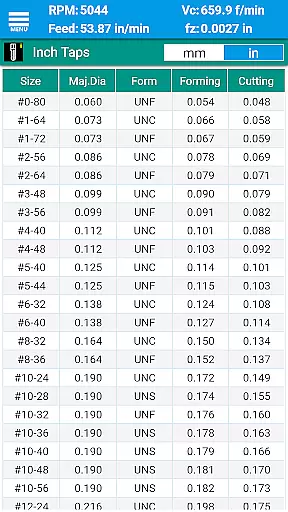
In addition to its primary functions, FSWizard includes extensive reference materials. These encompass drill and tap charts for both imperial and metric systems, helicoil threaded inserts information, and screw references. Interactive tools like oblique triangle calculators, fillet calculators, and true position calculators further enhance its utility. Moreover, the inclusion of scientific calculators with trigonometric functions ensures that users have all mathematical resources at their fingertips.
The app supports a wide range of tooling options, including solid endmills, indexed endmills, facemills, jobber drills, reamers, and turning tools. With compatibility for both metric and imperial units, FSWizard Pro Machinist Calc stands out as a versatile and indispensable tool for modern CNC machining environments.
FSWizard Pro Machinist Calc excels in core task management by offering a comprehensive suite of calculators tailored for CNC machinists. The app simplifies the process of calculating speeds and feeds, which are crucial parameters in machining operations.
Users can effortlessly choose their workpiece and tool material, eliminating the need to memorize specific numbers. This intuitive selection process ensures that both novice and experienced machinists can optimize their cutting parameters with ease.
The application automatically applies recommended cutting speeds and chip loads for various tools, including indexed and solid endmills, drills, and taps. This automation not only saves time but also enhances accuracy, leading to improved productivity and extended tool life.
While FSWizard Pro Machinist Calc does not explicitly advertise cross-device synchronization, its robust design ensures reliable performance across different devices. The app maintains consistent data integrity, providing users with the same high-quality experience regardless of the device they use.
Whether accessed on a smartphone or tablet, the app delivers accurate calculations and maintains user preferences. This consistency is vital for machinists who rely on precise data to make informed decisions during machining operations.
Although direct synchronization features may not be present, the app's uniform functionality across devices ensures that users can depend on it in various work environments. This reliability supports seamless transitions between devices, enhancing overall workflow efficiency.
User-friendly interface
Comprehensive tool library
Advanced calculation capabilities
Extensive reference materials
High-speed machining support
Premium pricing model
Steep learning curve
Limited free version features
No offline mode available
Occasional performance lags

Mega cloud explorer plugin for Solid Explorer
 3.80
3.80
Smart PDF reader & editor to view, organize and manage PDF documents easily.
3.70
⏰ Finally a timer app which can run multiple timers simultaneously on your watch
3.90
aCalendar+ makes your day, week and month
4.70
Todo reminder
4.10
Translate text/voice/photos in 150+ languages. Offline & fast translator app.
4.50
* block pre-roll ads, pop-up and forced redirect ads * Samsung certification app
4.00
Intelligent AI Assistant
4.10
Daily processing of PDF documents.
4.40
Scientific calculator for Android - looks and operates like the real thing!
4.90
Quickly and easily keep track of your work shifts
4.70
Planet Free VPN - The best Fast Unlimited and Secure VPN Without Logs
4.50
Experience Reading - Night Mode for Documents
4.40
Send files, sync SMS, notifications & clipboard across devices via local network
4.40
Activate Two Factor Authentication (2FA or Multi OTP), Password manager and more
4.10
Secure, open-source, SPICE and SSH Remote Desktop for QEMU KVM virtual machines
4.00
A Revolutionary All-in-One Artificial Intelligence Tools
3.80
Easiest event planning, volunteer signups & parent teacher conference scheduling
2.20
Ads Free App! Editor, Hide File, Copy, Move, Delete and Rename.. all facility av
1.70


User Reviews