
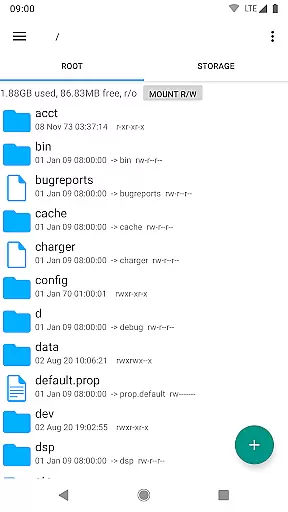
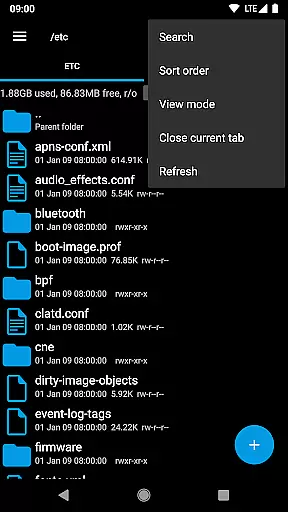
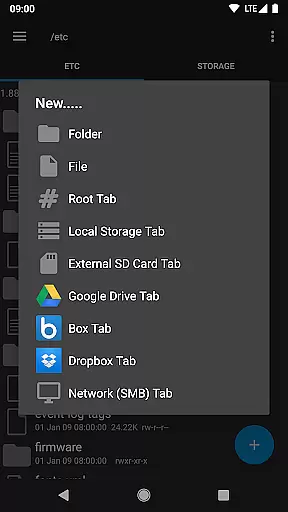
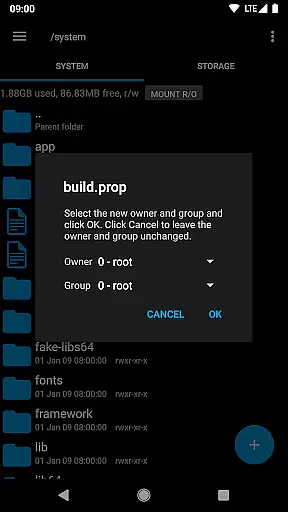
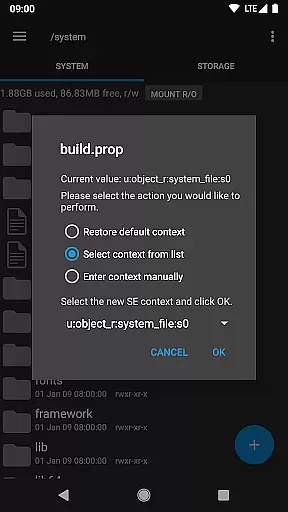
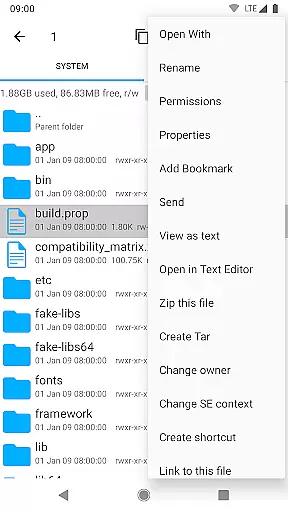
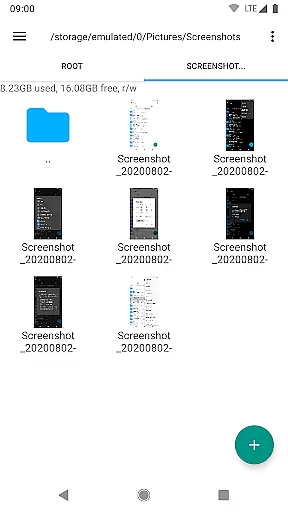
Root Explorer stands as the premier file manager tailored for root users, granting unrestricted access to Android's entire file system, including the often inaccessible data folder. This powerful tool empowers users with advanced capabilities such as multi-tab navigation, cloud storage integration with Google Drive, Box, and Dropbox, and network support through SMB protocols.
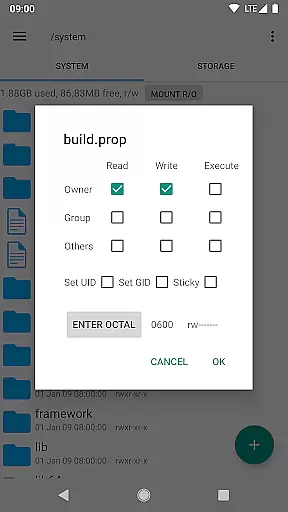
Beyond its core functionalities, Root Explorer incorporates a suite of utilities designed to enhance productivity. Users can view SQLite databases, edit text files, create and extract zip or tar/gzip files, unpack rar archives, execute scripts, search across files, remount partitions, manage permissions, and even alter file ownership. With added features like APK binary XML viewing, MD5 checksum generation, and symbolic link creation, this app is indispensable for power users seeking granular control over their devices.
Ideal for developers, IT professionals, and tech-savvy individuals, Root Explorer transforms device management into an efficient and seamless experience. Its comprehensive feature set ensures that users can perform complex file operations with ease, making it an essential tool for anyone requiring deep system access.
Root Explorer distinguishes itself through an extensive array of sophisticated features. The application supports multiple tabs, streamlining navigation and file management tasks. Integration with cloud services like Google Drive, Box, and Dropbox extends its utility beyond local file systems, enabling effortless synchronization and backup of critical data.
Among its standout tools are the SQLite database viewer and text editor, which facilitate direct modification of database records and configuration files. The ability to create and extract various archive formats—including zip, tar/gzip, and rar—adds versatility to data handling. Advanced functionalities such as script execution, permission management, and remounting capabilities cater to users who demand precise control over their device's operating environment.
Root Explorer also excels in connectivity and sharing options. It supports sending files via email or Bluetooth, generating image thumbnails for quick previews, and creating shortcuts for frequently accessed resources. These features collectively ensure that users can customize their workflows while maintaining optimal performance and security.
Root Explorer excels in core task management by offering a comprehensive suite of tools for file handling. This includes multiple tabs for easy navigation, support for cloud services like Google Drive and Dropbox, and network (SMB) support.
The app allows users to perform complex operations such as creating and extracting zip or tar/gzip files, extracting rar archives, and executing scripts. These features ensure that users can efficiently manage their tasks without switching between different applications.
With functionalities like SQLite database viewer, Text Editor, and APK binary XML viewer, Root Explorer empowers users to handle various file types with ease. The ability to remount, change permissions, and create symbolic links adds another layer of versatility to the app's task management capabilities.
Overall, Root Explorer transforms the way users interact with the Android file system, providing a seamless experience for managing files and performing essential tasks on rooted devices.
Cross-device synchronization is a critical feature of Root Explorer, ensuring reliable access to files across different platforms. By supporting cloud services such as Google Drive, Box, and Dropbox, the app enables users to sync their data effortlessly.
This synchronization capability extends to network support (SMB), allowing users to connect to remote servers and access files as if they were stored locally. Such functionality is crucial for maintaining productivity and ensuring that important documents are always within reach.
Root Explorer also supports sending files via email or Bluetooth, further enhancing its synchronization reliability. Users can easily share files between devices without worrying about compatibility issues or data loss.
By combining robust cloud integration with versatile file-sharing options, Root Explorer guarantees that users can synchronize their data reliably, regardless of the devices they use.
Comprehensive file access
Advanced utilities included
Cloud storage integration
Multi-tab interface
Reliable customer support
Complex for beginners
Requires root access
Premium price point
Occasional bugs reported
Limited appeal to casual users

Experience Reading - Night Mode for Documents
 4.40
4.40
Experience real multitasking on your Android!
4.00
Automates browsing any website and notifies you of important changes or events
4.30
The upgraded version of Name Wheel with AI and the power to add your own wheels.
4.2
Device's storage information in a simple and clear graphical form (infographics)
4.10
Todo reminder
4.10
Functional QR scanner and barcode reader that requires little storage space.
4.60
Scan paperwork into PDF/JPG, generate your own e-signature and send fax or email
4.70
Browse and view your photos and videos from the phone with photo & video hide.
4.10
Seamlessly integrate data and reports to build your presentation to impress
4.80
Mind Map and brainstorm, note taking and idea collection
4.80
We're working to become the best machining app on the market! www.cncdirt.com
4.80
App lock - lock apps with fingerprint, password, pin or pattern, protect privacy
4.70
Client for Nextcloud Deck
4.60
PDF scanner & converter for files, photos, lottery, QR codes. One swipe away!
4.50
Customizable calendar widget for seamless event sync, planning & scheduling.
4.00
Ultimate Virtual AI Character for immersive Roleplay Chat. Perfect Companion
3.90
Make your handwriting beautiful, even more than pen on paper.
3.60
AI Video AI Image Private LLM AI Browser Llama Gemma Ollama Connect LLM Studio
4.3


User Reviews