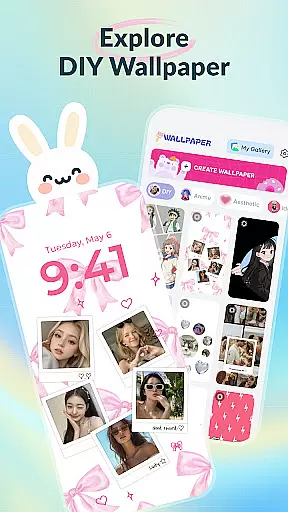
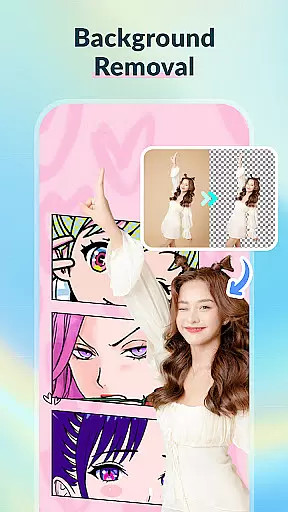
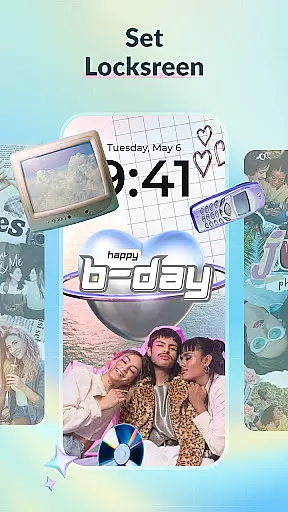
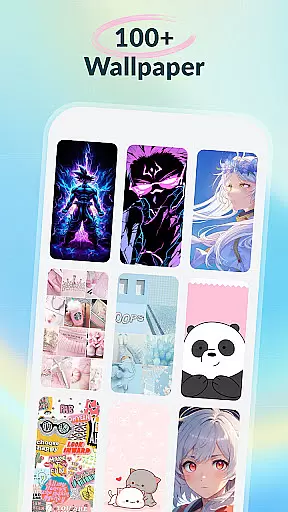
DIY Wallpaper & Collage Craft is a creative app designed for personalizing phone wallpapers. It offers three main features: DIY Frame Wallpaper, Collage Wallpaper Craft, and a Curated Wallpaper Gallery.
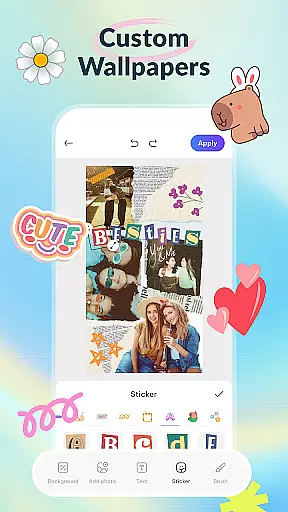
The DIY Frame Wallpaper allows users to transform their photos into captivating wallpapers using stylish frames and templates. The Collage Wallpaper Craft provides complete creative freedom to design unique photo collages with tools like stickers, text, and artistic filters. Lastly, the Curated Wallpaper Gallery presents a diverse selection of trendy, ready-to-use wallpapers.
This app is perfect for those looking to express their individuality through personalized phone aesthetics.
DIY Wallpaper & Collage Craft stands out with its powerful customization tools. The DIY Frame Wallpaper section includes dynamic and static frames, easy photo import options, custom backgrounds, and a variety of stickers.
In the Collage Wallpaper Craft feature, users can freely import photos, add trendy stickers, insert custom text, utilize a creative brush tool, and apply artistic filters. This ensures limitless creativity in designing collages.
The Curated Wallpaper Gallery is regularly updated with fresh and diverse designs ranging from aesthetic vibes to anime themes, offering something for every user's taste.
DIY Wallpaper & Collage Craft offers an extensive range of customization options that cater to every user's creative needs. With features like DIY Frame Wallpaper, Collage Wallpaper Craft, and a Curated Wallpaper Gallery, the app ensures you have all the tools necessary to personalize your device's appearance.
The DIY Frame Wallpaper section provides dynamic and static frames, custom backgrounds, and an array of stickers, allowing users to transform personal photos into stunning wallpapers. This level of personalization ensures that your device truly reflects your unique style and mood.
In the Collage Wallpaper Craft area, users experience complete creative freedom. You can import unlimited photos, add trendy stickers, insert custom text, and even draw directly on your creations with the brush tool. These features provide a sandbox for creativity, ensuring that no two wallpapers ever have to be the same.
Finally, the Curated Wallpaper Gallery is regularly updated with diverse themes ranging from aesthetic vibes and anime magic to adorable animals and dark mode delights. This guarantees that whether you're looking for something cute, sleek, or funny, there's always a fresh option available to suit your preferences.
Theme compatibility in DIY Wallpaper & Collage Craft ensures that every wallpaper you create will look great on any device. The app supports various themes, including popular aesthetics such as minimalism, anime, and dark mode, making it versatile for different user tastes and device settings.
With the ability to freely import photos and layer multiple elements, users can design wallpapers that seamlessly integrate with their deviceu2019s existing themes. Whether you prefer a cohesive look across all apps or enjoy mixing and matching styles, this app provides the flexibility needed to achieve your desired outcome.
Additionally, the app includes artistic filters and diverse fonts, which enhance theme compatibility by allowing further customization of colors, textures, and typography. These features ensure that each wallpaper not only fits visually but also maintains high-quality standards regardless of screen size or resolution.
By focusing on compatibility and offering a wide selection of customization tools, DIY Wallpaper & Collage Craft empowers users to craft wallpapers that are both visually appealing and technically optimized for their devices, enhancing overall user satisfaction and engagement.
User-friendly interface
Vast customization options
Frequent updates with new content
Free to use
High-quality graphics
May overwhelm new users
Ads present in the free version
Advanced tools require learning
Limited advanced features
Some design elements feel repetitive

Capture moments that pass like a storm, second by second.
 4.3
4.3
Ultra realistic high quality analog watch face for Wear OS.
4.60
Transform your phone with Launcher iOS 26 - Smooth & elegant iOS experience
4.50
Turn text & photos into stunning AI videos, art, and creative visual stories.
4.50 4.10
4.10 3.50
3.50
Nothing Icon pack with more than 3750+ highly crafted icons.
4.70
200+ Material Inspired Widgets
4.50
Cool custom fonts & keyboard themes! Symbols & font changer for Instagram
4.50
Dark icon pack based on One 8
4.80
Vertically oriented rectangular icons
4.70
A launcher for Samsung Good Lock and Good Guardians modules without ads
4.70
Handcrafted pixel art icons, widgets & wallpapers
4.60 4.50
4.50
Yandex Browser — stylish and secure, with voice search and data compression
4.40
Themes - Widget & Wallpaper: Customize home screen, icon changer w unique themes
4.30
Wear Os Watch Face - Seasonal - Animated Snow Effect - 9 Animals
4.20
Create unique, fun emojis with Funny Emoji Maker! Unlimited creativity!
4.00
Custom edge gestures for volume control, brightness, apps, and shortcuts.
4.3


User Reviews