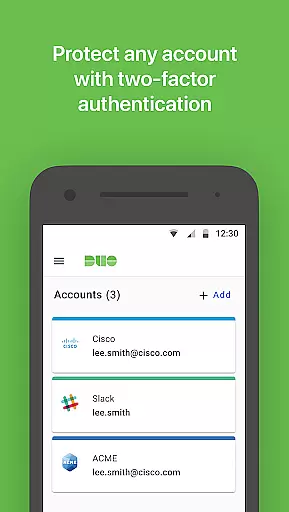
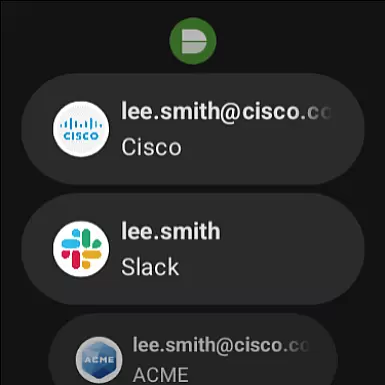
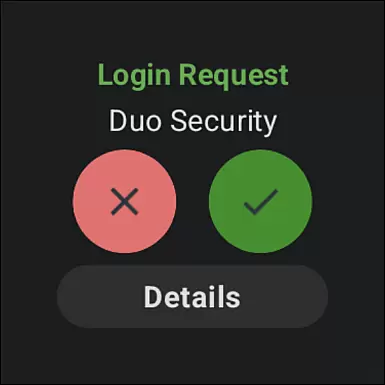
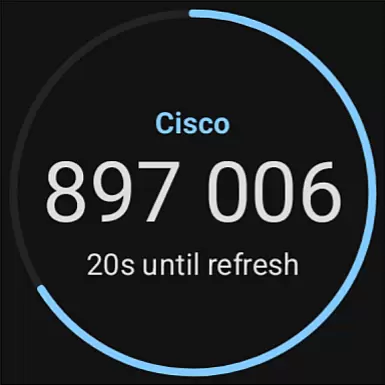
Duo Mobile is a robust two-factor authentication app designed to enhance login security for both individual and enterprise users. By generating time-based passcodes and enabling push notifications, the app ensures secure access to accounts while simplifying the authentication process. It also supports third-party services, making it a versatile tool for managing multiple accounts.
One of Duo Mobile's standout features is its integration with Wear OS through the companion app Duo Wear. This allows users to authenticate directly from their smartwatches, providing an extra layer of convenience without compromising security. Whether you're accessing corporate systems or personal accounts, Duo Mobile offers a seamless and reliable authentication solution.
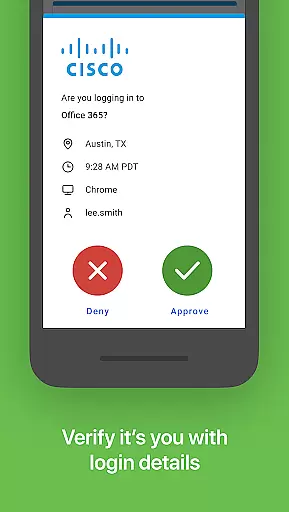
Duo Mobile provides several key features that set it apart in the realm of two-factor authentication. First, it generates TOTP (Time-based One-Time Password) codes for secure logins, ensuring that even if your password is compromised, your account remains protected. The app also supports push notifications, allowing users to approve login requests with a single tap.
Another notable feature is its compatibility with third-party services. Users can manage two-factor authentication for various web services and applications directly within Duo Mobile. Additionally, the integration with Wear OS via Duo Wear enables authentication on-the-go, right from your smartwatch. These features collectively create a comprehensive and user-friendly security solution.
Companion app integration is crucial for ensuring a seamless user experience across multiple devices. Duo Mobile excels in this area by offering a dedicated companion app for Wear OS, called Duo Wear.
This integration allows users to receive authentication requests directly on their smartwatches, providing an additional layer of convenience and security. The ability to approve login attempts from your wrist significantly speeds up the authentication process.
Duo Mobile ensures that all data exchanged between the smartphone app and the Wear OS app remains encrypted and secure. This synchronization guarantees that users can manage their two-factor authentication seamlessly, regardless of which device they are using.
By extending its functionality to wearable devices, Duo Mobile demonstrates a commitment to accessibility and user-centric design, making secure authentication more accessible than ever before.
Device compatibility is essential for any application targeting the Android Wear platform. Duo Mobile offers extensive support for various Wear OS devices, ensuring broad accessibility for its users.
The app is optimized to function smoothly across different smartwatch models, maintaining consistent performance and reliability. This compatibility ensures that users with different devices can enjoy the same level of security and convenience without worrying about technical limitations.
In addition to supporting a wide range of devices, Duo Mobile also integrates seamlessly with the Wear OS ecosystem. This means users can take full advantage of their smartwatch's features while managing two-factor authentication, enhancing overall usability.
By prioritizing Wear OS and device compatibility, Duo Mobile provides a versatile and reliable solution for secure authentication on the go, catering to the needs of diverse users with varying devices.
Enhanced Security
User-Friendly Interface
Push Notifications
Third-Party Integration
Wear OS Support
Requires Activation
QR Code Dependency
Limited Offline Use
No Biometric Login
Dependent on Network

Snowflake Rose Gold Watch Face - Digital, modern, & sleek with GYRO effect.
 4.10
4.10
Wear Os Watch Face - Animated Snow Effect & Magic Spark - 6 Scenes
4.10
Stylish digital watch face for Wear OS devices with customizable features
4.5
Structured watch face with seven complications and modular UI elements
3.90
Your second brain for organizing your life: to-do, calendar, reminder.
4.70
The Chevron App allows you to pay for fuel from the comfort of your car!
4.80
Hybrid watch face for Wear OS with customizable complications by Matteo Dini MD
4.70
Simple, helpful messaging by Google
4.60
Control your Samsung Smart TVs, appliances, and SmartThings-compatible devices
4.60
Digital, flexibly customizable watch face. For Wear OS 5.0, API 34+ and later.
5.00
Period, ovulation & pregnancy tracker. Fertility insights & menstrual calendar.
4.90
Ideal for surviving in the wasteland left after nuclear fallout
4.50
Digital watch face. For Wear OS devices.
4.40
Christmas watch face. For Wear OS devices.
4.30
Embrace the festive spirit with our Christmas Countdown watchface for Wear OS
4.10
sleep, alarm, snoring, stress, healing, focus, sound therapy, circadian rhythm
4.10
A digital watch face that celebrates Christmas.
4.00
Authentic military-tactical design with ZULU time! Realistic and functional!
3.80
Christmas and New Year - Themed Watchface
4.4


User Reviews