

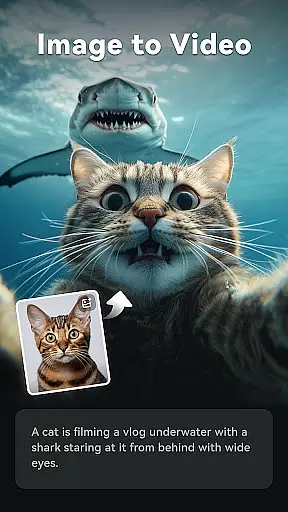
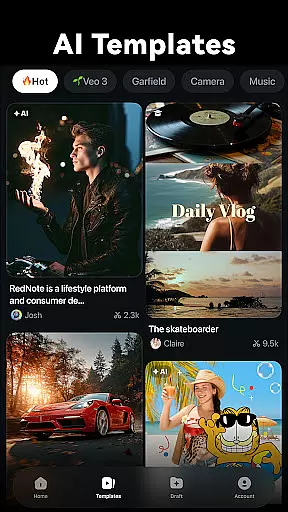
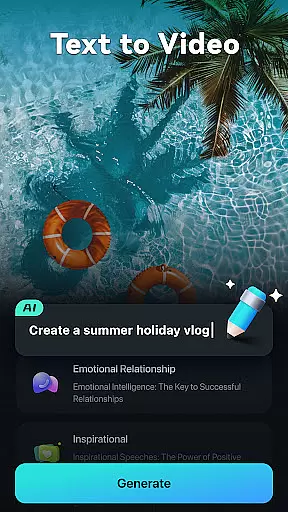
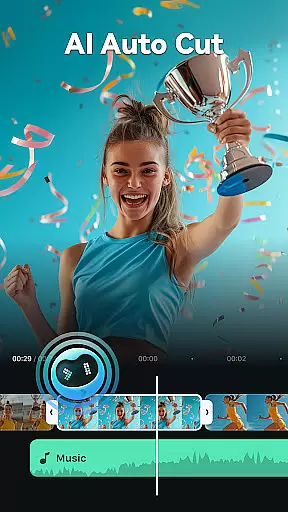
Filmora is an innovative AI-powered video editor tailored for social media creators. It strikes the perfect balance between professional-grade tools and user-friendly basic apps, making it ideal for both beginners and experienced editors. The app features powerful AI-driven functionalities like Image to Video, Text to Video, and Dynamic Captions that simplify the video creation process. Whether you're looking to create engaging TikTok videos or professional YouTube content, Filmora provides all the necessary tools without requiring prior editing experience.
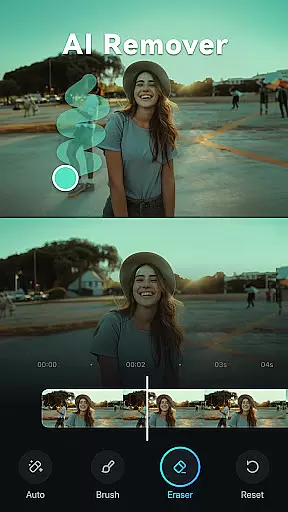
The application also offers advanced features such as AI Remover, AI Auto Cut, and AI Beats, which allow users to seamlessly edit and enhance their videos. With its intuitive interface and rich template library, Filmora enables users to trim, split, add effects, and adjust video parameters with ease. For professionals, the app includes sophisticated tools like keyframe animations, speed curves, and PIP (Picture in Picture) capabilities. Available on multiple platforms, Filmora ensures a consistent and high-quality editing experience across devices.
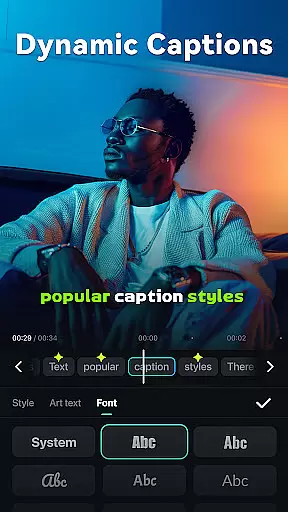
Filmora stands out with its comprehensive suite of AI-powered video editing features. The app's Image to Video function uses artificial intelligence to transform static photos into dynamic video content based on user input. Its Text to Video capability allows users to generate complete video sequences from simple text prompts, while Dynamic Captions automatically convert speech to visually engaging, word-by-word subtitles. These features significantly reduce the time and effort required for video production.
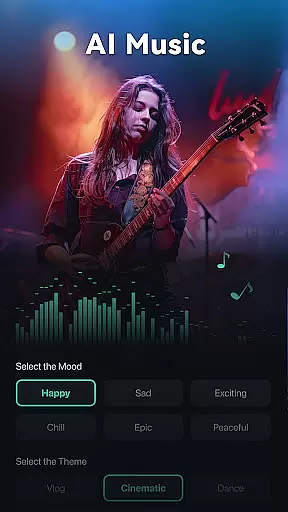
For more advanced users, Filmora offers professional-grade tools including customizable speed curves, masking effects, and smart object tracking. The app's AI Auto Cut feature intelligently identifies and stitches together highlight moments from raw footage, creating polished final cuts. Additionally, the AI Beats functionality automatically synchronizes video highlights with rhythmic music beats. With its royalty-free music library, built-in sound effects, and Text to Speech conversion, Filmora provides everything needed for complete audio-visual production in one comprehensive package.
Video format compatibility is a crucial feature for any video editor, ensuring that users can work with a wide range of video file types without conversion hassles. Filmora supports an extensive array of formats, allowing creators to import and export videos in their desired resolutions and codecs.
The application's robust compatibility covers popular formats such as MP4, AVI, MOV, and more, catering to both amateur and professional needs. This versatility enables users to focus on the creative process rather than technical limitations, streamlining the editing workflow significantly.
For content creators targeting multiple platforms like TikTok, Reels, and YouTube, this flexibility ensures that final outputs meet each platform's specifications. Whether it's adjusting aspect ratios or exporting in high dynamic range, Filmora's comprehensive format support empowers users to produce content that looks great across all devices and social media channels.
Filmora distinguishes itself through advanced AI-powered editing features that simplify complex tasks. The application's AI tools, including Auto Cut, Dynamic Captions, and Image to Video conversion, enable users to create professional-quality content with minimal effort.
These intelligent features automate time-consuming processes like speech-to-text transcription and object removal while maintaining creative control. For instance, the AI Remover effortlessly eliminates unwanted elements from footage, while AI Beats synchronizes video highlights with music rhythms for impactful storytelling.
This integration of artificial intelligence not only enhances editing efficiency but also opens new creative possibilities. By combining powerful AI capabilities with user-friendly interfaces, Filmora makes sophisticated editing techniques accessible to beginners while offering professionals innovative tools to elevate their craft.
User-friendly interface
Powerful AI features
Multi-platform support
Professional editing tools
Rich media library
Paid subscription required
Advanced features complex
Occasional performance issues
Limited free trial period
Internet connection needed

A Quick and Pro Video Editor
 4.70
4.70
Search & download videos from net with all video downloader, auto-detect & safe.
4.60
VLC Remote lets you control your VLC Media Player on Mac, PC or Linux.
4.60
AirMirror Receiver - Screen mirroring/cast web videos to Android TV by AirPlay.
4.40
Powerful Video Editor & Photo Editing App —— Quick Edits & Stunning Effects!
4.30
Make your own Animations, Video and Photo Edits, Visual Effects, and more!
4.00
Find, download, and play torrents with the official BitTorrent® Pro app
4.70
Livestream, news, & gaming content. Watch, chat, and upload. Join Rumble today!
3.80
Fast & Private HD Video Downloader with Built-in Proxy Browser and Video Player.
4.50
Cast Videos from Web Browser, IPTV to Roku, Chromecast, DLNA, Smart TV +more
4.60
Create photo video with music & template. AI video maker for stunning slideshow.
4.60
Cast movies, tv shows and live streams to Chromecast, Roku, DLNA, Fire TV & more
4.60
Auto video maker with music & exclusive filters. Video editing made simple.
4.50
Video Downloader, Multiple Resolution Options, Video Player
4.50
Viddo: Generate Action Figure, AI Anime, AI kiss, AI hug Video from image & text
4.40
Stream Web Videos to Chromecast, Samsung, LG, Sony, Roku, Fire TV, DLNA + more
4.00
Capture images & record videos for USB Camera, Webcam, Microscopes, Endoscopes
3.80
Kodi media center, a free and open source cross-platform entertainment hub
3.60
You can play SWF format file!
2.50


User Reviews