
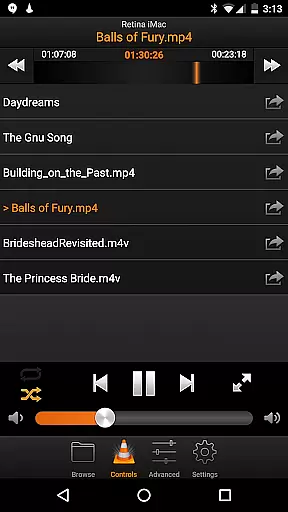
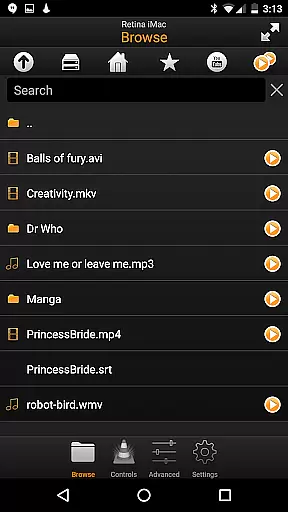
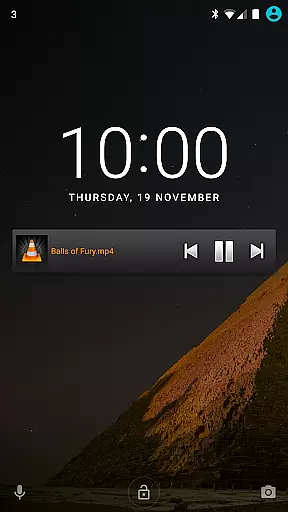
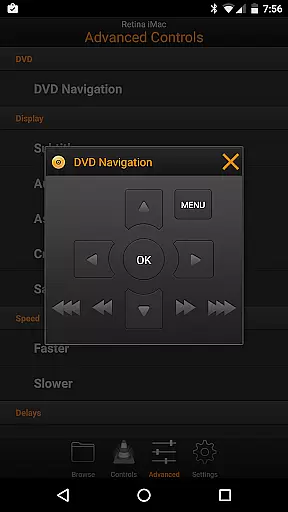
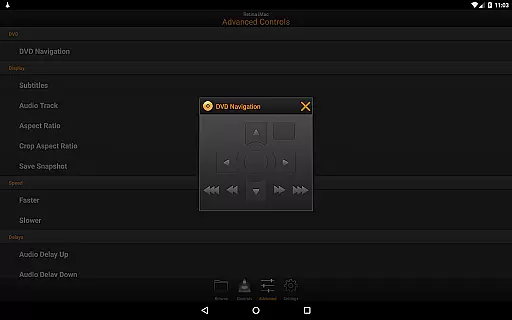
VLC Remote is a powerful Android application designed to control VLC media player on your computer with ease. It offers effortless setup through its free helper tool, allowing users to configure and connect their devices in just a few clicks.
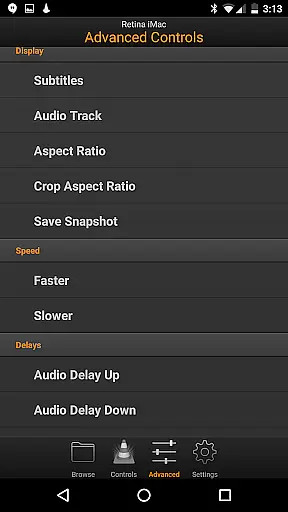
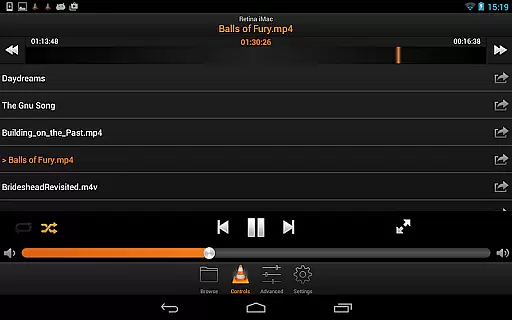
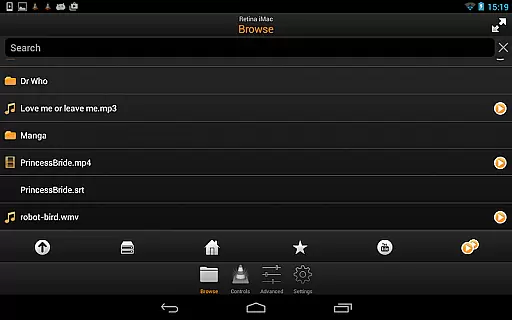
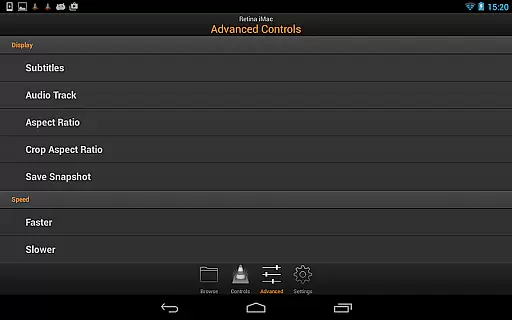
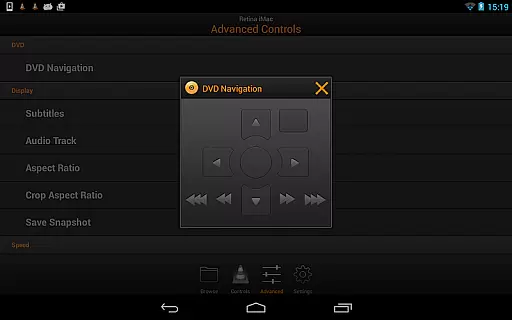
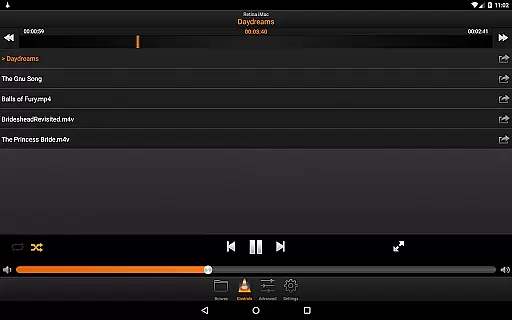
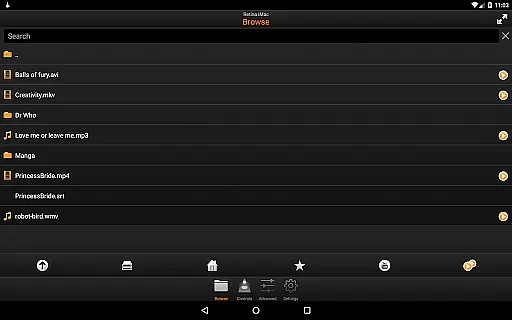
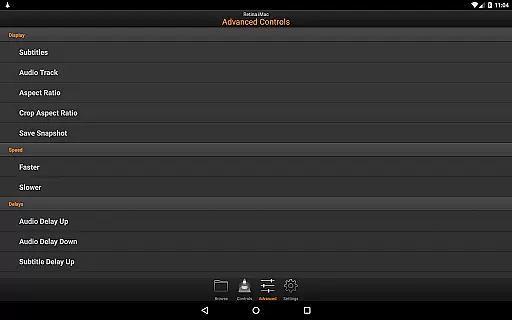
With this app, you can enjoy full browsing control, play files from your computer, manage DVD playback, adjust volume, position, and tracks, toggle fullscreen mode, and control subtitles, aspect ratio, audio track, and delays. It also supports access to external drives, making it versatile for various multimedia needs.
Whether you're relaxing on the couch or managing your media library, VLC Remote enhances your experience by providing complete control right from your smartphone.
VLC Remote stands out with its comprehensive feature set tailored for seamless media control. The app's automatic configuration via the free setup helper ensures that even novice users can establish a connection between their Android device and VLC player without hassle.
It provides extensive control options including full DVD controls, volume adjustments, position tracking, and management of subtitles and audio settings. Users can switch to fullscreen mode or browse and play any file directly from their computer, offering unparalleled convenience.
Additionally, the ability to access external drives expands its utility, catering to diverse multimedia requirements. This combination of powerful features makes VLC Remote an indispensable tool for anyone looking to enhance their media playback experience.
One of the standout features of VLC Remote is its extensive video format compatibility. This application supports a wide array of video formats, ensuring that users can play virtually any file type without the need for conversion or additional codecs.
The remote facilitates seamless playback of files stored locally on your computer, including those in less common formats. Whether you're dealing with MP4, AVI, MKV, or even more specialized types, VLC Remote ensures smooth and uninterrupted streaming directly to your viewing device.
By integrating effortlessly with VLC media player, this app provides users with the ability to browse and select from various file types available on their computer. This flexibility allows for an unrestricted multimedia experience, catering to both casual viewers and tech-savvy enthusiasts alike.
Ultimately, the comprehensive video format support offered by VLC Remote enhances user convenience. It eliminates the frustration associated with format incompatibility, allowing you to focus on enjoying your favorite movies and TV shows without technical hindrances.
VLC Remote may not offer traditional AI-powered editing features like video trimming or color correction, but it excels in providing smart control over your multimedia content. The app's intelligent interface anticipates user needs, offering intuitive controls that enhance the viewing experience.
With features such as automatic aspect ratio adjustment and subtitle synchronization, VLC Remote demonstrates a form of AI that simplifies user interaction. These smart controls ensure that viewers can customize their experience without delving into complex settings or menus.
The inclusion of advanced DVD controls and audio track management showcases the app's commitment to delivering a sophisticated yet accessible toolset. Users can easily manipulate playback settings, switch between audio tracks, and manage subtitles, all through an interface designed to be both powerful and user-friendly.
While not a video editor in the conventional sense, VLC Remote leverages smart technology to provide an enriched, customizable viewing experience. This approach to AI-powered functionality emphasizes ease of use and adaptability, making it an invaluable tool for enhancing how you enjoy multimedia content.
User-friendly interface
Automatic setup helper
Comprehensive control options
Supports external drives
Highly customizable
Limited to VLC player
Requires initial setup
No offline functionality
Dependent on network stability
Premium version needed for advanced features

The smartest M3U IPTV Player your playlists have ever seen.
 4.4
4.4
Live TV, anywhere in your home
3.80
Video player with powerful streaming playback and various convenient features.
2.10
KMPlayer Plus (Divx Codec) officially support Divx codec.
4.30
Stream Web Videos to Chromecast, Samsung, LG, Sony, Roku, Fire TV, DLNA + more
4.00
GENRAL PRO - General Pro is the best video player that fully supports all formats.
4.70
Find, download, and play torrents with the official BitTorrent® Pro app
4.70
This app is an emulator of some specific IPTV boxes
3.50
convenient, safe and fast at Video Downloader & Player
4.60
Video Trimmer, Video to MP3 Converter. Extract music from video, Easy & Fast.
4.80
A Quick and Pro Video Editor
4.70
All in one HD video downloader & player for multiple formats with full privacy
4.70
Watch IPTV on your Android device
4.60
KineMaster, Your Ultimate Video Editor!
4.40
Your media, on your terms.
4.10
Manage your IPTV live channels and VOD playlists (no playlist included)
3.80
Browser for Sony TV to stream web videos, online movies and live tv
3.20
Mix with Virtual DJ directly from your phone or tablet !
3.10
Powerful HD video player with support for all formats & subtitles.
4.4


User Reviews