
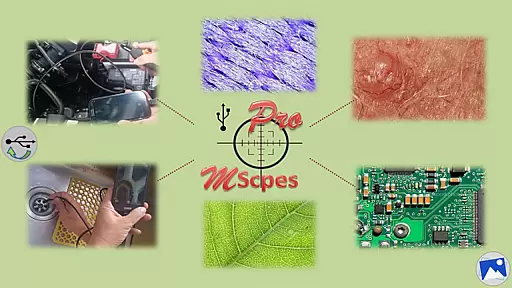
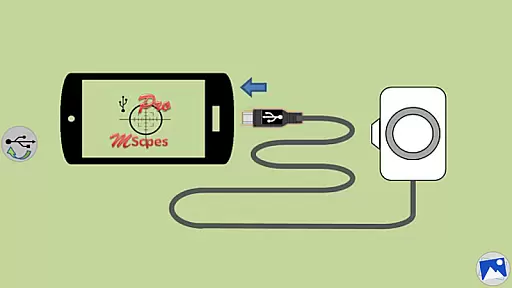
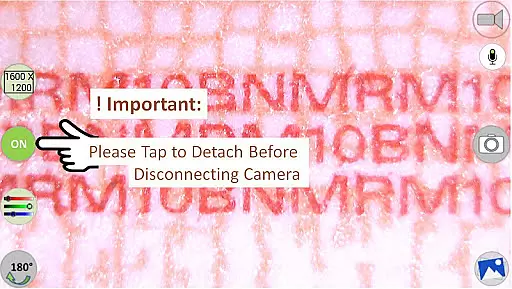
MScopesPro for USB Camera is a versatile application designed to enable users to connect and utilize USB video class cameras with their Android devices. This app facilitates the viewing, capturing of images, and recording of videos from digital microscopes, endoscopes, borescopes, camcorders, or webcams via USB connection. For devices with type-A connectors, an OTG adapter is necessary to bridge the connection to smartphones. The portability offered by MScopesPro greatly enhances the convenience and flexibility of microscopic or internal inspections.
This Pro version offers advanced features such as full-screen mode, zoom and pan capabilities, multiple image type support, customizable preview options including date&time stamps and cross-hairs, watermark-free operation, pinch-to-zoom functionality, and adjustable color parameters. These features collectively provide users with a comprehensive toolset for detailed and flexible observation tasks.
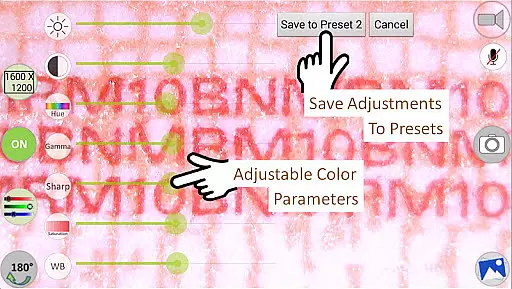
MScopesPro stands out with its extensive feature set tailored for microscopy and endoscopy enthusiasts. The app supports both jpeg and png image formats and provides options for adding date&time stamps, notes, and cross-hairs on previews. Users can benefit from adjustable color parameters like brightness, contrast, hue, gamma, sharpness, saturation, and white balance, which can be saved into three presets for quick access.
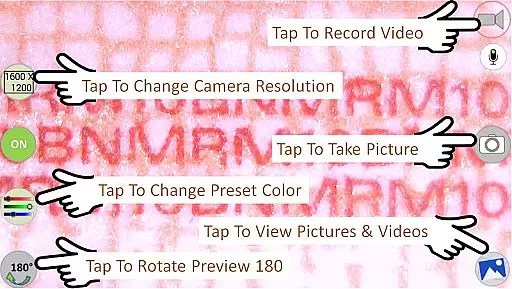
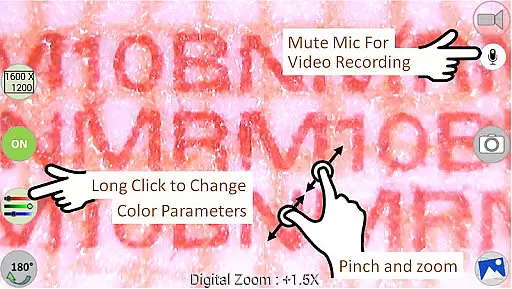
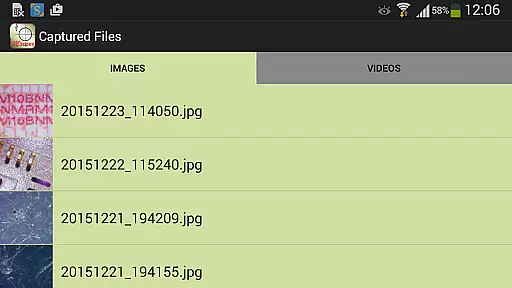
Additional functionalities include camera resolution selection, multiple preview sizes (640x480, 800x600, 1280x720, 1600x1200), microphone control during video recording, and intuitive buttons for sharing, editing, and deleting media files. The ability to swipe through images and select video files adds to the seamless user experience. These robust features make MScopesPro an indispensable tool for professionals requiring detailed and adaptable imaging solutions.
One of the key strengths of MScopesPro for USB Camera lies in its extensive video format compatibility. The application supports multiple preview sizes including 640x480, 800x600, 1280x720, and 1600x1200, catering to a wide range of user preferences and device capabilities.
Beyond just preview sizes, the app facilitates both jpeg and png image types, ensuring that users can capture images in their desired format. This flexibility is crucial for professionals who require specific formats for their work, such as scientific research or detailed inspections.
The software's foundation on the work of the Independent JPEG Group, along with its use of libusb and libuvc libraries, underpins its robust compatibility. These underlying technologies ensure that the app remains versatile and reliable across different devices and camera models.
By offering adjustable color parameters like brightness, contrast, hue, gamma, sharpness, saturation, and white balance, MScopesPro allows users to fine-tune their video capture settings. This level of control over video quality ensures that the output meets professional standards, making it an invaluable tool for anyone relying on precise visual data.
MScopesPro for USB Camera distinguishes itself through advanced AI-powered editing features that enhance the user experience significantly. The Pro version offers options to add date and time stamps directly onto previews and captured images, streamlining documentation processes and ensuring all visuals are contextually informative.
In addition to temporal markers, users can incorporate up to three lines of custom notes and even a cross-hair on the preview. These features are particularly beneficial for technical assessments or scientific studies where additional information needs to be readily available within the frame.
The ability to save adjusted color parameters into three presets showcases another layer of intelligent design. Users can quickly switch between predefined settings optimized for different scenarios without manually readjusting each parameter every time they change environments or subjects.
Furthermore, practical functionalities such as buttons to share, edit, and delete images and videos, along with intuitive swipe navigation for viewing media files, reflect thoughtful integration of AI enhancements. Such tools not only simplify workflow but also empower users by providing them with efficient means to manage their content directly within the app.
User-friendly interface
Comprehensive feature set
High-quality image support
Customizable settings
Advanced color adjustments
Limited device compatibility
No Android 5.1.1 support
Requires OTG adapter
Premium pricing
Complex setup process

Tik & Story Saver-Download ALL social media videos, photos & reels no watermark.
 4.80
4.80
Create & edit videos with AI
4.30
KineMaster, Your Ultimate Video Editor!
4.40
Create photo video with music & template. AI video maker for stunning slideshow.
4.60
AI Video Editor:AI Music, Text to Video,Text to Speech,Auto Caption,Video Effect
4.00
Mix with Virtual DJ directly from your phone or tablet !
3.10
Connect EasyCap or UVC devices for recording and broadcast video/audio stream
3.60
Fast & Private HD Video Downloader with Built-in Proxy Browser and Video Player.
4.50
Fast private browser with secure, seamless access & supported video downloads!
4.00
Play ALL formats in 4K & HD. Video downloader, MP3 player, Chromecast & more.
4.80
An easy-to-use and all-round screen recorder with audio
4.80
Flud is a simple and beautiful BitTorrent client for Android.
4.80
High-Quality USB Camera Viewer & HDMI Display
4.70
All in one HD video downloader & player for multiple formats with full privacy
4.70
Screen recorder with audio to take live videos & Screenshot in high quality!
4.70
Support 1000+ Video Format, Subtitle Download, mp3 & Background Play, Cast On TV
4.60
Cast to Chromecast, Xbox, Fire Stick, Roku, DLNA, Smart TV & No Feature Limited!
4.50
Video player with 4K & 1080P support, popup play, background play and subtitle.
4.20
Explore the largest library of free GIFs, Stickers & Memes - or create your own!
3.90


User Reviews