
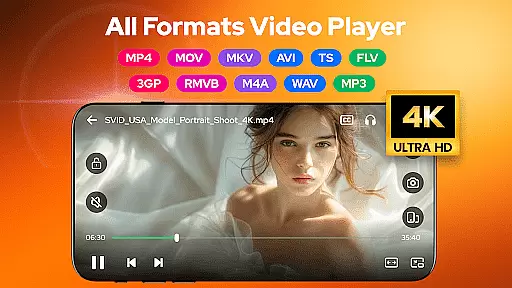
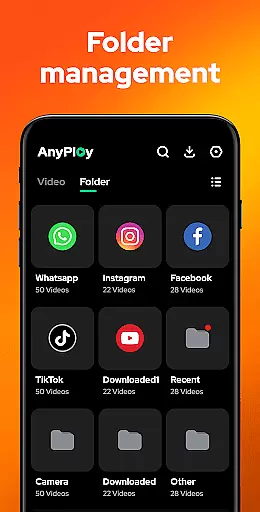




Video Player - AnyPlay is a versatile media solution for Android, combining an all-in-one video player, file manager, and video downloader. This app supports videos in all formats, providing users with high-quality playback experiences while offering practical tools for managing and organizing their media files efficiently.
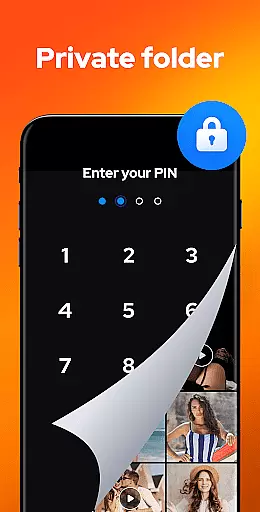
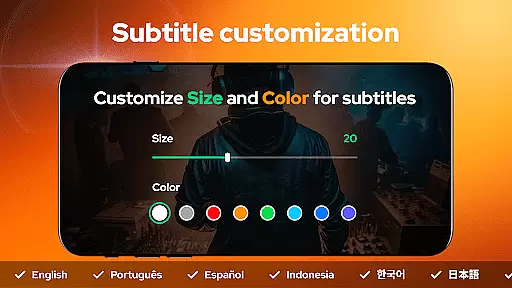
The application stands out with its customizable subtitle options, gesture controls, and pop-up playback features that cater to various viewing preferences. Additionally, it includes privacy-focused functionalities such as hiding videos in a private folder, making it suitable for users who prioritize discretion. Its ability to download HD videos from websites and social media platforms further enhances its utility, allowing users to enjoy content offline.
AnyPlay is ideal for individuals seeking a comprehensive media management tool that delivers both functionality and convenience. Whether you're commuting, traveling, or simply relaxing at home, this app ensures your media experience remains seamless and enjoyable.
Video Player - AnyPlay offers an impressive range of features designed to enhance the multimedia experience on Android devices. One of its core strengths is the support for all video formats, including MKV, MP4, AVI, and more, ensuring no file is left unsupported. The inclusion of advanced playback options like customizable subtitles, gesture controls, and background play makes it adaptable to individual user preferences.
Beyond video playback, the app serves as a powerful file manager, automatically detecting and organizing media files across your device and SD card. Users can sort files by date, name, size, or length, and even hide sensitive videos in a private folder. The built-in HD video downloader adds another layer of versatility, enabling users to save videos from websites or social media in resolutions up to 1080P.
For music enthusiasts, AnyPlay doubles as an HQ music player with support for formats like MP3 and M4A. It features equalizer presets, reverb effects, and multiple looping modes, delivering an immersive audio experience. These multifunctional capabilities make Video Player - AnyPlay a standout choice for anyone looking to streamline their media consumption.
Video Player - AnyPlay stands out with its exceptional video format compatibility, ensuring that users can enjoy a seamless playback experience regardless of the file type. The app supports an extensive range of formats including MKV, MP4, AVI, and many more, which eliminates the need for additional conversion software.
This comprehensive compatibility is powered by both hardware and software decoding technologies, providing users with flexibility and optimal performance. Whether you're watching locally stored videos or streaming content, the player automatically selects the best decoding method to ensure smooth playback.
Users benefit from this wide-ranging support as it simplifies media management and enhances viewing convenience. With AnyPlay, there's no need to worry about format restrictions; simply load your video, and let the application handle the rest while you enjoy high-quality content.
AnyPlay incorporates AI-powered editing features that elevate the video viewing and management experience to new heights. Through intelligent algorithms, the app offers advanced functionalities such as automatic subtitle downloading and customization, giving users unprecedented control over their viewing preferences.
The built-in equalizer and reverb effects are also enhanced by AI technology, creating an immersive audiovisual environment tailored to individual tastes. Smart gesture controls allow viewers to effortlessly navigate through videos, adjust settings, and manage playback with simple swipes or taps.
These innovative tools not only streamline common tasks but also open up creative possibilities for users who wish to personalize their media consumption. By leveraging artificial intelligence, Video Player - AnyPlay delivers a sophisticated yet user-friendly interface that adapts to each viewer's unique needs.
User-friendly interface
Comprehensive format support
Advanced privacy options
HD video downloading
Customizable playback settings
May consume significant storage
Occasional ads in free version
Limited cloud integration
Complex for beginners
High system resource usage

HD Video player all format, HD Videos, Cast & Subtitle. No annoying ads.
 4.60
4.60
You can play SWF format file!
2.50
Tik & Story Saver-Download ALL social media videos, photos & reels no watermark.
4.80
Create & edit videos with AI
4.30
AirMirror is Receiver for Screen Mirroring and Casting from Apple Devices.
3.60
Fast & easy HD video downloader for all formats, support 4K playback & download.
4.60
Movie maker & video editing app with AI effects and green screen
4.30
Cast to Smart TV, Fire TV. Cast video, photo - Fast & Stable!
3.90
Powerful video player with advanced hardware acceleration and subtitle supports
4.20
A Simple app to download Video & Music from the Internet.
4.70
Video Downloader, Multiple Resolution Options, Video Player
4.50
Viddo: Generate Action Figure, AI Anime, AI kiss, AI hug Video from image & text
4.40
Video player with 4K & 1080P support, popup play, background play and subtitle.
4.20
IPTV-Smarters Player Pro M3U - Watch Live Stream TV Channels with Chromecast
4.00
Stream Web Videos to Chromecast, Samsung, LG, Sony, Roku, Fire TV, DLNA + more
4.00
Explore the largest library of free GIFs, Stickers & Memes - or create your own!
3.90
Download videos easily & play them all in one smart, powerful video manager.
3.40
IPTV Player - Watch live TV from m3m & m3u8 playlist, stream IPTV on mobile
3.30
Client application for NextPVR software
3.00


User Reviews