
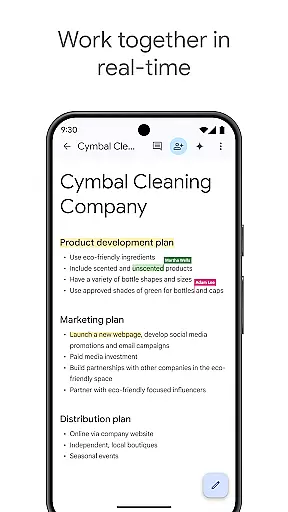
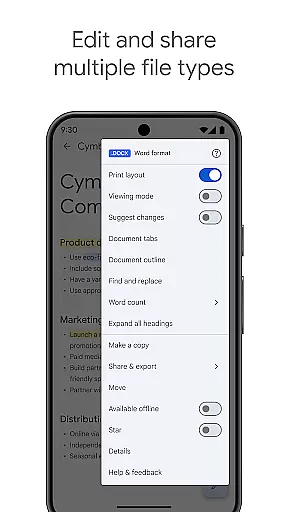
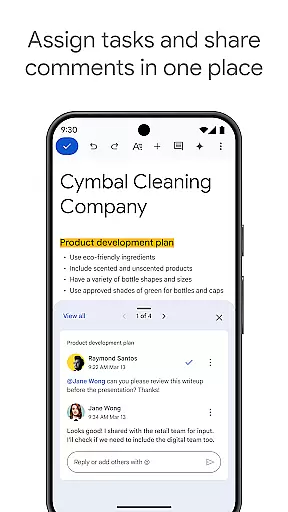
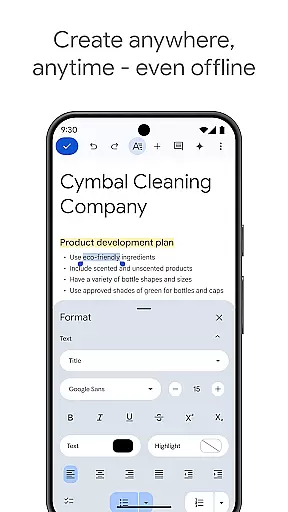
Google Docs is a powerful productivity app that allows users to create, edit, and collaborate on documents directly from their Android devices. The app supports real-time collaboration, enabling teams to work together seamlessly by sharing documents, editing content, leaving comments, and assigning action items without delay. With offline mode functionality, users can capture ideas and complete tasks even without an internet connection. Google Docs also offers compatibility with multiple file formats, including Microsoft Word files, and provides seamless conversion and export options. As part of Google Workspace, the app integrates chat and collaboration features, making it an essential tool for individuals and teams looking to stay productive on the go.
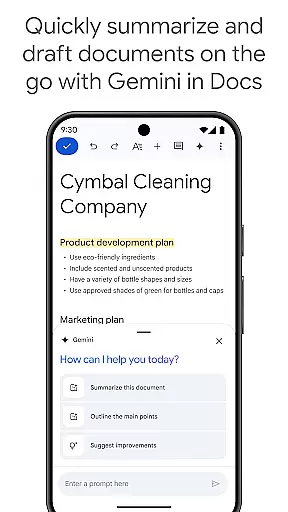
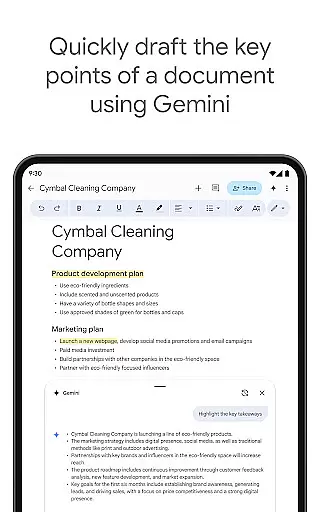
For paid subscribers of Google Workspace, Google Docs unlocks advanced features powered by AI, such as Gemini, which assists in drafting and editing content quickly. Users can generate outlines, blog posts, and briefs efficiently while customizing their documents with unique AI-generated images. These premium capabilities enhance writing quality and streamline workflows, ensuring professional results every time.
Google Docs stands out with its robust feature set tailored for productivity enthusiasts. One of its core strengths is real-time collaboration, where multiple users can simultaneously edit documents, leave comments, and track changes through action items. This makes teamwork more efficient, especially for remote or distributed teams. The app's offline mode ensures users can continue working without disruption, even when they're not connected to the internet. Once reconnected, all changes sync automatically.
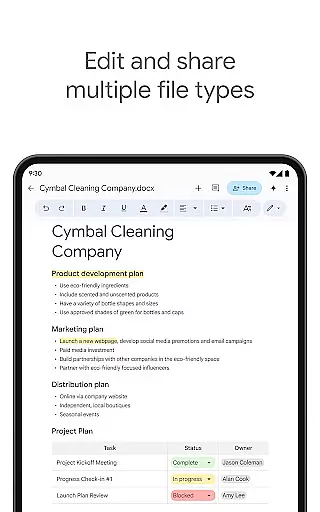
Another notable feature is its versatile file compatibility. Google Docs allows users to open, edit, and export various file types, including Microsoft Word documents, without requiring additional software. The integration with Google Workspace brings enhanced AI-powered tools like Gemini, which helps users draft content faster and improve their writing through smart suggestions. With access to polished templates and customizable design elements, Google Docs empowers users to create professional-quality documents effortlessly.
Task management is a cornerstone of productivity applications, and Google Docs excels in this area by offering users the ability to create, edit, and collaborate on documents seamlessly. This functionality ensures that teams can work together efficiently, no matter where they are located.
Google Docs allows real-time collaboration, enabling multiple users to edit a document simultaneously. This feature is crucial for teams spread across different locations, as it streamlines workflows and reduces the time needed for project completion. Users can share documents with their team, make edits, leave comments, and assign action items instantly.
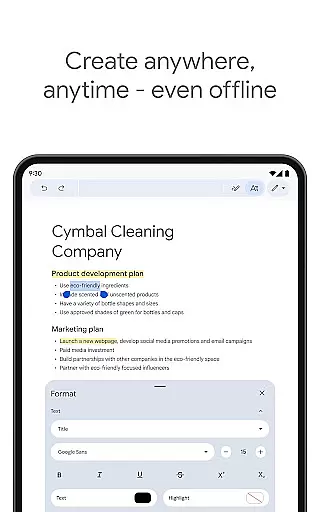
The application also supports working offline, which means users can continue being productive without an internet connection. Whether capturing spontaneous ideas or making edits on the go, Google Docs ensures that your work doesn't stop just because you're offline. Once reconnected, all changes sync automatically, maintaining continuity and data integrity.
Cross-device synchronization is vital for ensuring that your work is accessible wherever you are, and Google Docs provides reliable and seamless synchronization across all your devices. This feature guarantees that whether you're using your phone, tablet, or computer, your documents are always up-to-date.
Google Docs achieves this through its cloud-based infrastructure, which automatically saves and updates your documents in real time. This means any change made on one device is immediately reflected on all others, providing a consistent experience across platforms. This level of synchronization ensures that users can switch between devices without losing any progress or data.
Moreover, Google Docs supports a variety of file types, including Microsoft Word files, enhancing its compatibility and flexibility. Users can open, edit, and convert these files without any hassle, ensuring that collaboration isn't hindered by the type of application teammates use. This comprehensive approach to synchronization and compatibility makes Google Docs a reliable tool for both individual and team productivity.
Real-time collaboration
Offline editing support
Wide file compatibility
AI-powered enhancements
Seamless syncing across devices
Limited offline formatting
Requires Google account
Basic template variety
No standalone desktop app
Paid features for advanced tools

Native client for Forgejo and Gitea
 5.00
5.00
Total remote control for your Android device, PC and cloud services (IFTTT)!
4.20
All in one sketching tool. Technical and General drawing. Online Maps support.
3.70
The Pro Version of Android's tiniest Notepad app. Just 0.3MB but feature-packed!
4.60
Secure, fast, open-source, Remote Desktop Client for Windows and Linux with SSH
4.60
Calendar 2023 widget for Android. Appointment scheduler, planner, and reminder
4.60
Code on-the-go with VScode for Android. Edit,debug and collaborate from mobile!!
3.10
A beautiful digital clock with autostart and many other functions
4.70
QuickEdit is a fast, stable and full featured text and code editor.
4.20
Best Tool for the professionals Electrician, Electrical contractors, etc.
4.90
Functional QR scanner and barcode reader that requires little storage space.
4.60
Translate text/voice/photos in 150+ languages. Offline & fast translator app.
4.50
Tally and goal counter for Wear OS & mobile
4.50
This small app MUST BE INSTALLED after purchase, else license won't work
4.40
Share files & memories safely. Keep your photos and videos secure.
4.40
All in One PDF Reader: Manage, Read and Edit your Documents
4.20
Make apps & sites with natural language prompts
4.10
⏰ Finally a timer app which can run multiple timers simultaneously on your watch
3.90
IP Camera Viewer - Android TV : RTSP Surveillance camera viewer for Android TV
4.5


User Reviews