
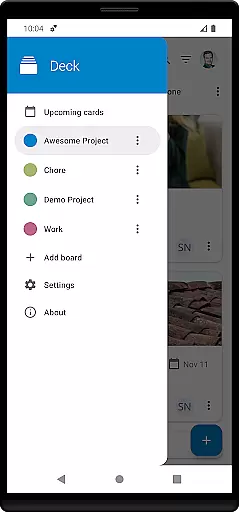
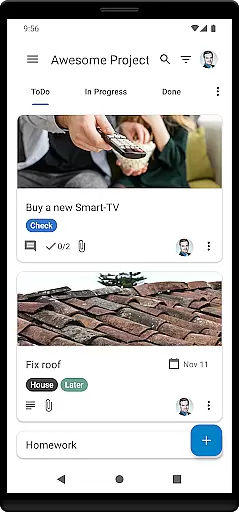
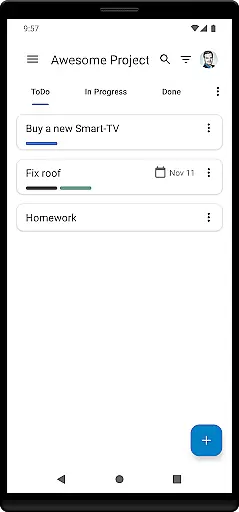
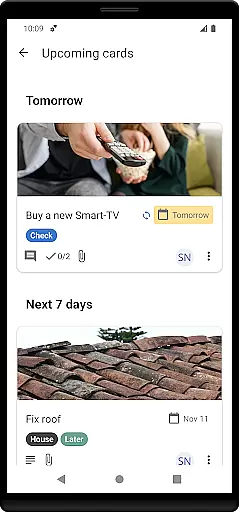

Nextcloud Deck is a productivity-focused application designed to streamline task management and team collaboration. This app allows users to create and organize tasks using customizable boards, lists, and cards, making it an ideal tool for both personal and professional project management.
One of the standout features of Nextcloud Deck is its ability to function offline, ensuring that users can continue managing their tasks even without an internet connection. Additionally, the app supports multiple accounts, attachments, activities, and comments, providing a comprehensive platform for effective communication and organization within teams.
With support for tags, dark mode, and translations in many languages, Nextcloud Deck caters to a global audience seeking a versatile and user-friendly task management solution. Whether you're coordinating projects at work or organizing personal to-do lists, this app offers the tools necessary to keep everything in order.
Nextcloud Deck boasts a variety of features that enhance its functionality as a productivity tool. Users can manage multiple accounts seamlessly, allowing them to switch between different projects or organizations with ease. The app's offline capabilities ensure that productivity isn't hindered by connectivity issues, enabling uninterrupted access to critical information.
The app provides robust tools for task management, including the ability to create and manage cards, lists, and boards. These elements can be customized with tags, attachments, activities, and comments, facilitating detailed tracking and discussion of each task. Furthermore, the inclusion of a dark mode option enhances usability in low-light environments, reducing eye strain and improving focus.
Nextcloud Deck also stands out for its multilingual support, making it accessible to a diverse range of users worldwide. By integrating with the broader Nextcloud ecosystem, including the Nextcloud Android app, it ensures a cohesive and efficient workflow across devices and platforms.
Nextcloud Deck offers a robust platform for managing tasks, lists, and boards efficiently. This feature is crucial for users who need to organize their projects and daily tasks in a structured manner.
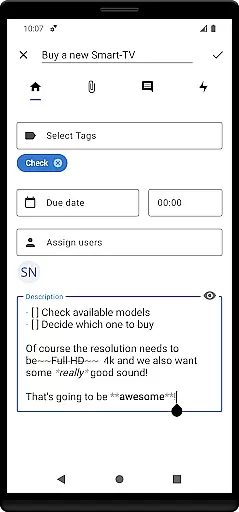
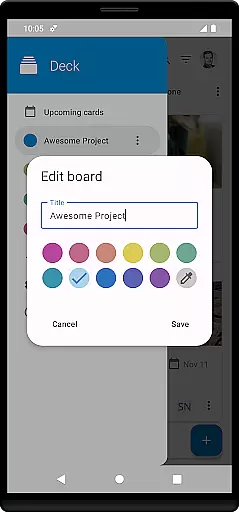
The app allows you to create and manage multiple cards, each representing a task or a project milestone. These cards can be organized into lists, which are essentially different stages of your workflow, and further grouped into boards that represent entire projects.
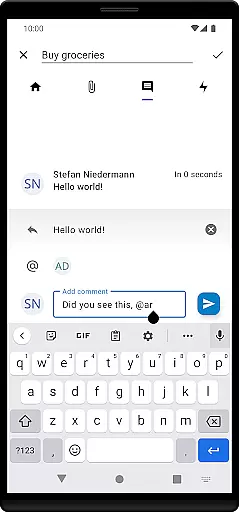
With support for tags, attachments, activities, and comments, the app ensures that every detail related to a task is captured and easily accessible. This comprehensive approach not only helps in keeping track of what needs to be done but also provides context and resources needed to complete tasks effectively.
Cross-device synchronization is a key feature of Nextcloud Deck, ensuring that your data is consistently updated across all your devices. This reliability is essential for users who work on multiple devices and need their information to be current and accurate wherever they access it.
The app works seamlessly with the Nextcloud ecosystem, including the Nextcloud server and the Nextcloud Android app. This integration ensures that any changes made on one device are instantly reflected on others, providing a unified and up-to-date view of your tasks and projects.
Additionally, Nextcloud Deck supports offline functionality, allowing users to continue working even without an internet connection. Once online, all updates are synced automatically, ensuring that no data is lost and productivity remains high regardless of connectivity issues.
User-friendly interface
Offline functionality
Multiple account support
Comprehensive task management
Multilingual support
Requires Nextcloud setup
Limited standalone use
No built-in calendar
Dependent on third-party integrations
Advanced features need technical know-how

Mega cloud explorer plugin for Solid Explorer
 3.80
3.80
The Pro Version of Android's tiniest Notepad app. Just 0.3MB but feature-packed!
4.60
A lightweight JSON & XML files creator, editor and viewer (Premium Version)
4.40
Make your handwriting beautiful, even more than pen on paper.
3.60
CalenGoo is a very flexible and feature-rich calendar app
4.40
Translate text/voice/photos in 150+ languages. Offline & fast translator app.
4.50
Secure, open-source, SPICE and SSH Remote Desktop for QEMU KVM virtual machines
4.00
To do list widget with a notebook organizer, checklist, simple shopping list
4.60
Use powerful, industry-leading AI tools to generate visual charts from any data
4.80
Protect and view your important info on your phone and tablet with eWallet®
4.80
Understand anything with a personalized AI research assistant
4.80
Quickly and easily keep track of your work shifts
4.70
Stay on top of your to-dos with Google Tasks, part of Google Workspace.
4.60
The AI assistant that thinks with you - write, code, and solve complex tasks
4.60
Planet Free VPN - The best Fast Unlimited and Secure VPN Without Logs
4.50
Professional calendar app for Google Calendar, MS Outlook & Exchange
4.20
Device's storage information in a simple and clear graphical form (infographics)
4.10
Customizable calendar widget for seamless event sync, planning & scheduling.
4.00
Access your phone's notifications, calls, apps, photos & texts on your PC
3.90


User Reviews