

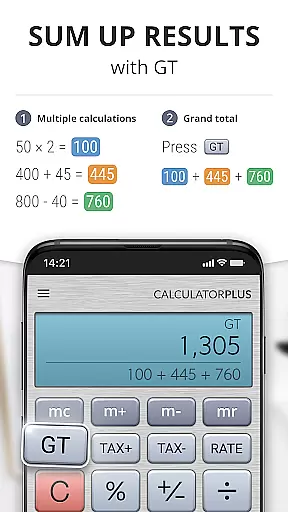
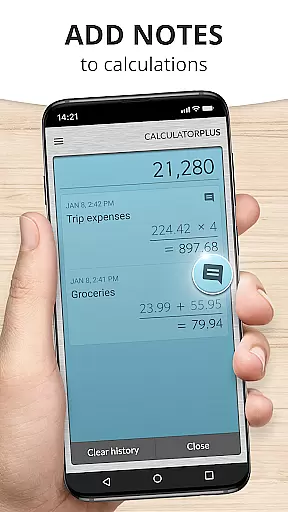
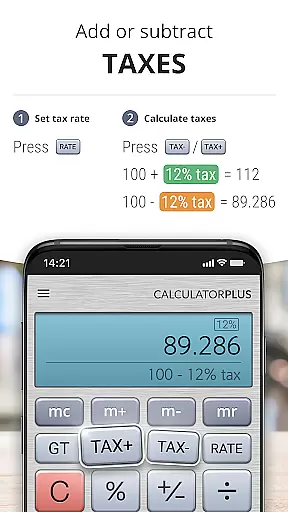
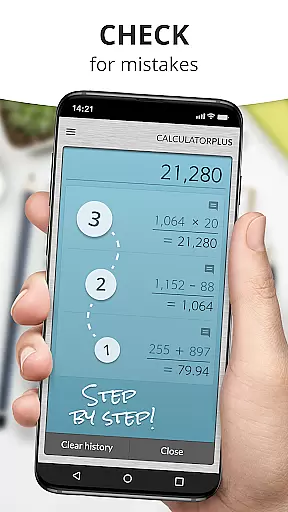

Calculator Plus stands out as an essential productivity tool designed to simplify and enhance everyday calculations. As a top-rated Android calculator app, it surpasses traditional calculators by offering advanced features in an elegant interface. The app's standout functionality includes automatic saving of all calculations, making it invaluable for various tasks from shopping lists to tax computations.
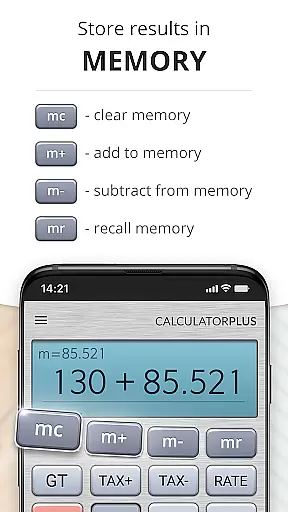
The app's user-centric design ensures maximum efficiency through intuitive features like clear typography with proper comma placement, real-time calculation tracking, and easy error correction using backspace. Its memory functions allow users to maintain running totals while providing the option to access advanced math operations when needed. Calculator Plus is especially beneficial for students, professionals, and anyone looking to streamline their daily computational tasks.
Calculator Plus offers an array of innovative features that set it apart from standard calculator applications. One of its key attributes is the ability to save and review all past calculations, ensuring users never lose track of important numerical data. This feature proves particularly useful for complex tasks such as balancing checkbooks or preparing taxes.
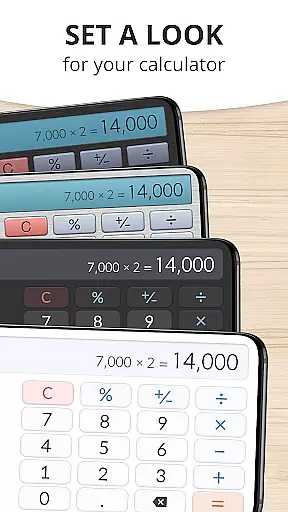
The app's interface showcases several distinctive elements including elegant typography with appropriate comma placement, real-time calculation display, and seamless integration of percentage calculations. Advanced users will appreciate the swipe-enabled memory keys that reveal sophisticated mathematical functions while maintaining an uncluttered workspace. These carefully considered design choices create an optimal user experience that combines functionality with aesthetic appeal.
Calculator Plus excels in core task management by offering a seamless calculation experience. The app allows users to save and review past calculations effortlessly, making it an ideal tool for various tasks such as shopping, homework, or financial planning.
With its memory functions, users can maintain a running total and easily access advanced math operations when needed. This ensures that no matter how complex the calculations become, Calculator Plus can handle them with ease.
The app's intuitive design includes features like backspace for correcting mistakes without starting over, and a percentage key that clearly shows its effect on the calculation. These elements contribute to efficient task management within the calculator environment.
Cross-device synchronization is a standout feature of Calculator Plus, ensuring that all calculations are reliably saved and accessible across different devices. Users can quit the app and return later to find their work exactly as they left it, providing unmatched convenience.
This functionality is particularly useful for individuals who use multiple devices throughout their day. Whether switching from a phone to a tablet, Calculator Plus maintains continuity in calculations, eliminating the need to retype entries.
By leveraging cloud technology, the app guarantees that data remains consistent and up-to-date, regardless of the device being used. This reliable synchronization empowers users to focus on their tasks without worrying about data loss or inconsistencies.
User-friendly interface
Automatic calculation saving
Advanced math functions
Intuitive percentage display
Cross-device compatibility
Limited offline functionality
No graphing capabilities
Premium feature lock
Occasional performance lag
Ad-supported free version

Easily read and manage all your PDF files
 4.10
4.10
Send files, sync SMS, notifications & clipboard across devices via local network
4.40
The upgraded version of Name Wheel with AI and the power to add your own wheels.
4.0
Absolutely the best CNC machinist speed and feed calculator around. fswizard.com
4.60
Secure, fast, open-source, Remote Desktop Client for Windows and Linux with SSH
4.60
Customizable calendar widget for seamless event sync, planning & scheduling.
4.00
Todo reminder
4.10
All document reader, all in one file viewer read PDF, DOCX, XLS, PPT, TXT files.
4.60
Understand anything with a personalized AI research assistant
4.80
Multilingual translator for text, voice, and image translation!
4.90
App Lock with fingerprint, password: Lock apps & hide photos with lock screens
4.60
Subscribe to Webcal & .ics calendars and keep them up-to-date!
4.50
A Pixel Art watchface inspired by other iconic 90s designs for Wear OS devices!
4.40
Share files & memories safely. Keep your photos and videos secure.
4.40
Total remote control for your Android device, PC and cloud services (IFTTT)!
4.20
Cloud storage, automatic phone backup, and more.
4.10
Secure, open-source, SPICE and SSH Remote Desktop for QEMU KVM virtual machines
4.00
Auto-shutoff Alarm with Sunrise, Sunset & Fixed Options.
3.50
Experience and share your SolidWorks designs on your Android® phone and tablet.
2.50


User Reviews