
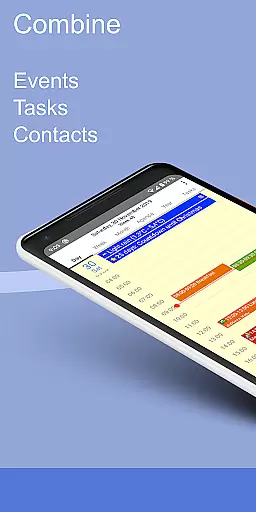
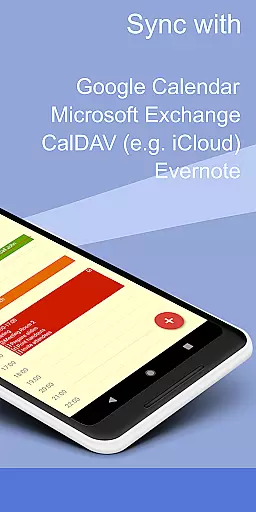
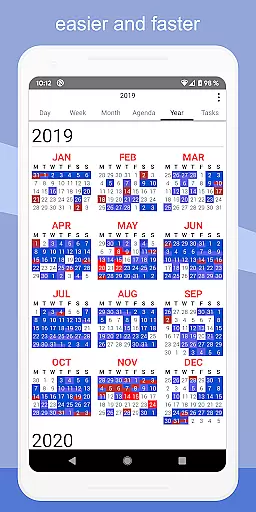
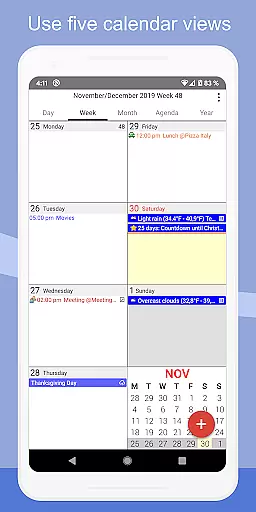
CalenGoo is a comprehensive productivity app designed to help users efficiently manage their events and tasks. This powerful tool offers extensive synchronization options, allowing seamless integration with Google Calendar, Exchange, CalDAV, and iCloud either directly or via the Android calendar. With features like attaching photos, files, and Evernote notes to events, weather forecasts, and five distinct calendar views, it ensures you stay organized and informed.
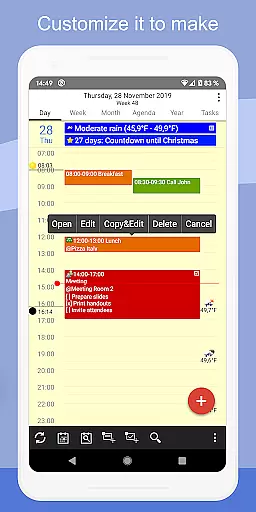
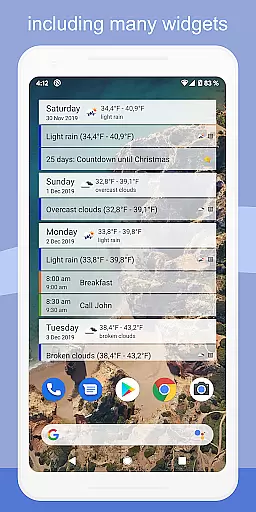
The app stands out with its customization capabilities, enabling users to personalize their experience through various settings. You can add icons to Google events, choose from four agenda view styles, use drag-and-drop functionality for event management, and even print to PDF. Additionally, widgets provide quick access to your schedule right from the home screen. Whether for personal or professional use, CalenGoo's versatility makes it an invaluable asset for enhancing productivity.
CalenGoo boasts an array of features that cater to diverse user needs. One of its core strengths is the robust synchronization capability, supporting multiple platforms such as Google Calendar, Exchange, CalDAV, and iCloud. This ensures that all your past and future events, along with tasks, are always up-to-date across devices. The ability to attach photos, files, and Evernote notes directly to events adds a layer of detail and context that enhances planning and execution.
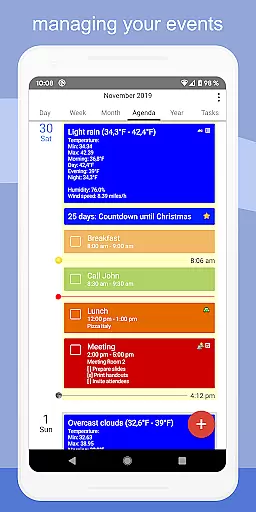
Further enriching the user experience are functionalities like weather forecasts, customizable icons for Google events, and five types of calendar views including day, week, month, agenda, and year. Users can also benefit from four different agenda view styles, drag-and-drop event management, and widgets displaying schedules on the home screen. Additional highlights include support for Exchange categories, sharing calendars, search functions, reminder notifications, birthday tracking, floating events, templates, task lists within events, contact linking, keyword-based color changes, dark and light themes, and numerous configuration options under 'Settings > Display and Use'.
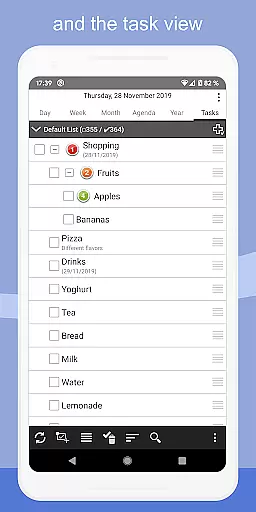
CalenGoo offers robust core task management features that allow users to efficiently organize and prioritize their daily activities. The app supports the creation of tasks with detailed descriptions, due dates, and reminders.
One of the standout aspects is its ability to sync tasks across multiple platforms including Google Calendar, Exchange, CalDAV, and iCloud. This ensures that no matter where you are or what device you're using, your tasks are always up-to-date and accessible.
Additionally, CalenGoo provides various reminder functions such as notifications, pop-up windows, spoken reminders, and different sounds. These options help ensure that users never miss an important deadline or appointment.
The app also allows for attaching photos, files, and Evernote notes to tasks, making it a versatile tool for both personal and professional use. With these comprehensive task management capabilities, CalenGoo empowers users to stay organized and productive.
Cross-device synchronization is a critical feature of CalenGoo, ensuring that all your events and tasks are consistently updated across different devices. By integrating directly with services like Google Calendar, Exchange, CalDAV, and iCloud, CalenGoo guarantees reliable data syncing.
This seamless synchronization means that any changes made on one device will instantly reflect on others. Whether you're updating an event on your phone or adding a new task from your tablet, everything stays in sync without manual intervention.
Moreover, CalenGoo's support for multiple calendar viewsu2014day, week, month, agenda, and yearu2014ensures that users can view their synchronized data in a way that best suits their needs. This flexibility enhances usability and keeps users informed regardless of the device they choose to use.
With reliable cross-device synchronization, CalenGoo not only simplifies task management but also boosts overall productivity by maintaining consistency and accuracy across all platforms.
User-friendly interface
Extensive sync options
Customizable views
Rich feature set
Efficient task management
Complex setup process
Requires constant internet
Premium pricing model
Occasional sync issues
Steep learning curve

Experience Reading - Night Mode for Documents
 4.40
4.40
Todo reminder
4.10
App lock - lock apps with fingerprint, password, pin or pattern, protect privacy
4.70
All document reader, all in one file viewer read PDF, DOCX, XLS, PPT, TXT files.
4.60
To do list widget with a notebook organizer, checklist, simple shopping list
4.60
Use powerful, industry-leading AI tools to generate visual charts from any data
4.80
Simple notepad & memo. Take notes, to-do list, shopping list with reminders.
4.80
Okta MFA
4.70
AT&T Internet customers can use this app to personalize their Wi-Fi network.
4.40
Great calculator for Android named one of USA TODAY's "25 Essential Apps".
4.90
QuickBooks Workforce lets teams view pay info and track time in one place.
4.70
Stay on top of your to-dos with Google Tasks, part of Google Workspace.
4.60
Lightweight PDF, Word, Excel reader.
4.60
Automates browsing any website and notifies you of important changes or events
4.30
Pwnagotchi companion app
4.20
Experience real multitasking on your Android!
4.00
Customizable calendar widget for seamless event sync, planning & scheduling.
4.00
Access your phone's notifications, calls, apps, photos & texts on your PC
3.90
ID.me Authenticator is a simple and free Two Factor Authentication solution
3.50


User Reviews