
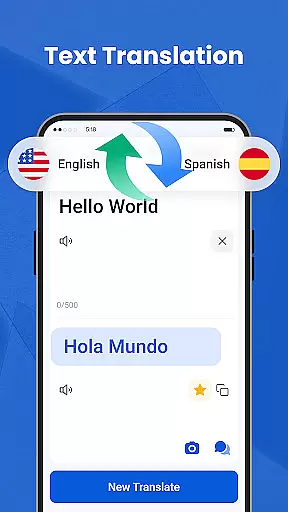
We Translate is a powerful productivity app designed to break language barriers and facilitate seamless global communication. With its comprehensive suite of translation tools, the app supports text, voice, image, and document translation across multiple languages.
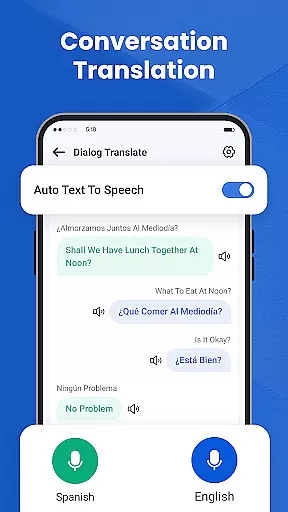
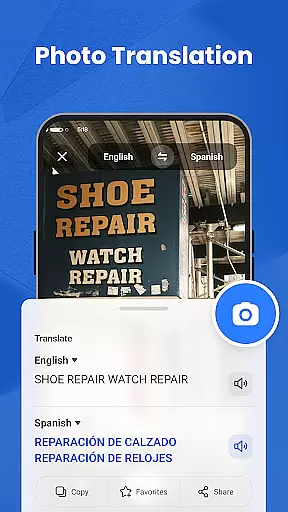
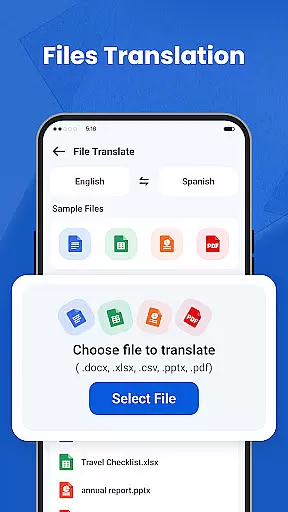
Key features include real-time conversation translation, photo translation for signs and documents, and one-tap document translation for PDFs, Word, and Excel files. Users can also access translation history, save favorites, and customize settings for a personalized experience. Whether for personal, travel, business, or educational use, We Translate ensures effortless multilingual communication.
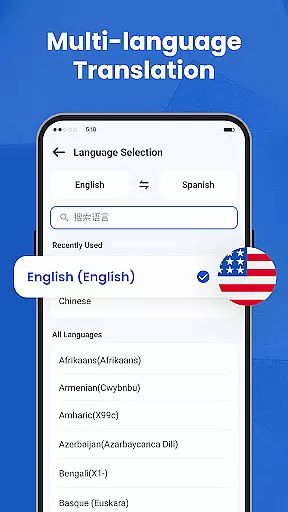
We Translate offers an array of innovative features that cater to diverse translation needs. The app provides instant and accurate text translation for over 100 languages, making it ideal for both casual and professional use.
Its standout feature is the real-time conversation translator, which detects and translates spoken language automatically. The photo translation tool allows users to snap pictures of text and receive instant translations, while the document translator handles various file formats with ease. Additional features like translation history, favorites, and customizable settings enhance user experience by providing quick access to frequently used translations and tailoring the interface to individual preferences.
In the realm of productivity, managing tasks efficiently is paramount. We Translate excels in organizing translation tasks with precision and ease.
The app offers features like History and Favorites, which allow users to save and quickly retrieve past translations. This functionality ensures that frequently needed translations are just a tap away, enhancing workflow efficiency.
Additionally, the Document Translation feature supports various file formats such as PDFs and Word documents. Users can translate entire files at once, streamlining the process for large projects or extensive communications.
We Translate's personalized settings further augment task management by allowing customization of language options and voice reading speeds. These tailored experiences ensure each useru2019s unique needs are met effectively.
For professionals and students alike, having reliable access to information across multiple devices is crucial. We Translate provides seamless cross-device synchronization, ensuring your translations follow you wherever you go.
Whether switching from a phone to a tablet or desktop, all saved translations, including History and Favorites, update in real-time. This means no matter where you start or continue your work, consistency is maintained without missing a beat.
The app also uses advanced APIs to help retrieve text from any source on your device, providing an integrated experience that keeps everything connected. Such capabilities make it easier than ever to maintain productivity regardless of location or device changes.
With secure cloud storage backing these synchronizations, users enjoy peace of mind knowing their data remains safe yet accessible whenever needed.
Accurate translations
User-friendly interface
Multi-language support
Real-time voice translation
Photo and document translation
Limited free features
Occasional inaccuracies
Requires internet
Premium subscription cost
Heavy on storage

A customizable calendar for your Wear OS watch
 4.20
4.20
Ads Free App! Editor, Hide File, Copy, Move, Delete and Rename.. all facility av
1.70
All in one sketching tool. Technical and General drawing. Online Maps support.
3.70
Planet Free VPN - The best Fast Unlimited and Secure VPN Without Logs
4.50
Android Wallet Password Manager
4.80
Mind Map and brainstorm, note taking and idea collection
4.80
We're working to become the best machining app on the market! www.cncdirt.com
4.80
Find and delete junk files & block unwanted notifications & manage files
3.70
Great calculator for Android named one of USA TODAY's "25 Essential Apps".
4.90
Native client for Forgejo and Gitea
5.00
Quickly and easily keep track of your work shifts
4.70
Client for Nextcloud Deck
4.60
Absolutely the best CNC machinist speed and feed calculator around. fswizard.com
4.60
The AI assistant that thinks with you - write, code, and solve complex tasks
4.60
A Pixel Art watchface inspired by other iconic 90s designs for Wear OS devices!
4.40
Professional calendar app for Google Calendar, MS Outlook & Exchange
4.20
Pwnagotchi companion app
4.20
* block pre-roll ads, pop-up and forced redirect ads * Samsung certification app
4.00
Auto-shutoff Alarm with Sunrise, Sunset & Fixed Options.
3.50


User Reviews