
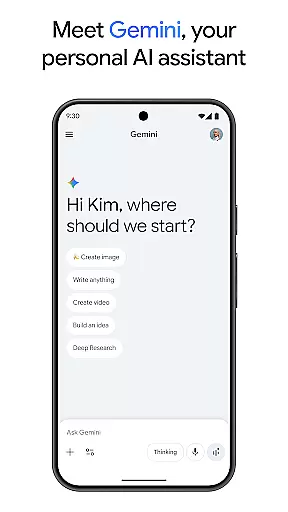
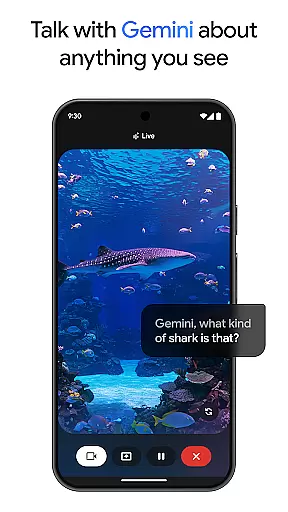
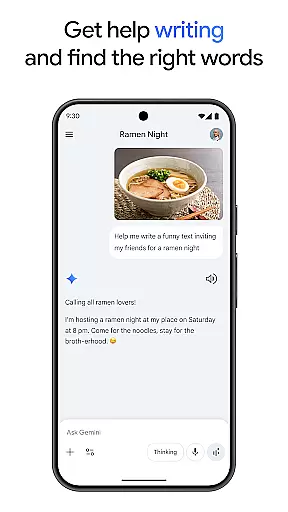
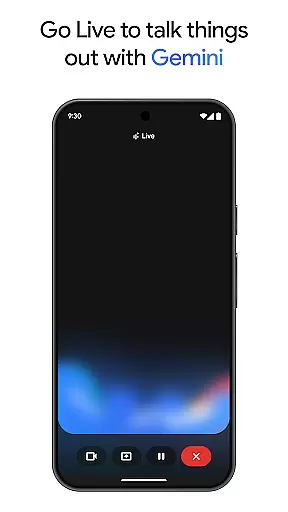
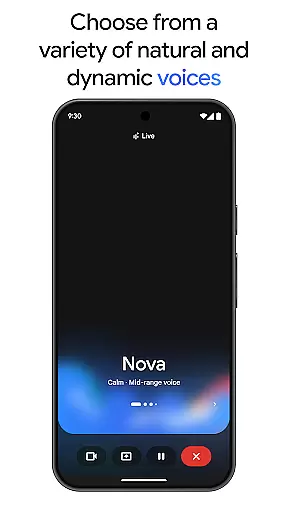
Gemini, developed by Google, is an advanced AI assistant designed to boost both creativity and productivity. This powerful tool provides direct access to Google's top-tier family of AI models right on your mobile device. Whether you're looking to brainstorm new ideas, simplify complex topics, or rehearse for significant events, Gemini is equipped to assist. Its standout feature, Gemini Live, allows users to share their camera or screen during conversations, facilitating discussions about virtually anything you can see.
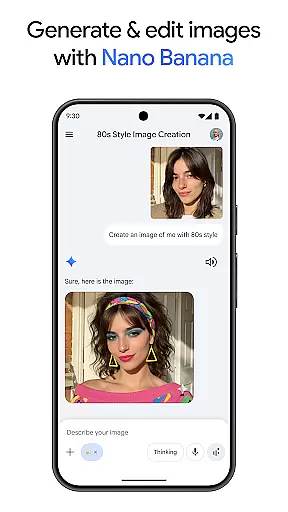
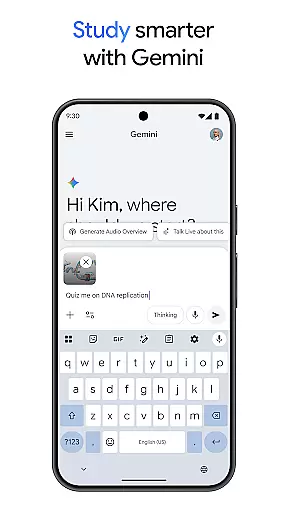
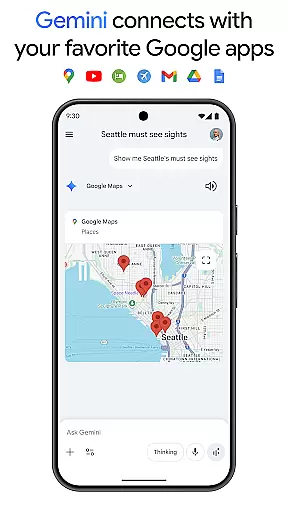
In addition to its conversational capabilities, Gemini offers a suite of creative tools. With Canvas, users can bring their ideas to life, creating apps, games, web pages, infographics, and more. The app also integrates seamlessly with popular Google services like Search, YouTube, Maps, and Gmail, enhancing your digital experience. Educational features such as quiz and flashcard creation, interactive visuals, and real-world examples make studying more effective. Moreover, Gemini can transform any file into a podcast, create and edit images from simple text descriptions, and help plan trips efficiently.
Gemini stands out due to its comprehensive set of features tailored to enhance productivity and creativity. One of its key functionalities is the Gemini Live feature, which enables real-time interaction through the camera or screen sharing. This makes it easier than ever to discuss and collaborate on visual content. Another remarkable aspect is Canvas, a creative platform within the app that supports the development of various digital projects, including apps, games, and web pages.
The integration with essential Google apps like Search, YouTube, Maps, and Gmail streamlines daily tasks and enhances connectivity. For students and lifelong learners, Gemini offers tools for creating quizzes, flashcards, and interactive visuals, making learning more engaging. Additionally, the app's ability to convert files into podcasts and generate high-quality images from textual descriptions showcases its versatility. Advanced features available through subscription plans, such as Nano Banana for image generation and editing, further extend Gemini's capabilities, positioning it as a leader in the AI assistant market.
Gemini, as a productivity app, excels in core task management by offering users tools to brainstorm ideas, simplify complex topics, and rehearse for important moments. This functionality is crucial for individuals seeking to enhance both their creativity and productivity.
The app provides direct access to Google's family of AI models, enabling features like Gemini Live, which allows users to share their camera or screen during conversations. This facilitates real-time collaboration and discussion on any visible content, streamlining the process of idea generation and decision-making.
Users benefit from seamless integration with favorite Google apps such as Search, YouTube, Maps, and Gmail, enhancing workflow efficiency. The ability to study smarter with quiz creation, interactive visuals, and real-world examples further supports comprehensive task management.
This suite of features ensures that users can tackle complex projects with ease, making Gemini an invaluable tool for anyone looking to supercharge their productivity through innovative AI assistance.
Cross-device synchronization is a pivotal feature of Gemini, ensuring that users have reliable and consistent access to their data across multiple devices. This reliability is essential for maintaining productivity in today's fast-paced, multi-device world.
Gemini leverages Googleu2019s robust infrastructure to provide industry-leading synchronization capabilities. With support for up to 1 million token context windows, the app can process vast amounts of information, including up to 1,500 pages of text or 30,000 lines of code, guaranteeing that no detail is lost during transitions between devices.
By upgrading to the Pro or Ultra plans, users gain even higher access to powerful models and exclusive features, such as video generation with Veo 3.1 Fast and Deep Research on 3 Pro. These enhancements ensure that all tasks, regardless of complexity, are synchronized accurately and efficiently.
Ultimately, Gemini's cross-device synchronization empowers users to work smarter and faster, providing peace of mind that their work is always up-to-date and accessible wherever they go.
Direct access to top AI models
Seamless Google app integration
Enhanced creative tools
Real-time collaboration
Versatile functionality
Premium features require subscription
Complexity may overwhelm new users
Limited offline capabilities
Privacy concerns with data sharing
High system requirements

AI Video AI Image Private LLM AI Browser Llama Gemma Ollama Connect LLM Studio
 4.0
4.0
Auto-shutoff Alarm with Sunrise, Sunset & Fixed Options.
3.50
All in one sketching tool. Technical and General drawing. Online Maps support.
3.70
Smart PDF reader & editor to view, organize and manage PDF documents easily.
3.70
We're working to become the best machining app on the market! www.cncdirt.com
4.80
Stay on top of your to-dos with Google Tasks, part of Google Workspace.
4.60
Find and delete junk files & block unwanted notifications & manage files
3.70
Cloud storage, automatic phone backup, and more.
4.10
Code on-the-go with VScode for Android. Edit,debug and collaborate from mobile!!
3.10
Scientific calculator for Android - looks and operates like the real thing!
4.90
aCalendar+ makes your day, week and month
4.70
Functional QR scanner and barcode reader that requires little storage space.
4.60
A Pixel Art watchface inspired by other iconic 90s designs for Wear OS devices!
4.40
Secure your apps with lock screens, use custom themes and different features.
4.40
All in One PDF Reader: Manage, Read and Edit your Documents
4.20
Secure, open-source, SPICE and SSH Remote Desktop for QEMU KVM virtual machines
4.00
Ultimate Virtual AI Character for immersive Roleplay Chat. Perfect Companion
3.90
Remotely view listen control and record cameras.
3.70
A comprehensive suite of tools designed specifically for Lactation Consultants
4.1


User Reviews