
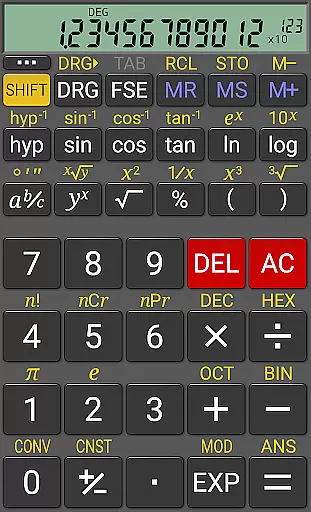
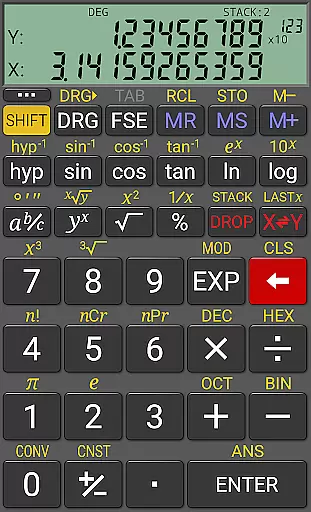
RealCalc Plus is the advanced version of RealCalc, a leading scientific calculator on Android. It mirrors the functionality of a real hand-held calculator while offering additional computational capabilities. The app supports standard scientific functions and includes advanced features such as fraction calculations, degrees/minutes/seconds conversions, and RPN mode. With its customizable unit conversions, constants, and multi-format display options, it caters to both students and professionals who require precise calculations.
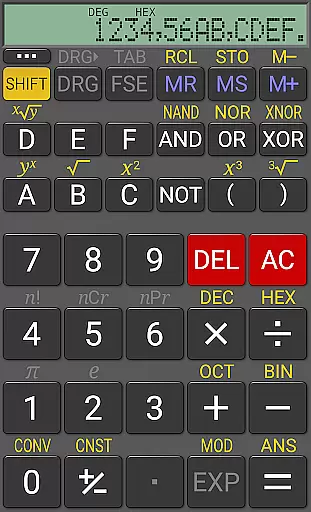
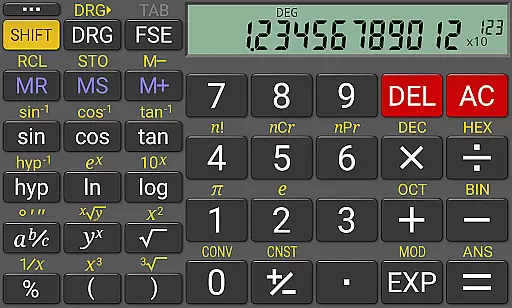
The calculator provides a 12-digit display with 32-digit internal precision, ensuring accuracy in complex computations. Users can choose from various display styles and operate in algebraic or RPN modes. Its extended features include binary, octal, and hexadecimal calculations, making it suitable for engineering and computer science applications. RealCalc Plus also offers a homescreen widget, multi-window support, and external keyboard compatibility, enhancing accessibility and productivity for users who need quick access to their calculations.
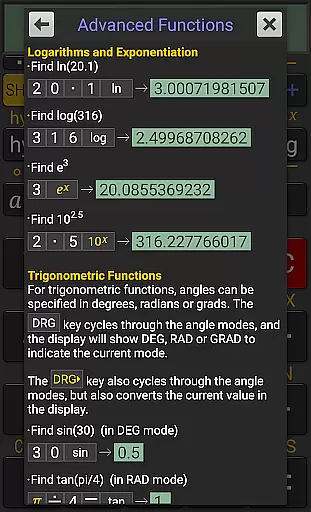
RealCalc Plus stands out with its comprehensive set of features tailored for scientific and engineering calculations. The app supports traditional algebraic operations as well as RPN (Reverse Polish Notation) modes, catering to different user preferences. It includes specialized functions like fraction calculations, degrees/minutes/seconds conversions, and trigonometric operations in degrees, radians, or grads. These features ensure that users can perform a wide range of mathematical tasks with ease.
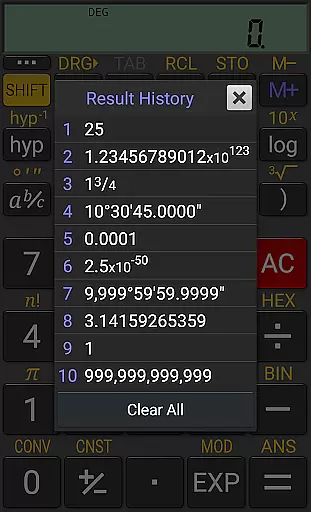
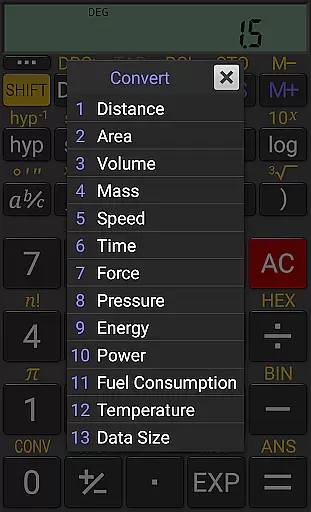
One of the key highlights is its customizable interface, allowing users to adjust digit grouping, decimal points, and display modes. The app offers scientific, engineering, and fixed-point display formats, along with multiple font styles including 7-segment and dot-matrix. Additionally, RealCalc Plus provides advanced functionalities such as user-customizable unit conversions and constants, result history, and ten memory slots. These tools are invaluable for users who need to manage complex calculations efficiently while maintaining high precision.
For a productivity app like RealCalc Plus, core task management refers to how effectively it handles essential calculator operations and scientific functions. This app excels in providing users with an extensive set of features that go beyond basic calculations.
RealCalc Plus supports traditional algebraic or RPN operation, fraction calculations, degrees/minutes/seconds, trigonometric functions in various modes, and much more. The inclusion of customizable unit conversions and constants means users can tailor the app to their specific needs, enhancing efficiency.
Users benefit from the app's 12-digit display, extended internal precision, result history, and multiple memories, which ensure accurate and organized calculations. These features are crucial for students, engineers, and professionals who require reliable computational tools.
The true value lies in its ability to integrate advanced scientific functions with user-friendly customization options, making complex calculations accessible and manageable.
Cross-device synchronization is vital for users who operate on multiple devices and need consistent data access. While RealCalc Plus does not market itself as a cloud-syncing app, it offers features that support continuity across different usage scenarios.
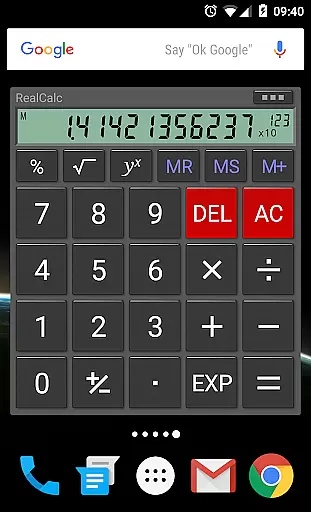
With multi-window support, drag & drop functionality, and external keyboard compatibility, RealCalc Plus ensures that users can seamlessly transition between devices without losing operational capability. Its homescreen widget further allows quick access to calculations without needing to open the full application.
Although it doesn't provide automatic cross-device syncing, its high level of configurabilityu2014such as customizable digit grouping, decimal points, and RPN stylesu2014ensures a personalized and uniform experience on any single device.
By focusing on creating a robust and versatile environment within each installation, RealCalc Plus delivers reliable performance that users can depend on, regardless of their device setup.
User-friendly interface
Highly customizable settings
Accurate scientific calculations
Supports RPN mode
Multi-window functionality
No graphing capabilities
Limited visual design
Advanced features may overwhelm beginners
Separate purchase required
Occasional performance lags

The long-awaited modern gallery app for your Nextcloud server
 4.70
4.70
Take control of your clipboard with Clipper!
3.90
Auto-shutoff Alarm with Sunrise, Sunset & Fixed Options.
3.50
Wake up & get tasks done! Add alarms & reminders on the Clock Launcher.
4.00
Easiest event planning, volunteer signups & parent teacher conference scheduling
2.20
Enjoy classic gameplay with customizable features and retro-style graphics.
4.30
Great calculator for Android named one of USA TODAY's "25 Essential Apps".
4.90
Lightweight PDF, Word, Excel reader.
4.60
AT&T Internet customers can use this app to personalize their Wi-Fi network.
4.40
Secure, fast, open-source, VNC and SSH Remote Desktop for Windows, Linux and Mac
4.70
Quickly and easily keep track of your work shifts
4.70
Calendar 2023 widget for Android. Appointment scheduler, planner, and reminder
4.60
Send files, sync SMS, notifications & clipboard across devices via local network
4.40
Docker, Kubernetes management over Portainer Mobile
4.40 4.20
4.20
Todo reminder
4.10
Activate Two Factor Authentication (2FA or Multi OTP), Password manager and more
4.10
ID.me Authenticator is a simple and free Two Factor Authentication solution
3.50
IP Camera Viewer - Android TV : RTSP Surveillance camera viewer for Android TV
4.5


User Reviews