
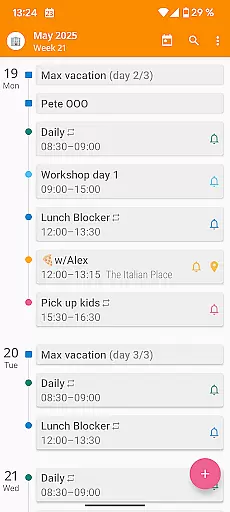

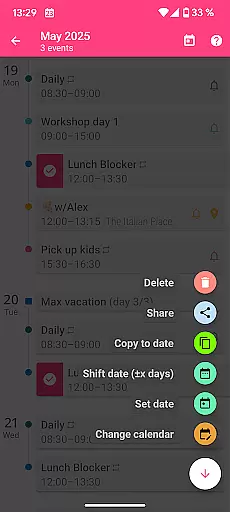
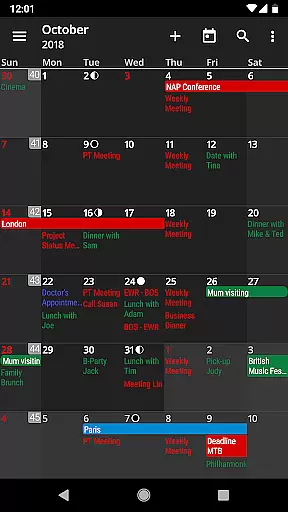
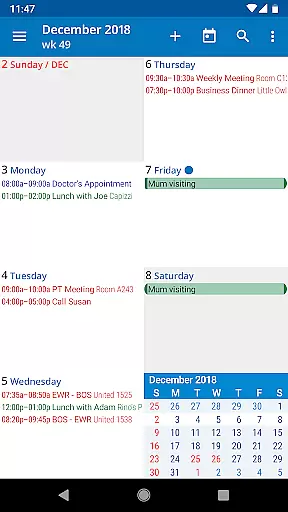
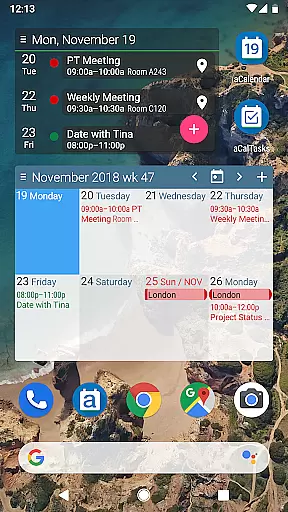
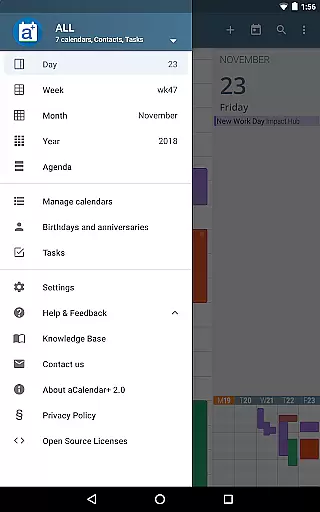
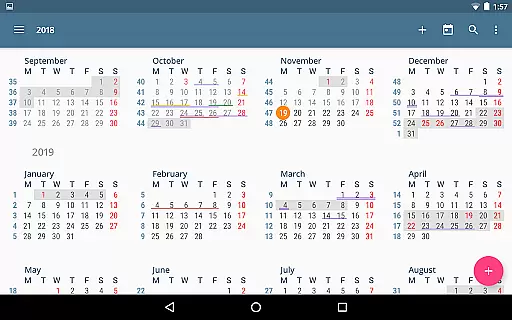
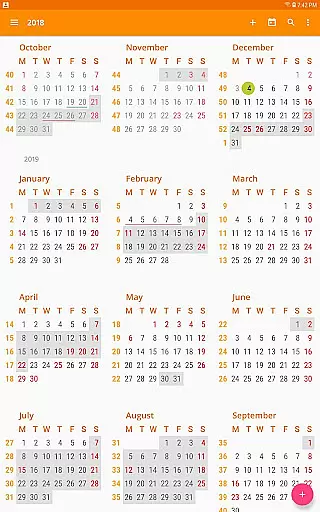
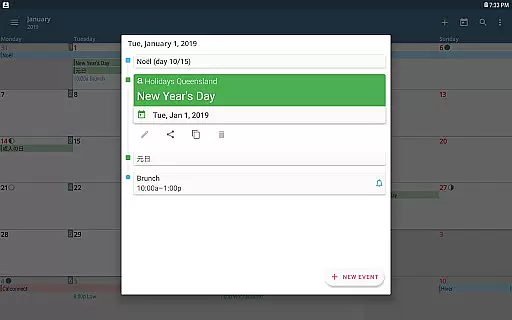
aCalendar+ is a premium productivity app that enhances your daily, weekly, and monthly planning with its comprehensive calendar and task management features. The app offers an intuitive navigation experience with smooth transitions between day, week, month, and year views, ensuring you stay organized effortlessly.
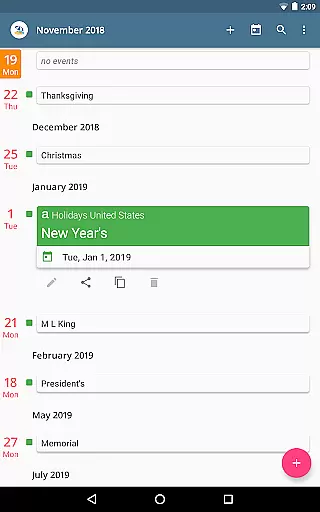
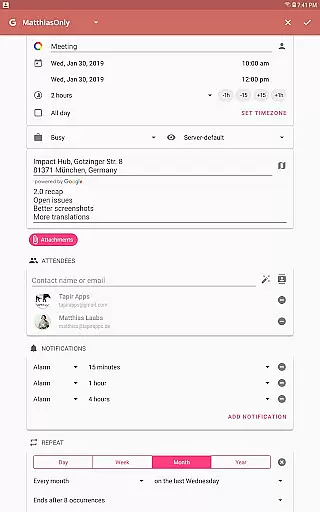
One of the standout features of aCalendar+ is its ability to manage public holidays and school holidays for select countries, along with advanced business functionalities such as inviting attendees and managing tasks from Google Tasks or CalDAV/OpenTasks. This makes it an ideal tool for both personal and professional use, streamlining scheduling and boosting productivity.
aCalendar+ stands out with its rich feature set tailored for power users. It provides over 100 color options for calendar customization, per-event colors, and custom event font sizes, allowing for personalized and visually distinct scheduling. The app also supports birthdays and anniversaries with photos from your address book, adding a personal touch to your calendar entries.
In addition to its aesthetic customization, aCalendar+ offers practical functionalities like flexible recurrence options for events, fullscreen widgets for quick access, and seamless integration with Android's native calendar backend. These features ensure that users can efficiently manage their schedules while enjoying a highly customizable and user-friendly interface.
Task management is a cornerstone of productivity applications, and aCalendar+ excels in this domain by offering users an intuitive way to handle their daily activities. The app provides multiple views including day, week, month, and year, allowing users to manage their schedules with precision and ease.
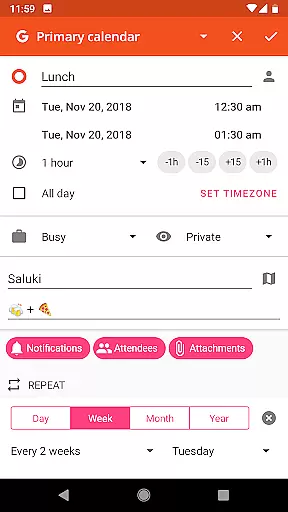
aCalendar+ goes beyond basic scheduling by integrating advanced features such as flexible recurrences for events, which can be set to repeat in virtually any pattern imaginable. This ensures that whether it's a regular meeting or an irregular occasion, the app has got it covered.
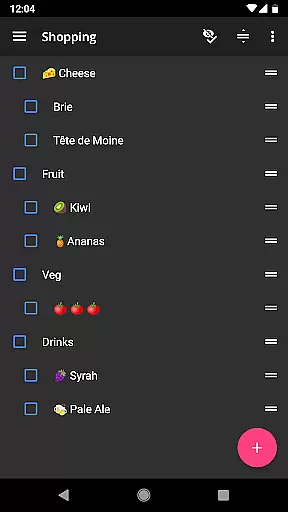
The inclusion of tasks management is another highlight, enabling users to keep track of their to-dos alongside their calendar events. With support for Google Tasks and CalDAV/OpenTasks, staying on top of responsibilities has never been easier. Users can enjoy a seamless experience that keeps them organized and efficient.
In today's interconnected world, reliable cross-device synchronization is vital for maintaining productivity. aCalendar+ leverages Android's native calendar backend and synchronization capabilities to ensure that all your devices reflect the most current state of your schedule.
Whether you're switching from your phone to a tablet or accessing your calendar from a computer, aCalendar+ guarantees that every change made is instantly mirrored across all platforms. This real-time update feature means you'll never miss an important event due to outdated information.
Furthermore, the app supports Fullscreen widgets and configurable actions, enhancing accessibility and interaction regardless of the device being used. By prioritizing synchronization reliability, aCalendar+ delivers a consistent and dependable user experience that empowers individuals to stay productive and connected.
User-friendly interface
Highly customizable
Advanced task management
Comprehensive holiday support
Privacy-focused design
Premium version costly
Occasional sync issues
Limited third-party integrations
Complex for beginners
Ads in free version

A Revolutionary All-in-One Artificial Intelligence Tools
 3.80
3.80
Experience Reading - Night Mode for Documents
4.40
Auto-shutoff Alarm with Sunrise, Sunset & Fixed Options.
3.50
Professional calendar app for Google Calendar, MS Outlook & Exchange
4.20
Automates browsing any website and notifies you of important changes or events
4.30
Scientific calculator for Android - looks and operates like the real thing!
4.90
Use powerful, industry-leading AI tools to generate visual charts from any data
4.80
AI Chatbot and AI writing assistant powered by ChatGPT.
4.60
QuickEdit is a fast, stable and full featured text and code editor.
4.20
Understand anything with a personalized AI research assistant
4.80
Stay on top of your to-dos with Google Tasks, part of Google Workspace.
4.60
Client for Nextcloud Deck
4.60
Tally and goal counter for Wear OS & mobile
4.50
Customizable calendar widget for seamless event sync, planning & scheduling.
4.00
The ultimate file manager for rooted devices. The original and still the best.
4.00
⏰ Finally a timer app which can run multiple timers simultaneously on your watch
3.90
Mega cloud explorer plugin for Solid Explorer
3.80
Create study competitions, track your hours, and stay consistent with friends
4.0
A simple, portable logger for POTA, SOTA, Field Day, and more
4.4


User Reviews