
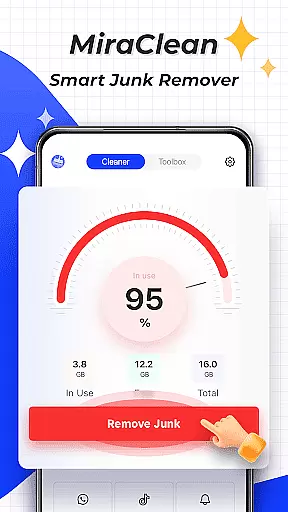

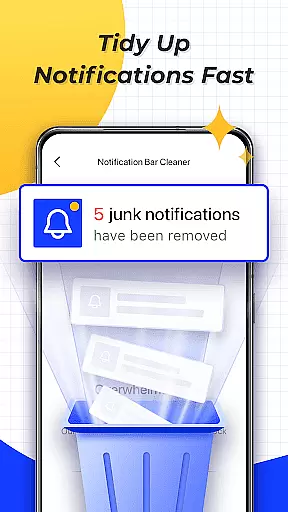
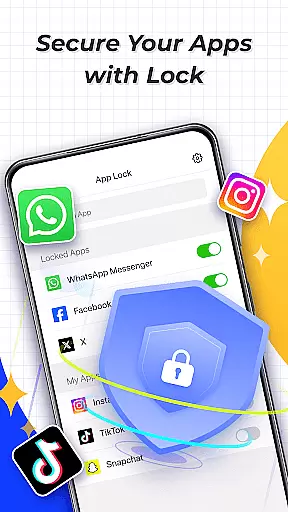
MiraClean is a productivity-focused app designed to help Android users efficiently manage their device storage and optimize performance. The app provides tools for scanning and deleting unnecessary junk files, such as temporary files, app caches, and residual data that accumulate over time. Additionally, it allows users to clear unwanted notifications from the notification bar, helping maintain a clutter-free interface.
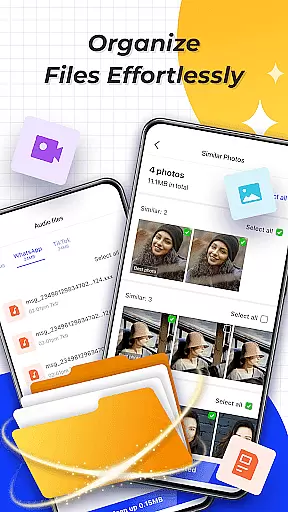
Another key feature of MiraClean is its file management capability, which lets users organize files by type and size, making cleanup easier and more systematic. It also offers network data usage statistics, showing how much mobile or Wi-Fi data each app consumes, along with a network speed test to measure current download and upload speeds. Lightweight and privacy-conscious, MiraClean is an ideal solution for users seeking a simple yet effective way to monitor and manage their phone's storage and settings.
MiraClean stands out with its comprehensive set of features tailored to enhance device productivity. One of its primary functions is the ability to scan and identify various types of junk files, including temporary files, app caches, and leftover data from uninstalled apps. This ensures your device remains free from unnecessary clutter, improving both storage space and system performance.
In addition to file management, MiraClean offers practical tools like notification clearing, which helps users declutter their notification bar by removing unwanted alerts. The app also categorizes files by type and size, allowing for more organized and efficient file handling. Furthermore, MiraClean provides insights into network data usage, displaying detailed statistics about mobile and Wi-Fi consumption per app. Its built-in network speed test adds another layer of utility, enabling users to measure their internet connection's performance in real-time.
All these features are packaged in a lightweight app that respects user privacy, ensuring no unnecessary permissions are requested. Whether you're looking to free up space, monitor data usage, or simply keep your device running smoothly, MiraClean delivers a reliable and straightforward solution.
At the heart of MiraClean lies its ability to efficiently manage core tasks related to file and storage organization on your Android device. This functionality is crucial for users who wish to maintain a clutter-free phone, ensuring optimal performance.
The app scans and identifies unnecessary files such as temporary caches, residual data, and junk files that accumulate over time. By providing an easy way to review and remove these files, MiraClean empowers users to reclaim valuable storage space.
Additionally, MiraClean offers features like sorting files by type and size, which simplifies the process of managing large or unneeded files. This targeted approach not only declutters your device but also enhances its overall speed and responsiveness.
By integrating essential tools for notification management and network data usage tracking, MiraClean ensures that users have a comprehensive toolkit for maintaining their device's efficiency without compromising privacy.
MiraClean may primarily focus on single-device productivity, but its reliable handling of tasks ensures that users can count on it for consistent performance across various scenarios. While it doesn't directly offer cross-device synchronization, its lightweight nature makes it an ideal tool for uniform maintenance habits.
For users who own multiple devices, the principles of file management and storage optimization promoted by MiraClean can be applied universally. The appu2019s ability to monitor network data usage and perform speed tests adds a layer of utility that transcends individual device limitations.
Although MiraClean operates independently on each device, its straightforward interface and efficient task execution mean that users can depend on a similar experience regardless of the device in use. This consistency is key for those who value reliability in their productivity tools.
Ultimately, while MiraClean does not provide traditional cross-device syncing, its dependable performance and privacy-conscious design make it a trustworthy choice for anyone looking to optimize their digital environment.
Lightweight design
Privacy-focused
Easy-to-use interface
Comprehensive file management
Network speed testing
Limited advanced tools
No cloud backup option
Basic UI design
Occasional slow scans
Few customization settings

Secure, fast, open-source, VNC and SSH Remote Desktop for Windows, Linux and Mac
 4.70
4.70
A customizable calendar for your Wear OS watch
4.20
All in one sketching tool. Technical and General drawing. Online Maps support.
3.70
Easily read and manage all your PDF files
4.10
Great calculator for Android named one of USA TODAY's "25 Essential Apps".
4.90
The ultimate file manager for rooted devices. The original and still the best.
4.00
Secure your apps with lock screens, use custom themes and different features.
4.40
Lightweight PDF, Word, Excel reader.
4.60
Daily processing of PDF documents.
4.40
8 custom complications. Custom Time Fonts. Beautiful color schemes. A++ Design.
5.00
Best Tool for the professionals Electrician, Electrical contractors, etc.
4.90
Client for Nextcloud Deck
4.60
The Pro Version of Android's tiniest Notepad app. Just 0.3MB but feature-packed!
4.60
Functional QR scanner and barcode reader that requires little storage space.
4.60
Subscribe to Webcal & .ics calendars and keep them up-to-date!
4.50
A lightweight JSON & XML files creator, editor and viewer (Premium Version)
4.40
Wake up & get tasks done! Add alarms & reminders on the Clock Launcher.
4.00
Access your phone's notifications, calls, apps, photos & texts on your PC
3.90
Make your handwriting beautiful, even more than pen on paper.
3.60


User Reviews