
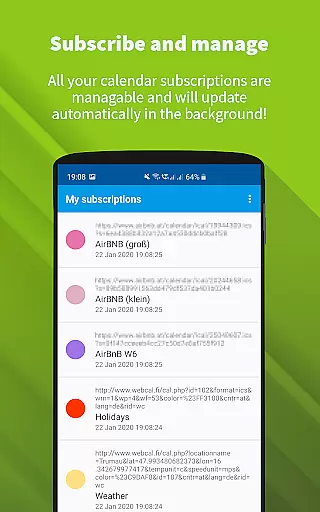
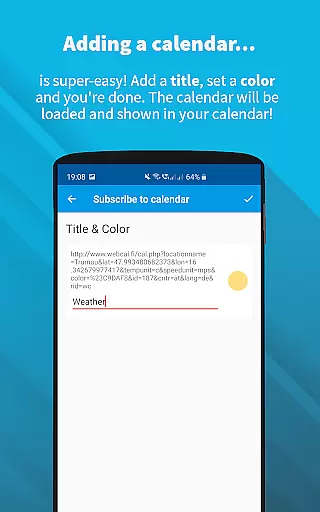
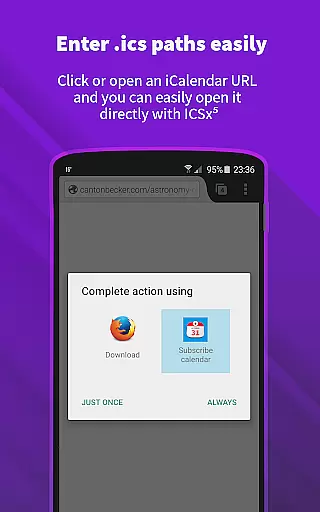
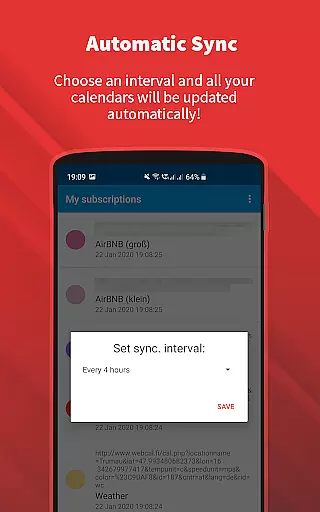
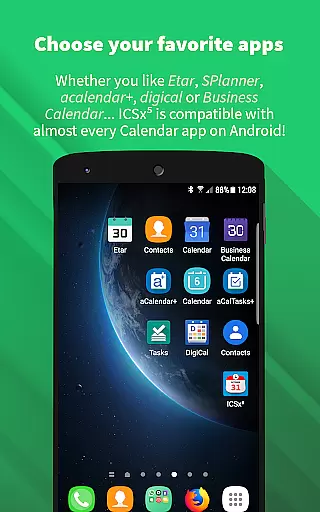
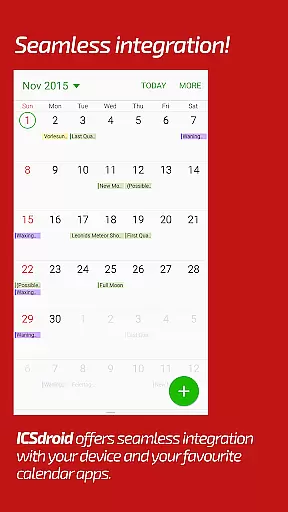
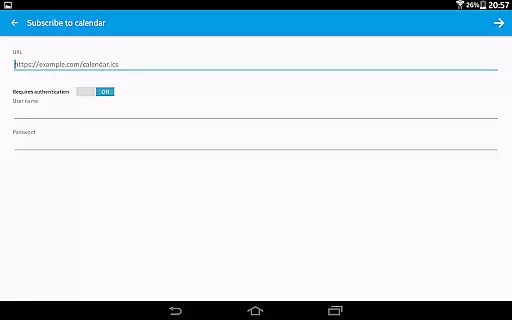
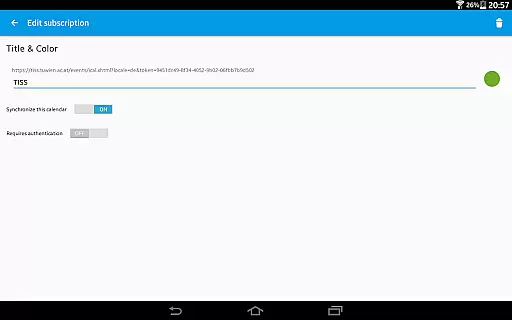
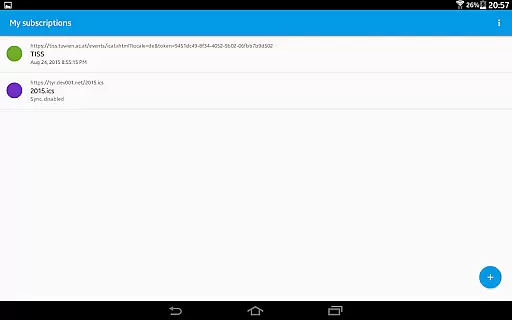
ICSx⁵ is a powerful productivity tool designed for managing external calendar files on Android devices. This app specializes in subscribing to and synchronizing Webcal iCalendar/.ics files, ensuring users have the latest event information at their fingertips. With seamless integration into your device's existing calendar system, ICSx⁵ allows you to effortlessly stay updated with important schedules from various sources such as holidays, sports events, or academic timetables.
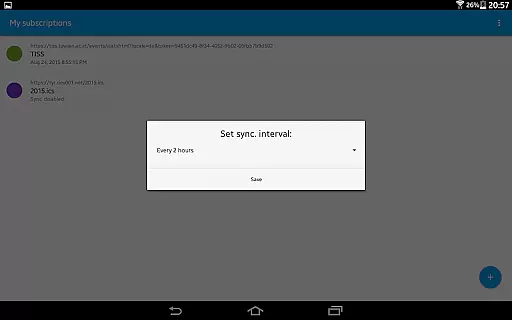
The app stands out with its state-of-the-art synchronization technology, which guarantees that all subscribed calendars are always up-to-date. Whether it's iCloud shared calendars or local .ics files, ICSx⁵ imports these events and displays them directly in your preferred calendar app. The ability to set sync schedules and use intelligent update checks ensures optimal performance while preserving bandwidth. Additionally, the app supports authentication protocols and secure HTTPS connections, making it a reliable choice for both personal and professional use.
ICSx⁵ offers an array of advanced features tailored for efficient calendar management. One notable capability is its support for Webcal feeds, allowing users to subscribe to live calendar updates from services like iCloud. This one-way sync ensures that changes made on the source calendar are reflected on your device without altering the original feed. Furthermore, users can import .ics files stored locally on their devices, providing flexibility in how they manage their schedules.
The app also excels in its seamless integration with other calendar applications, enhancing user experience by maintaining consistency across different platforms. Users can configure sync schedules according to their preferences, optimizing the frequency of updates based on individual needs. An intelligent update checker minimizes data usage by only fetching necessary updates. Security-conscious users will appreciate the robust privacy measures, including full transparency through open-source development and no third-party data sharing, ensuring peace of mind when handling sensitive calendar information.
ICSxu2075 excels in core task management by enabling users to subscribe and manage external iCalendar/.ics files on their Android devices. This functionality allows for the seamless integration of various calendar events into the user's preferred calendar app.
The app supports one-way synchronization, ensuring that all subscribed calendars are up-to-date. Users can add a wide range of events, from holidays and sports team schedules to academic timetables, directly enhancing productivity by centralizing information.
With features like intelligent update checking and support for authentication and HTTPS, ICSxu2075 ensures efficient and secure updates. This means users always have access to the latest information without compromising their data security.
Cross-device synchronization is a critical feature of ICSxu2075, allowing users to maintain consistency across multiple devices. By subscribing to Webcal feeds, users can synchronize shared calendars at regular intervals, ensuring they always have the most current data.
ICSxu2075 also supports opening webcal:// and webcals:// URLs within an Android web browser, further facilitating synchronization. This makes it easy for users to add and manage calendar events regardless of their source.
The app's commitment to privacy and security ensures reliable synchronization without unnecessary data transfer. Being open-source, ICSxu2075 provides transparency and peace of mind, making it a dependable choice for managing calendar tasks across devices.
User-friendly interface
Seamless calendar integration
Regular automatic updates
Strong security protocols
Open-source transparency
Limited to Android platform
No two-way sync option
Occasional sync delays
Advanced settings may overwhelm beginners
Requires manual setup for some features

Direct Chat without saving contacts & Dual WA Account on Single Device
 4.70
4.70
8 custom complications. Custom Time Fonts. Beautiful color schemes. A++ Design.
5.00
PDF scanner & converter for files, photos, lottery, QR codes. One swipe away!
4.50
Create and edit presentations with Google Slides, part of Google Workspace.
4.00
* block pre-roll ads, pop-up and forced redirect ads * Samsung certification app
4.00
The ultimate file manager for rooted devices. The original and still the best.
4.00
Experience and share your SolidWorks designs on your Android® phone and tablet.
2.50
Scientific calculator for Android - looks and operates like the real thing!
4.90
Note taking, handwriting, record audio, PDF annotation, planner & journal
4.20
Understand anything with a personalized AI research assistant
4.80
Simple notepad & memo. Take notes, to-do list, shopping list with reminders.
4.80
To do list widget with a notebook organizer, checklist, simple shopping list
4.60
All document reader, all in one file viewer read PDF, DOCX, XLS, PPT, TXT files.
4.60 4.20
4.20
Easily read and manage all your PDF files
4.10
⏰ Finally a timer app which can run multiple timers simultaneously on your watch
3.90
Ultimate Virtual AI Character for immersive Roleplay Chat. Perfect Companion
3.90
Find and delete junk files & block unwanted notifications & manage files
3.70
Auto-shutoff Alarm with Sunrise, Sunset & Fixed Options.
3.50


User Reviews