
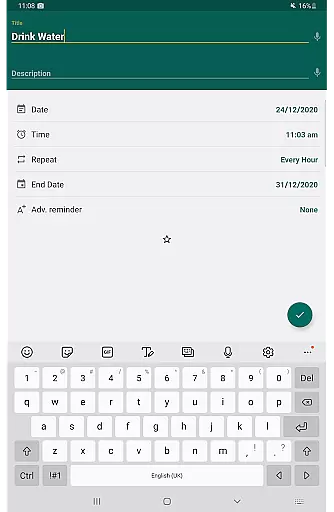
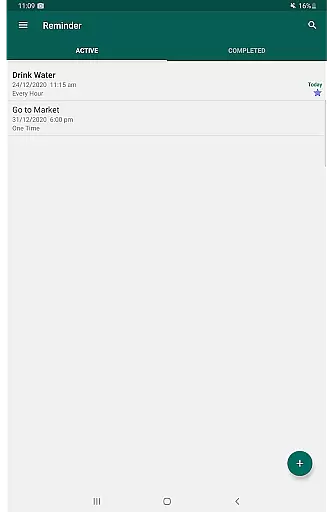
Reminder Pro is a versatile productivity tool designed to help users organize their daily lives through customizable reminders. The app allows you to set one-time and recurring notifications for various tasks, deadlines, and events, ensuring that nothing important slips your mind. With features like pop-up notifications, snooze options, and quiet hours settings, Reminder Pro offers both functionality and user convenience.
The app's core strength lies in its simplicity and ease of use. Whether you need to remember to take medication, attend meetings, or pay bills, Reminder Pro provides a straightforward solution. It supports multiple categories with different colors and settings, enabling users to prioritize tasks effectively. Available on Android, this app is perfect for anyone looking to enhance their productivity without dealing with unnecessary complications.
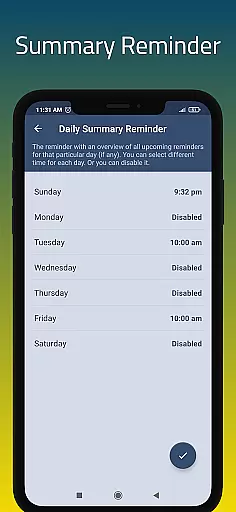
By integrating essential features such as a daily summary reminder, widget support, and auto backup, Reminder Pro ensures that users can manage their schedules efficiently. Its ability to handle diverse reminder types - from homework deadlines to personal anniversaries - makes it an invaluable tool for organizing both professional and personal aspects of life.
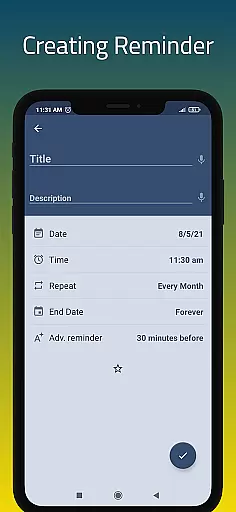
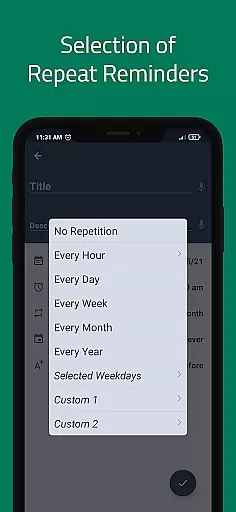
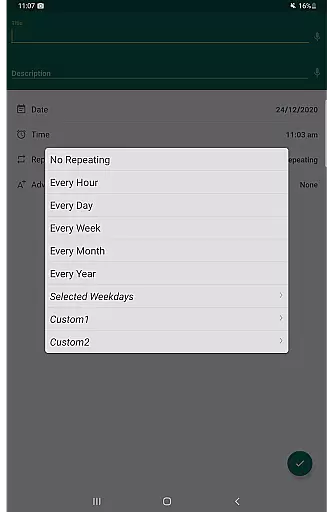
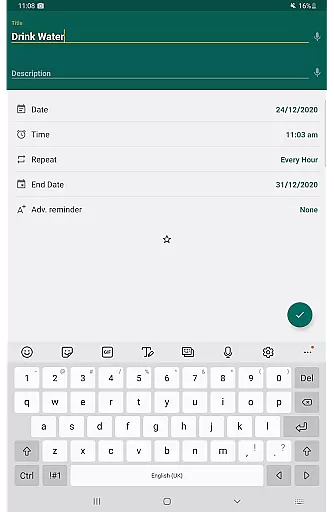
Reminder Pro stands out with its comprehensive feature set tailored to maximize user productivity. One of its key features is the ability to create custom recurring reminders, allowing users to set hourly, daily, weekly, or monthly notifications. This flexibility ensures that whether you're managing routine tasks like taking medication or planning for important deadlines, the app adapts to your needs seamlessly.
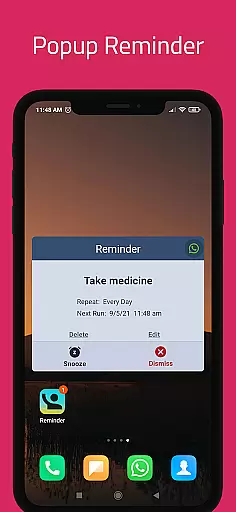
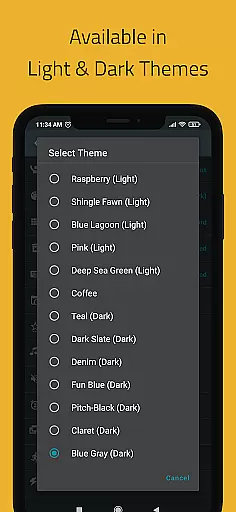
In addition to recurring reminders, the app offers advanced functionalities such as popup notifications and a snooze option, giving users control over how and when they receive alerts. The inclusion of multiple themes and different view options (standard, compact, and monthly grouping) enhances the user experience by providing personalized ways to visualize tasks. Furthermore, features like search functionality and quiet hours settings ensure that users can find and manage their reminders without any hassle.
Another significant advantage of Reminder Pro is its robust organizational tools. Users can categorize reminders with distinct colors and settings, making it easier to differentiate between various types of tasks. The app also supports auto and manual backup options, safeguarding your data against loss. These features collectively contribute to creating a reliable and efficient task management system that caters to both personal and professional requirements.
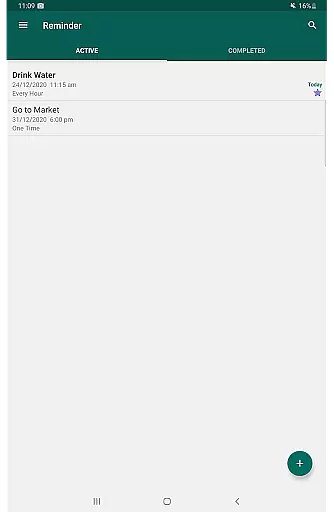
Task management is at the heart of any productivity app, and Reminder Pro excels in this area. The application allows users to create both one-time and recurring reminders for a variety of tasks, ensuring that nothing important slips through the cracks. Whether it's deadlines for work or school, meetings, daily chores, or special occasions like birthdays and anniversaries, Reminder Pro has got you covered.
The app offers versatile features such as custom recurring reminders, quiet hours settings, and advance notifications which give users control over when and how they receive alerts. This flexibility ensures that users can tailor their experience to fit their unique lifestyles and preferences. Additionally, the ability to add detailed notes to each reminder means that context and additional information are always at hand.
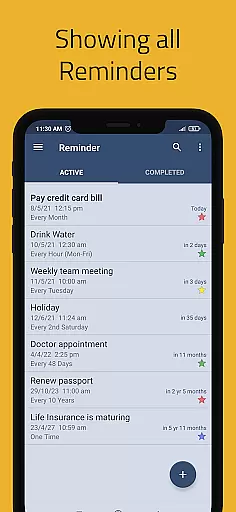
With options like categories with different colors and settings, standard, compact, and monthly grouping views, users can organize their tasks in a way that makes the most sense to them. This organization not only helps in managing tasks but also provides a clear overview of what needs to be done, enhancing overall productivity. By streamlining task management, Reminder Pro empowers users to focus on what truly matters without worrying about forgetting important commitments.
In todayu2019s fast-paced world, having reliable cross-device synchronization is crucial for maintaining productivity. Reminder Pro understands this need and ensures that your reminders are seamlessly synced across all your devices. Whether you're using your phone, tablet, or computer, you can access your reminders anytime, anywhere, without missing a beat.
The auto backup and manual backup features further enhance data security and availability. Users can rest assured knowing that their carefully planned schedules and important reminders are safely stored and can be retrieved whenever necessary. This peace of mind is invaluable, especially when juggling multiple responsibilities and relying heavily on digital tools.
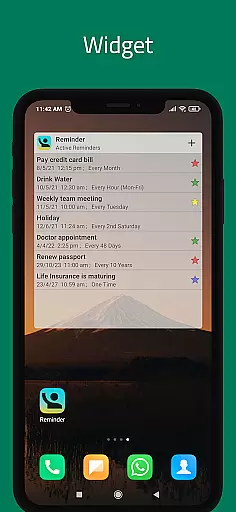
Moreover, the widget functionality provides quick access to your reminders directly from your device's home screen, making it incredibly convenient to check and manage tasks on the go. With Reminder Pro's robust synchronization capabilities, staying organized and up-to-date has never been easier. This reliability fosters trust in the app, encouraging consistent use and ultimately leading to better time management and increased efficiency.
User-friendly interface
Customizable reminders
Multiple view options
Quiet hours setting
Auto backup feature
Limited iOS availability
No built-in calendar
Premium version required
Occasional bugs
Ads in free version

Seamlessly integrate data and reports to build your presentation to impress
 4.80
4.80
The long-awaited modern gallery app for your Nextcloud server
4.70
Experience real multitasking on your Android!
4.00
A lightweight JSON & XML files creator, editor and viewer (Premium Version)
4.40
Easiest event planning, volunteer signups & parent teacher conference scheduling
2.20
Make apps & sites with natural language prompts
4.10
Multilingual translator for text, voice, and image translation!
4.90
Intelligent AI Assistant
4.10
Note taking, handwriting, record audio, PDF annotation, planner & journal
4.20
8 custom complications. Custom Time Fonts. Beautiful color schemes. A++ Design.
5.00
Use powerful, industry-leading AI tools to generate visual charts from any data
4.80
QuickBooks Workforce lets teams view pay info and track time in one place.
4.70
A beautiful digital clock with autostart and many other functions
4.70
The AI assistant that thinks with you - write, code, and solve complex tasks
4.60
Experience Reading - Night Mode for Documents
4.40
When you Focus, so will your Bean in this cozy focus timer
4.30
Access, manage and transfer files on Android, PC, Mac, NAS and cloud storages.
4.30
Wake up & get tasks done! Add alarms & reminders on the Clock Launcher.
4.00
IP Camera Viewer - Android TV : RTSP Surveillance camera viewer for Android TV
4.0


User Reviews