

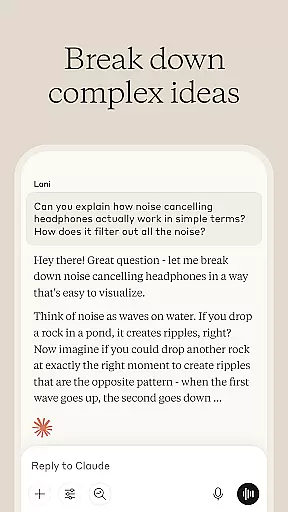
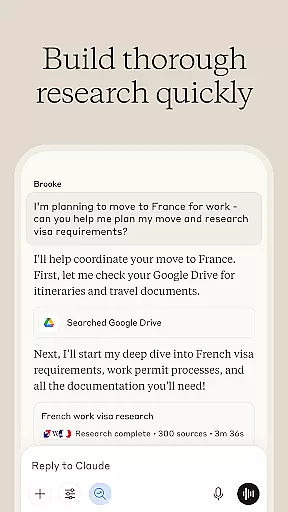
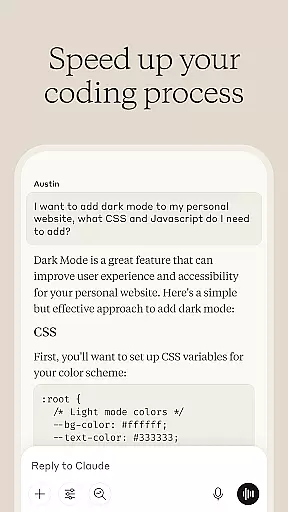
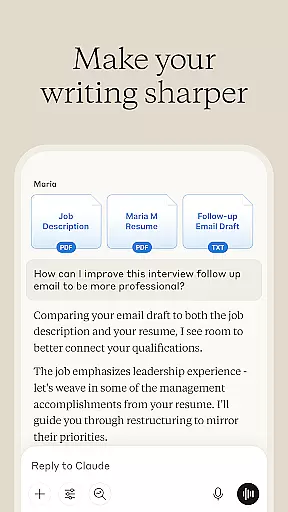

Claude by Anthropic is a cutting-edge AI-powered productivity application designed to serve as both a problem solver and a thinking partner. This versatile tool assists users in writing, research, coding, and tackling complex challenges with remarkable depth and precision. Available on mobile devices, Claude enhances users' cognitive abilities and extends their creative potential.
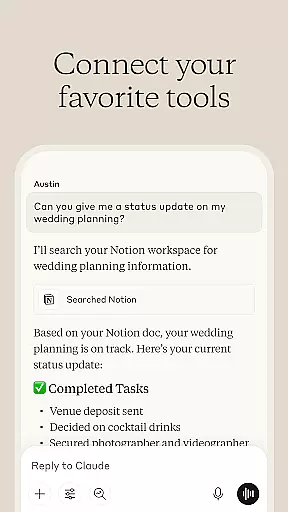
The app excels in several key areas. As an AI writing assistant, it helps refine content through collaborative editing, ensuring clarity and proper tone. Its research capabilities allow users to compile findings and analyze data across multiple platforms, including Google Drive and Gmail. For developers, Claude functions as a coding assistant that reviews code and explains programming concepts. Furthermore, the app supports visual analysis of uploaded images and PDFs, extracting text and interpreting visual data.
Claude proves particularly valuable for professionals and creatives who need to produce high-quality work efficiently. By integrating advanced AI technologies, it enables users to push past their limitations and achieve superior results in various projects.
Claude by Anthropic stands out as a comprehensive productivity tool designed to enhance various aspects of work and creativity. The app integrates advanced AI capabilities to assist users in writing, research, coding, and problem-solving.
One of its standout features is the AI writing assistant, which refines rough ideas into polished content. Users can collaborate with Claude to develop professional emails, social media posts, and complex reports. The app also offers robust research and data analysis tools, enabling users to search across platforms like Google Drive and Gmail while providing accurate citations. For developers, Claude serves as a coding assistant that reviews code, debugs issues, and explores new programming languages.
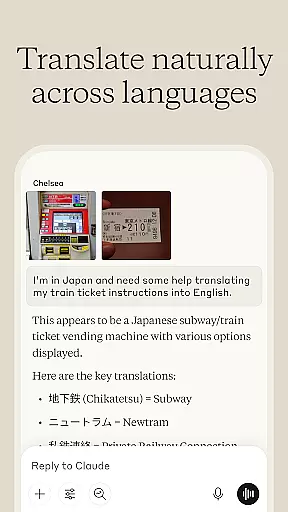
Additionally, Claude supports visual analysis, allowing users to upload images or PDFs for text extraction, language translation, and chart interpretation. Its voice dictation feature facilitates hands-free brainstorming sessions. These features collectively empower users to expand their capabilities and tackle projects beyond their current expertise.
At the heart of productivity lies effective task management, and Claude excels in this area. The AI assistant helps users organize their workflow by breaking down complex projects into manageable tasks. This structured approach ensures that nothing falls through the cracks.
Claude's task management capabilities include creating detailed to-do lists, setting deadlines, and prioritizing items based on urgency and importance. Users can collaborate with Claude to develop comprehensive project plans, assign responsibilities, and track progress across multiple workstreams.
The real value comes from how Claude integrates task management with its other features. As users work through their tasks, they can seamlessly access writing assistance, research support, and coding help within the same interface. This holistic approach streamlines workflow and enhances overall productivity.
In today's multi-device world, reliable cross-device synchronization is crucial for maintaining productivity. Claude delivers exceptional performance in this aspect, ensuring that all user data remains consistent and up-to-date across different platforms.
The application employs advanced cloud-based technology to sync information in real-time. Whether users switch between their mobile devices or access Claude from desktop computers, they'll find their work precisely where they left it. This includes documents, research findings, code snippets, and visual analyses.
Claude's synchronization system is designed with both security and efficiency in mind. While maintaining fast update speeds, the platform implements robust encryption protocols to protect user data during transmission. This dual focus on reliability and security gives users peace of mind while working across multiple devices.
Advanced AI capabilities
Versatile writing assistance
Comprehensive research tools
Robust coding support
Visual analysis features
Occasional bugs
Limited offline functionality
Premium features require subscription
Steep learning curve
Resource-intensive

Total remote control for your Android device, PC and cloud services (IFTTT)!
 4.20
4.20
CalenGoo is a very flexible and feature-rich calendar app
4.40
Stay on top of your to-dos with Google Tasks, part of Google Workspace.
4.60
Functional QR scanner and barcode reader that requires little storage space.
4.60
Enjoy classic gameplay with customizable features and retro-style graphics.
4.30
Experience and share your SolidWorks designs on your Android® phone and tablet.
2.50
Simple notepad & memo. Take notes, to-do list, shopping list with reminders.
4.80
Okta MFA
4.70
Browse and view your photos and videos from the phone with photo & video hide.
4.10
Protect and view your important info on your phone and tablet with eWallet®
4.80
We're working to become the best machining app on the market! www.cncdirt.com
4.80
Understand anything with a personalized AI research assistant
4.80
A Pixel Art watchface inspired by other iconic 90s designs for Wear OS devices!
4.40
Todo reminder
4.10
Activate Two Factor Authentication (2FA or Multi OTP), Password manager and more
4.10
Experience real multitasking on your Android!
4.00
Unlock AutoNotification
4.00
Access your phone's notifications, calls, apps, photos & texts on your PC
3.90
Code on-the-go with VScode for Android. Edit,debug and collaborate from mobile!!
3.10


User Reviews