
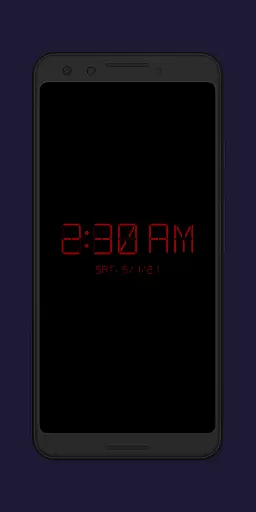
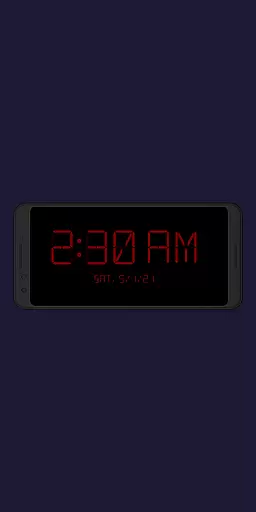
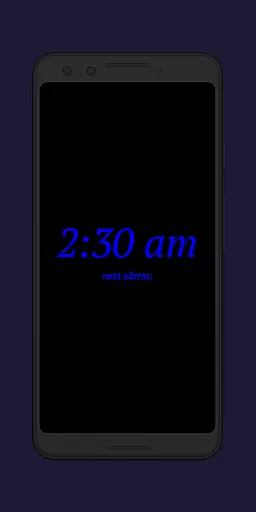
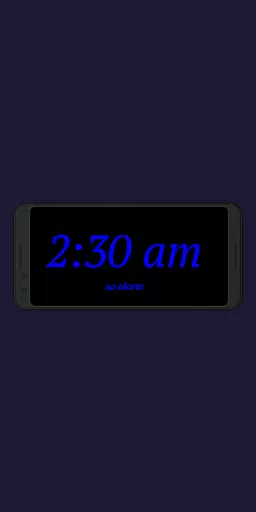
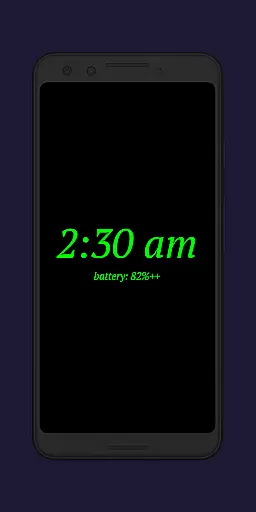
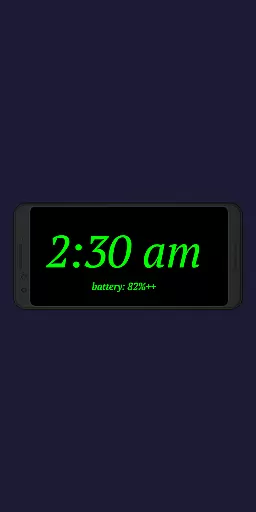
Night Clock + is a versatile digital clock app designed to serve as both a bedside night clock and a daylight mode display. The app transforms your device into a beautiful digital clock for both day and night use, offering convenience when you need to check the time after leaving your bed. With its supporter version, users gain access to all features without limitations, making it an ideal choice for those seeking a reliable and feature-rich clock app.
The app includes practical functionalities such as a built-in flashlight for nighttime convenience and customizable settings that allow automatic activation when connecting a power cord or at a preset time. These features ensure that Night Clock + not only enhances your nighttime experience but also seamlessly integrates into your daily routine, providing both utility and aesthetic value.
Night Clock + stands out with its extensive customization options and practical features tailored for user convenience. The app offers four different font types, adjustable font colors, and customizable brightness levels specifically for the night clock screen. These options allow users to personalize their clock display to suit their preferences and environment perfectly.
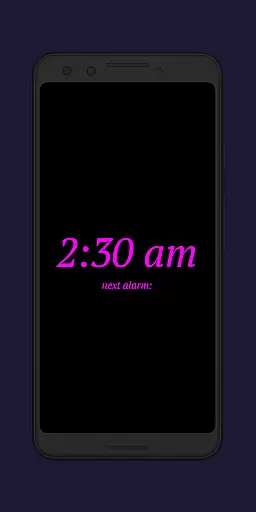
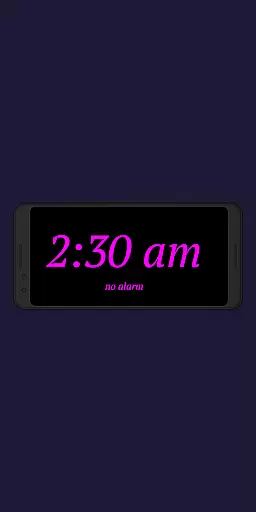
In addition to its customization capabilities, the app provides advanced functionalities such as displaying the next alarm time from the Android system and integrating a flashlight directly on the night clock screen. Automatic night clock activation can be set based on connecting a power cord or specific times, while the daylight mode supports automatic brightness adjustments. With these comprehensive features, Night Clock + delivers a superior user experience that combines functionality with personalization.
Task management is a critical aspect of productivity applications, and Night Clock + excels in this area by providing users with an array of features that go beyond simple timekeeping. The app allows for the automatic start of the night clock when a power cord is connected or at a preset time, ensuring that your schedule is maintained without manual input.
The app's ability to show the next alarm time set in the Android system is an example of its task management prowess. This feature helps users keep track of their upcoming commitments and manage their time effectively. Additionally, the integrated screensaver functionality moves the clock slowly across the screen, which can serve as a subtle reminder of the passage of time.
Night Clock + offers adjustable display sizes for clock elements, catering to individual preferences and ensuring optimal visibility. This customization empowers users to tailor the app to their specific needs, enhancing their ability to manage tasks efficiently throughout the day and night.
Cross-device synchronization is essential for users who employ multiple devices in their daily routine. While Night Clock + does not offer traditional cross-device sync, it provides reliable synchronization within its ecosystem by allowing the use of an old or unused device as a dedicated digital clock. This repurposing ensures that all your devices work harmoniously to maintain productivity.
The application supports various modes, including a daylight mode that adjusts brightness automatically during certain times of the day and uses a fixed value otherwise. This intelligent adaptation mirrors the consistency one would expect from cross-device synchronization, offering seamless transitions between different lighting conditions.
Furthermore, the app's permission settings ensure that features like drawing above other apps and using the camera/flashlight are available when needed. These permissions contribute to the overall reliability of the app's functions across different scenarios, mimicking the dependability of synchronized devices working together towards enhanced user experience.
User-friendly interface
Highly customizable settings
Integrated flashlight functionality
Automatic activation options
Daylight and night modes
Requires specific permissions
Limited to digital display
Premium version cost
May drain battery faster
Complex for beginners

Secure, fast, open-source, VNC and SSH Remote Desktop for Windows, Linux and Mac
 4.70
4.70
Auto-shutoff Alarm with Sunrise, Sunset & Fixed Options.
3.50
Mega cloud explorer plugin for Solid Explorer
3.80
Automates browsing any website and notifies you of important changes or events
4.30
aCalendar+ makes your day, week and month
4.70
Enjoy classic gameplay with customizable features and retro-style graphics.
4.30
Access, manage and transfer files on Android, PC, Mac, NAS and cloud storages.
4.30
Docker, Kubernetes management over Portainer Mobile
4.40
Put a lock on your cloud: Take the security of your data into your own hands
3.70
Scientific calculator for Android - looks and operates like the real thing!
4.90
QuickBooks Workforce lets teams view pay info and track time in one place.
4.70
Client for Nextcloud Deck
4.60
Functional QR scanner and barcode reader that requires little storage space.
4.60
Calendar 2023 widget for Android. Appointment scheduler, planner, and reminder
4.60
Customizable calendar widget for seamless event sync, planning & scheduling.
4.00
The ultimate file manager for rooted devices. The original and still the best.
4.00
A Revolutionary All-in-One Artificial Intelligence Tools
3.80
Smart PDF reader & editor to view, organize and manage PDF documents easily.
3.70
A comprehensive suite of tools designed specifically for Lactation Consultants
4.4


User Reviews